Diese Spezialseite listet alle hochgeladenen Dateien auf.

| Datum | Name | Vorschaubild | Größe | Beschreibung | Versionen |
|---|---|---|---|---|---|
| 08:53, 18. Jun. 2026 | Office-click-to-run.png (Datei) |  |
1 KB | {{Information | description = Screenshot Office Click to Run Setup | source = Screenshot | date = 18.06.2026 | author = Benutzer:jnk | permission = {{PD-user|jnk}} }}Kategorie:Screenshots | 1 |
| 11:48, 17. Jun. 2026 | Logo Android17.png (Datei) |  |
846 Bytes | {{Information | description = Logo Android 17 | source = self | date = 17.06.2026 | author = Benutzer:jnk | permission = {{PD-user|jnk}} }}Kategorie:Logos | 1 |
| 08:40, 8. Jun. 2026 | Mac-adresse-windows-02.png (Datei) |  |
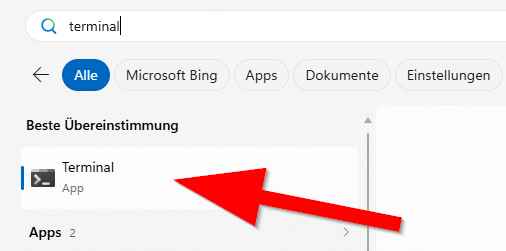
53 KB | {{Information | description = Screenshot Windows 11 - Terminal | source = Screenshot | date = 08.06.2026 | author = Benutzer:jnk | permission = {{PD-user|jnk}} }}Kategorie:Screenshots | 1 |
| 08:35, 8. Jun. 2026 | Mac Adresse Windows Powershell 1.png (Datei) |  |
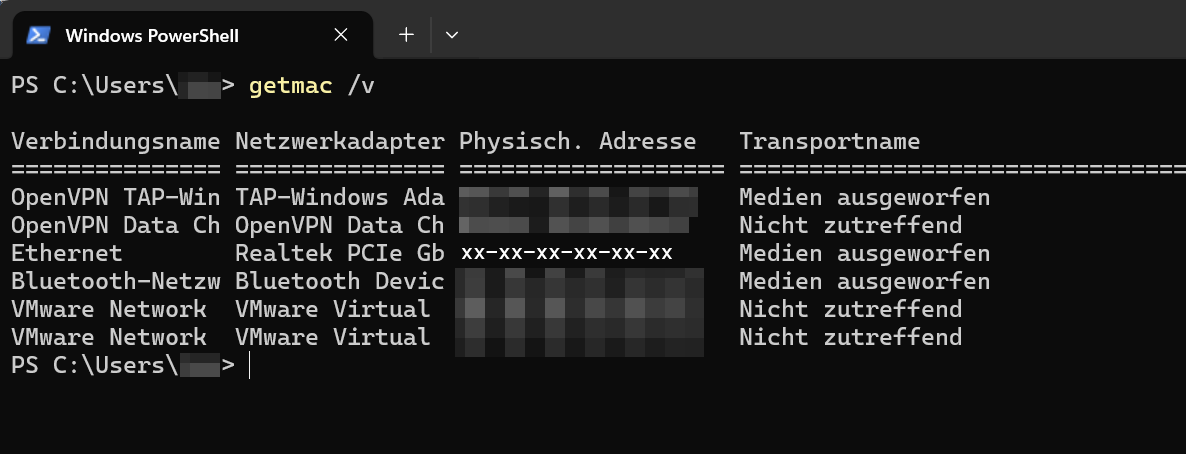
29 KB | {{Information | description = Screenshot Windows 11 Powershell - getmac /v | source = Screenshot | date = 08.06.2026 | author = Benutzer:jnk | permission = {{PD-user|jnk}} }}Kategorie:Screenshots | 2 |
| 12:28, 2. Jun. 2026 | Logo Laborbuch.png (Datei) |  |
8 KB | {{Information | description = Logo elabftw | source = https://www.elabftw.net/ | date = 02.06.2026 | author = Benutzer:jnk | permission = {{PD-user|jnk}} }}Kategorie:Logos | 2 |
| 09:46, 13. Mai 2026 | Microsoft IntraActive 02.png (Datei) |  |
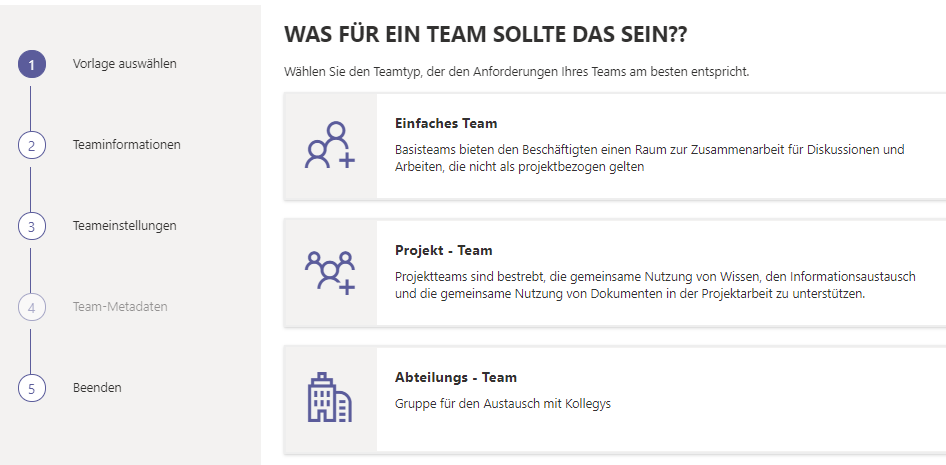
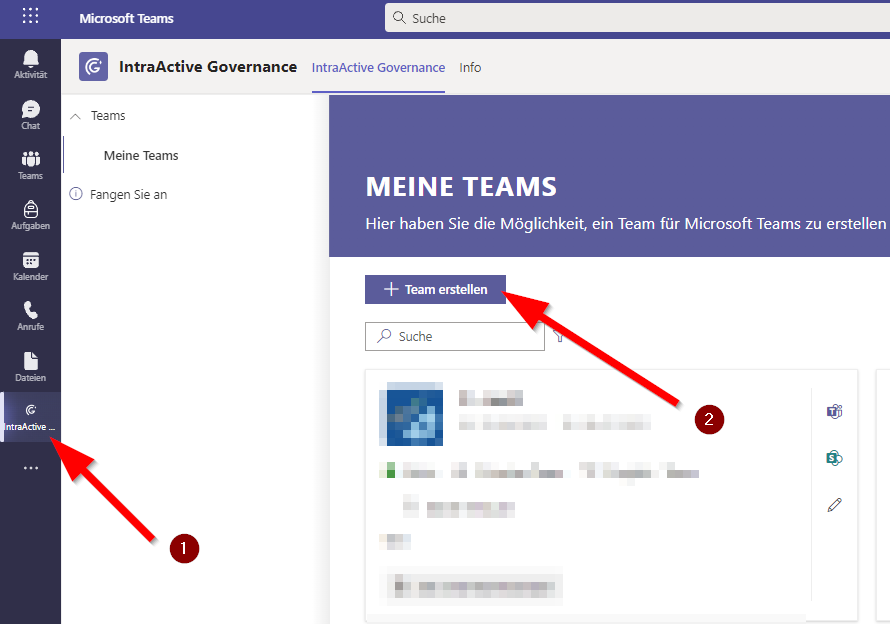
41 KB | {{Information | description = Screenshot Teams Intra Active - Team auswählen | source = Screenshot | date = 13.05.2026 | author = Benutzer:jnk | permission = {{PD-user|jnk}} }}Kategorie:Screenshots | 2 |
| 09:46, 13. Mai 2026 | Microsoft IntraActive 01.png (Datei) |  |
32 KB | {{Information | description = Screenshot Teams Intra Active - Team beantragen | source = Screenshot | date = 13.05.2026 | author = Benutzer:jnk | permission = {{PD-user|jnk}} }}Kategorie:Screenshots | 2 |
| 13:22, 7. Mai 2026 | Screenshot SPSS 01.png (Datei) |  |
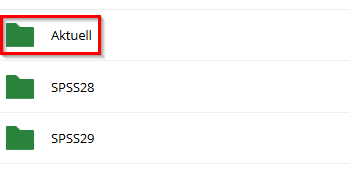
11 KB | {{Information | description = Screenshot SPSS Downloadordner | source = Screenshot | date = 07.05.2026 | author = Benutzer:jnk | permission = {{PD-user|jnk}} }}Kategorie:Screenshots | 3 |
| 13:21, 7. Mai 2026 | SPSS-netzwerklizenz-9.png (Datei) |  |
28 KB | {{Information | description = Screenshot SPSS Bestätigungs-E-Mail | source = Screenshot | date = 07.05.2026 | author = Benutzer:jnk | permission = {{PD-user|jnk}} }}Kategorie:Screenshots | 4 |
| 11:15, 5. Mai 2026 | Netzwerkdrucker-Windows-06.png (Datei) |  |
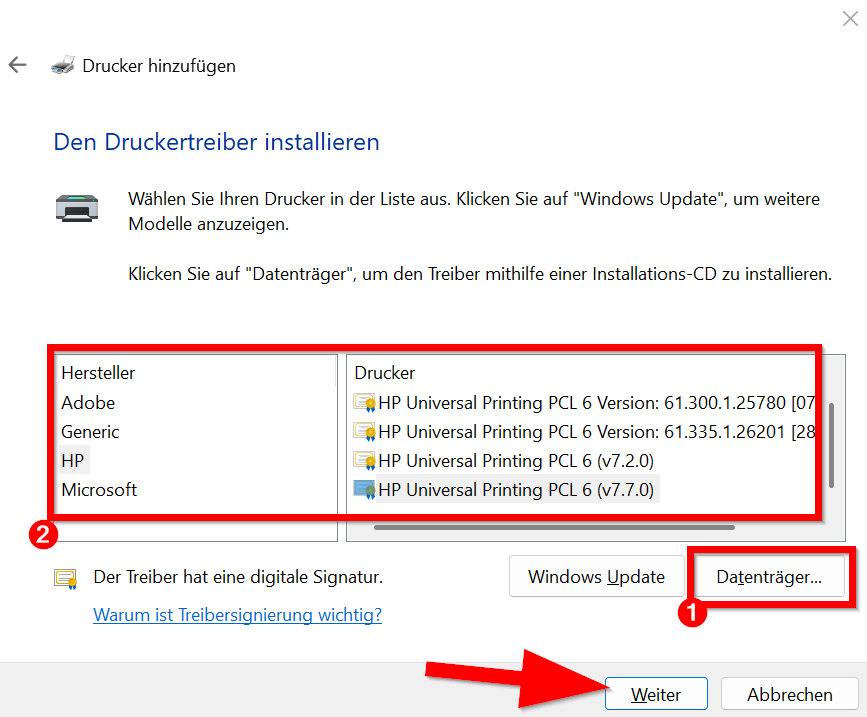
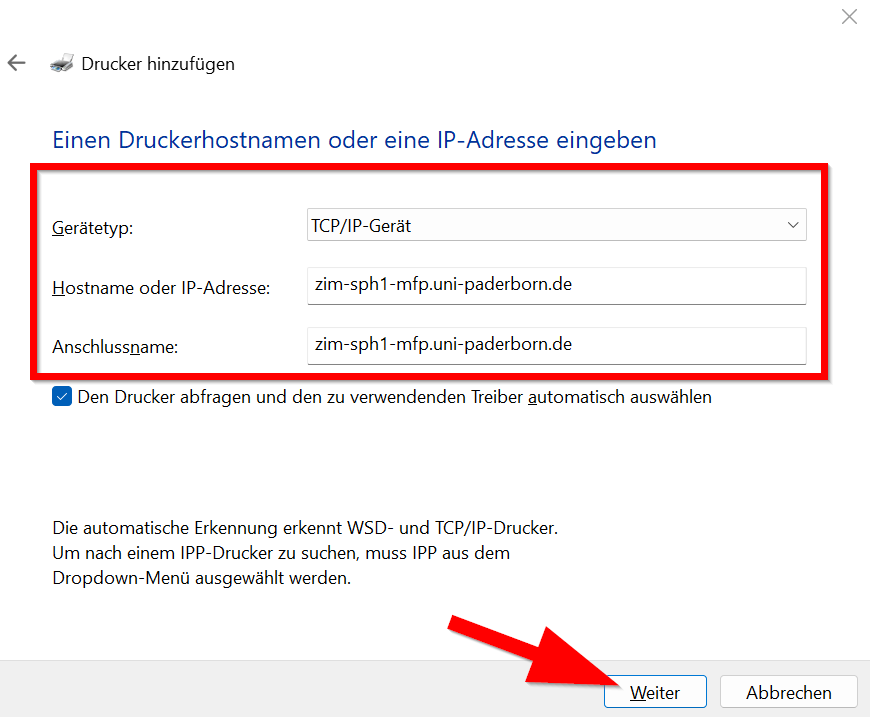
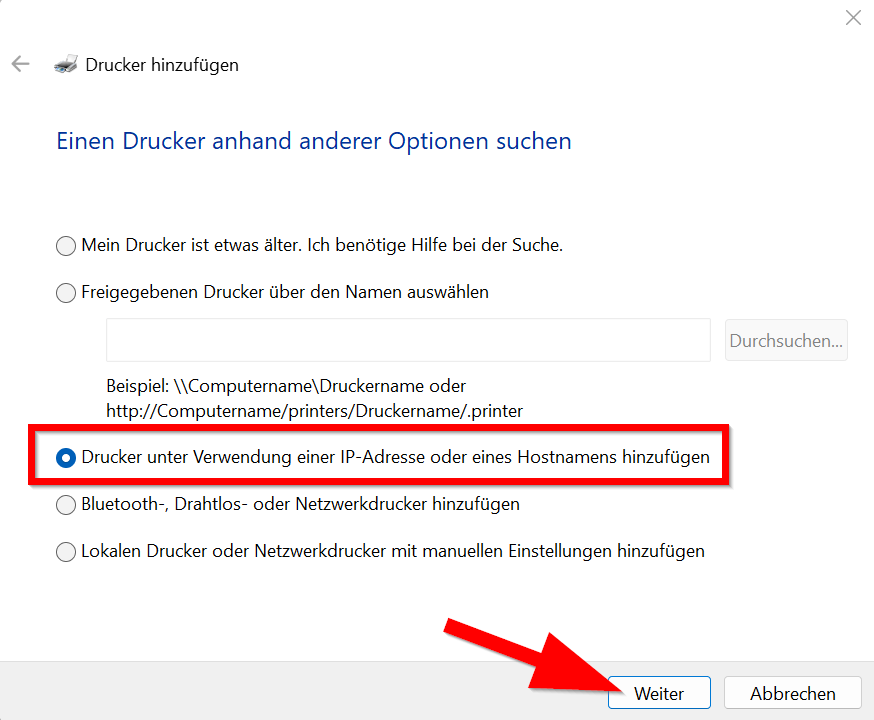
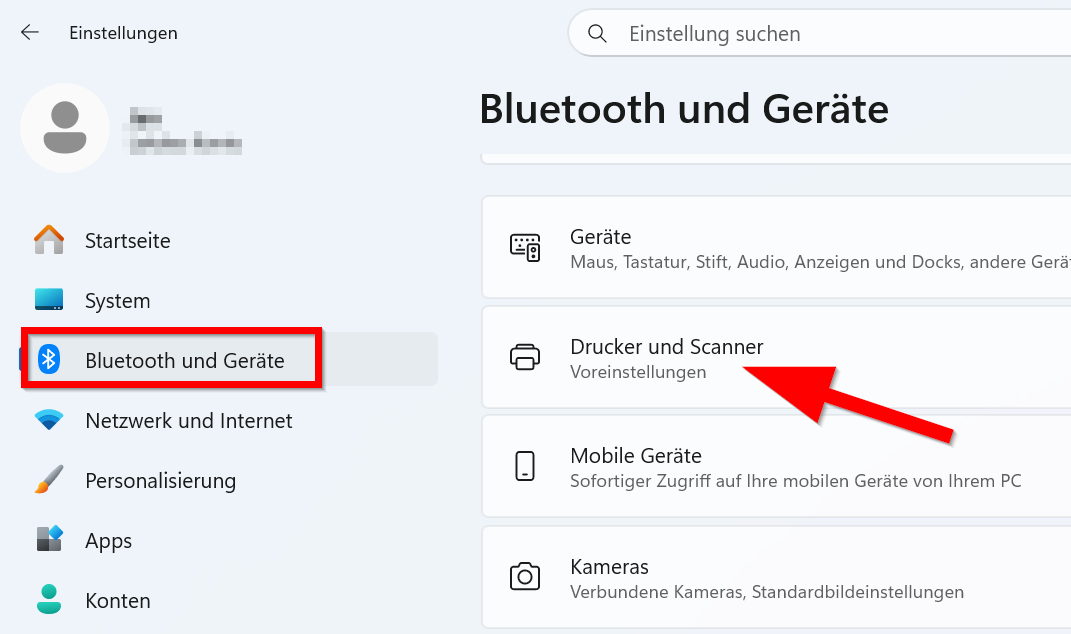
40 KB | {{Information | description = Screenshot Windows 11 - Netzwerkdrucker hinzufügen | source = Screenshot | date = 05.05.2026 | author = Benutzer:jnk | permission = {{PD-user|jnk}} }}Kategorie:Screenshots | 1 |
| 11:15, 5. Mai 2026 | Netzwerkdrucker-Windows-05.png (Datei) |  |
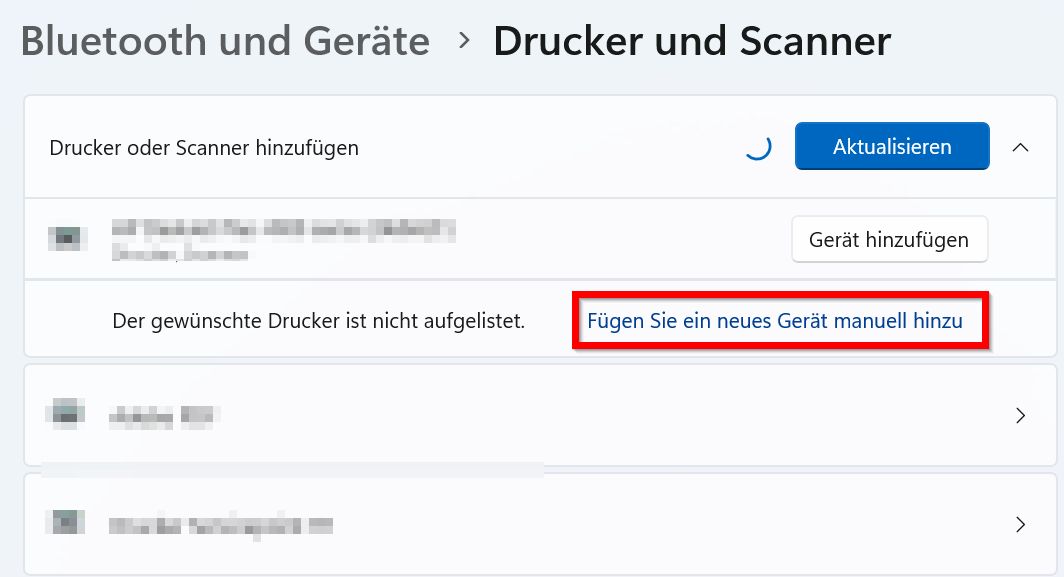
25 KB | {{Information | description = Screenshot Windows 11 - Netzwerkdrucker hinzufügen | source = Screenshot | date = 05.05.2026 | author = Benutzer:jnk | permission = {{PD-user|jnk}} }}Kategorie:Screenshots | 1 |
| 11:15, 5. Mai 2026 | Netzwerkdrucker-Windows-04.png (Datei) |  |
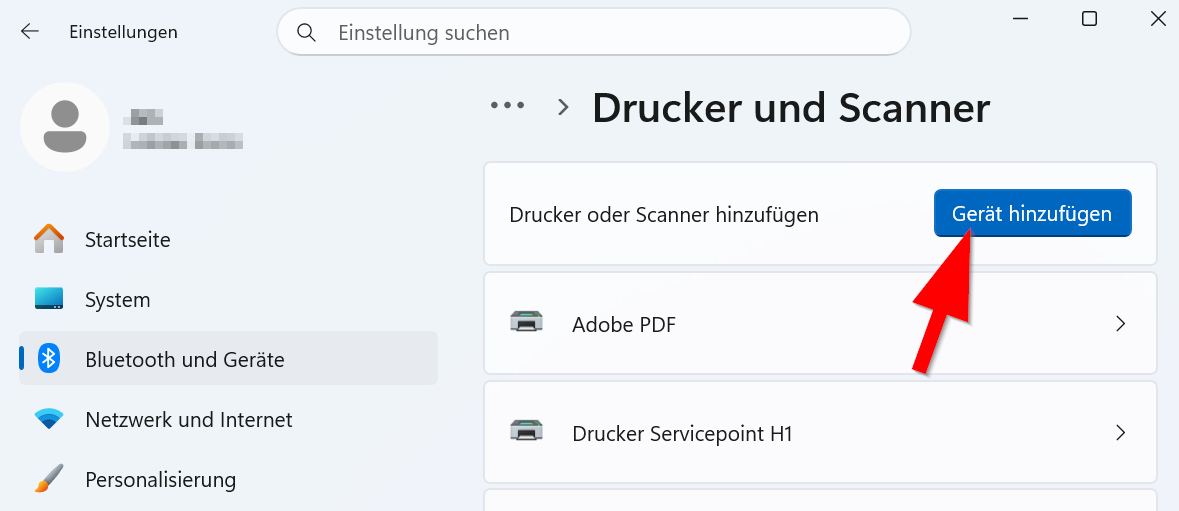
28 KB | {{Information | description = Screenshot Windows 11 - Netzwerkdrucker hinzufügen | source = Screenshot | date = 05.05.2026 | author = Benutzer:jnk | permission = {{PD-user|jnk}} }}Kategorie:Screenshots | 1 |
| 11:14, 5. Mai 2026 | Netzwerkdrucker-Windows-03.png (Datei) |  |
33 KB | {{Information | description = Screenshot Windows 11 - Netzwerkdrucker hinzufügen | source = Screenshot | date = 05.05.2026 | author = Benutzer:jnk | permission = {{PD-user|jnk}} }}Kategorie:Screenshots | 1 |
| 11:14, 5. Mai 2026 | Netzwerkdrucker-Windows-02.png (Datei) |  |
46 KB | {{Information | description = Screenshot Windows 11 - Netzwerkdrucker hinzufügen | source = Screenshot | date = 05.05.2026 | author = Benutzer:jnk | permission = {{PD-user|jnk}} }}Kategorie:Screenshots | 1 |
| 11:14, 5. Mai 2026 | Netzwerkdrucker-Windows-01.png (Datei) |  |
52 KB | {{Information | description = Screenshot Windows 11 - Netzwerkdrucker hinzufügen | source = Screenshot | date = 05.05.2026 | author = Benutzer:jnk | permission = {{PD-user|jnk}} }}Kategorie:Screenshots | 1 |
| 12:07, 6. Mär. 2026 | Bitwarden-mfa-02.png (Datei) |  |
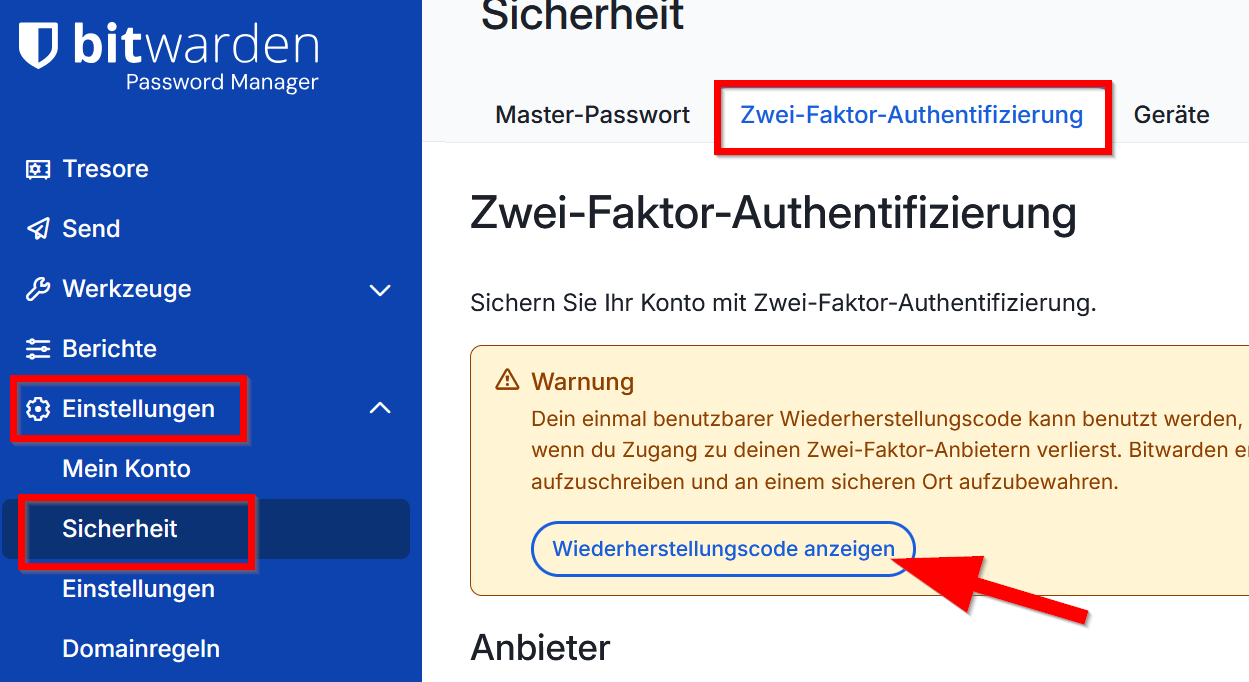
88 KB | {{Information | description = Screenshot Bitwarden - Wiederherstellungscode sichern | source = Screenshot | date = 06.03.2026 | author = Benutzer:jnk | permission = {{PD-user|jnk}} }}Kategorie:Screenshots | 1 |
| 12:06, 6. Mär. 2026 | Bitwarden-mfa-01.png (Datei) |  |
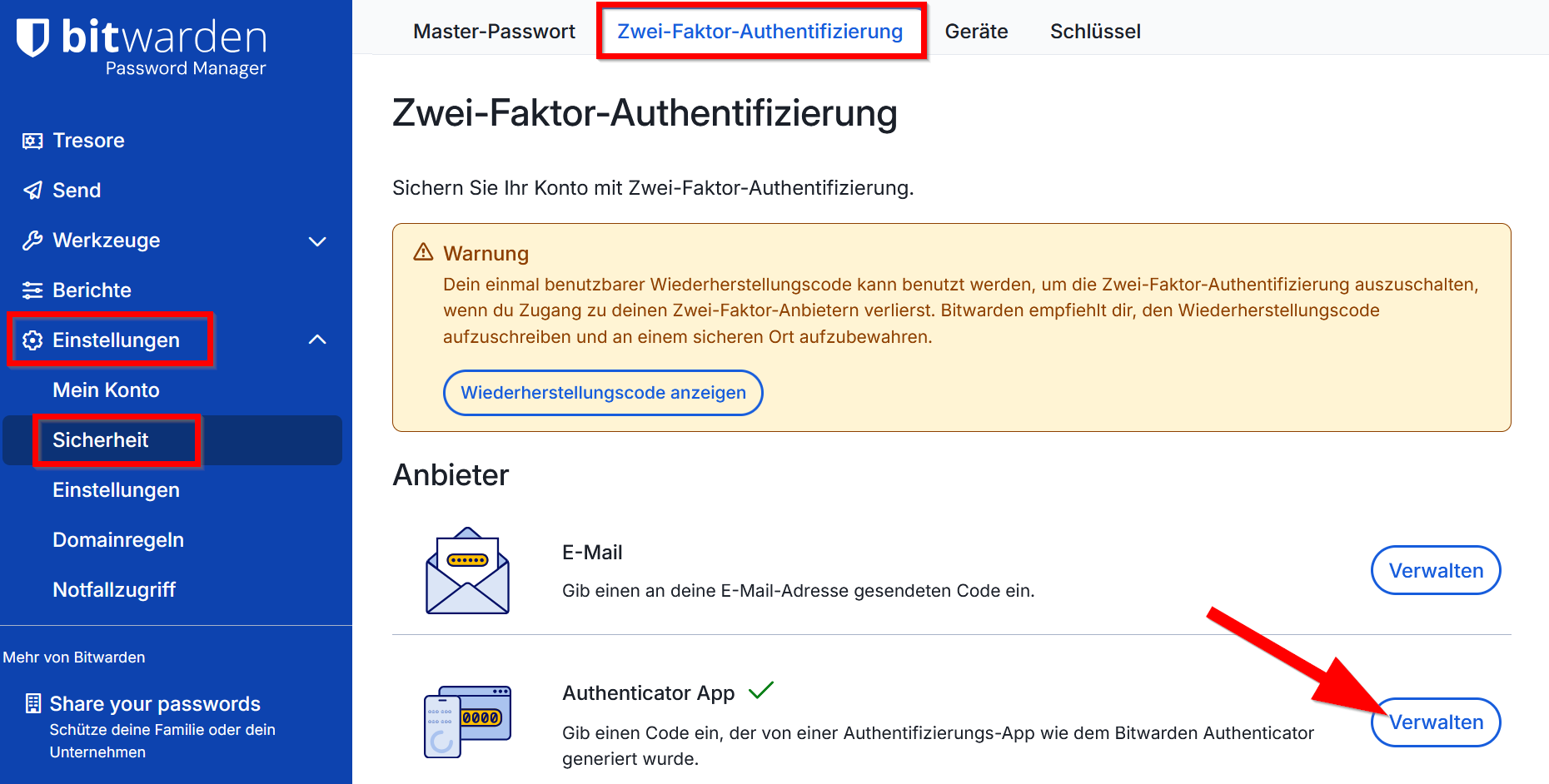
144 KB | {{Information | description = Screenshot Bitwarden - Zweiten Faktor einrichten | source = Screenshot | date = 06.03.2026 | author = Benutzer:jnk | permission = {{PD-user|jnk}} }}Kategorie:Screenshots | 1 |
| 11:08, 6. Mär. 2026 | Bitwarden-import-05.png (Datei) |  |
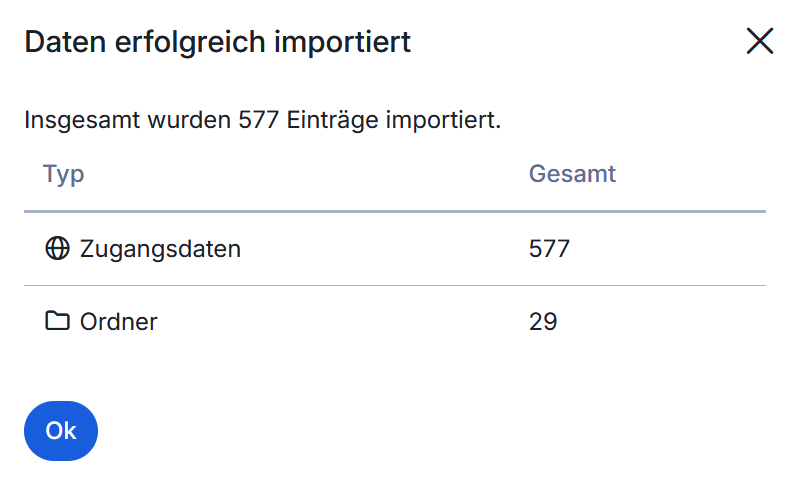
20 KB | {{Information | description = Screenshot Bitwarden - Passwortimport erfolgreich | source = Screenshot | date = 06.03.2026 | author = Benutzer:jnk | permission = {{PD-user|jnk}} }}Kategorie:Screenshots | 1 |
| 11:08, 6. Mär. 2026 | Bitwarden-import-04.png (Datei) |  |
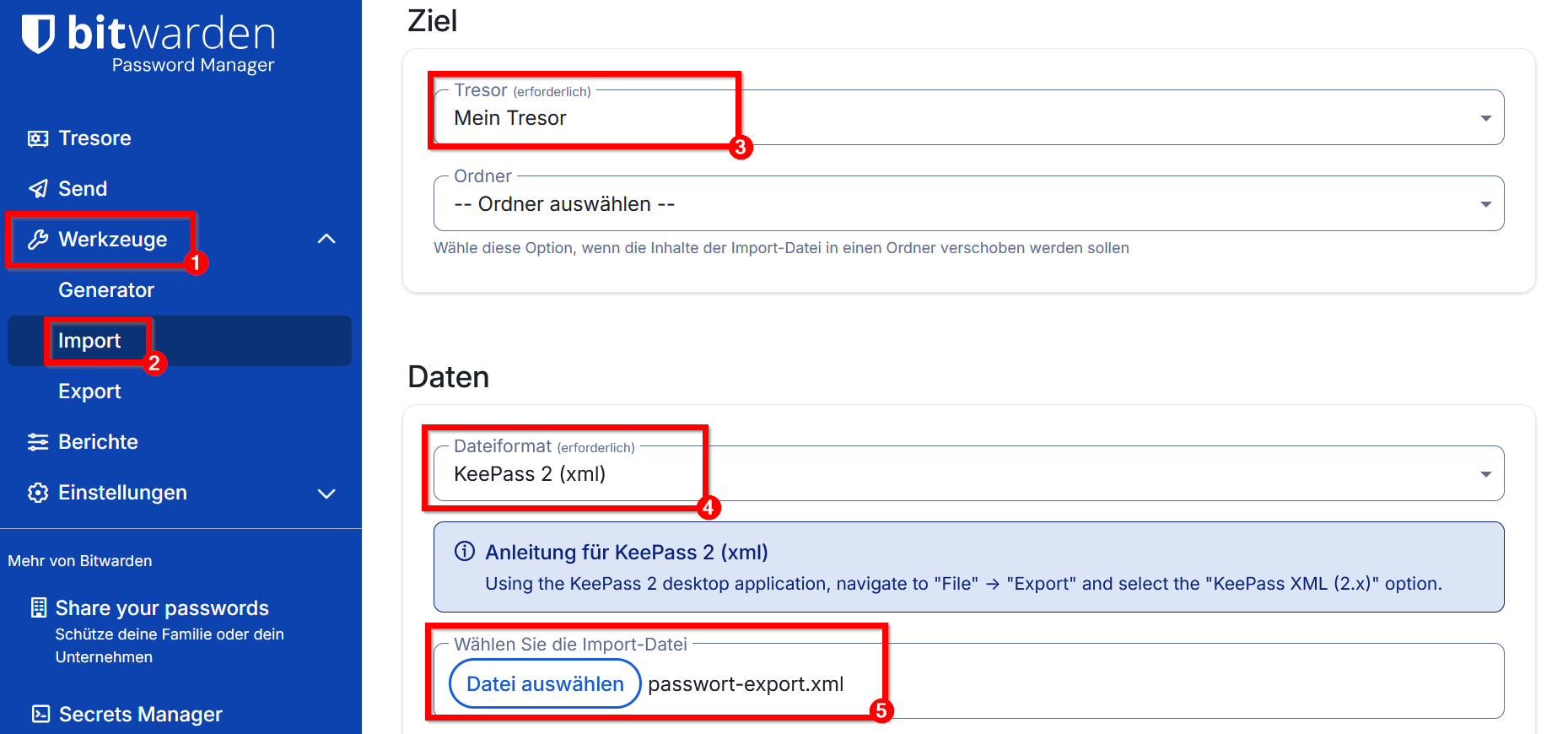
104 KB | {{Information | description = Screenshot Bitwarden - Passwörter aus KeePass .xml importieren | source = Screenshot | date = 06.03.2026 | author = Benutzer:jnk | permission = {{PD-user|jnk}} }}Kategorie:Screenshots | 1 |
| 11:07, 6. Mär. 2026 | Bitwarden-import-03.png (Datei) |  |
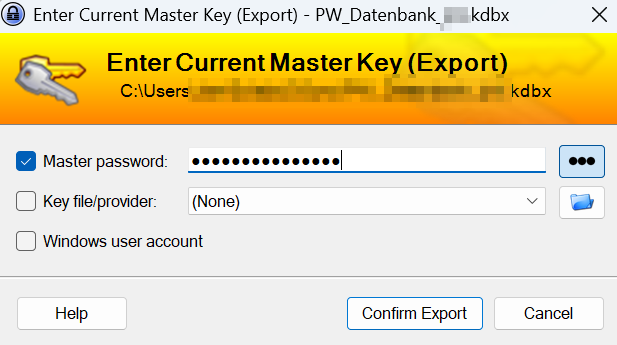
40 KB | {{Information | description = Screenshot KeePass - Tresor entsperren | source = Screenshot | date = 06.03.2026 | author = Benutzer:jnk | permission = {{PD-user|jnk}} }}Kategorie:Screenshots | 1 |
| 11:07, 6. Mär. 2026 | Bitwarden-import-02.png (Datei) |  |
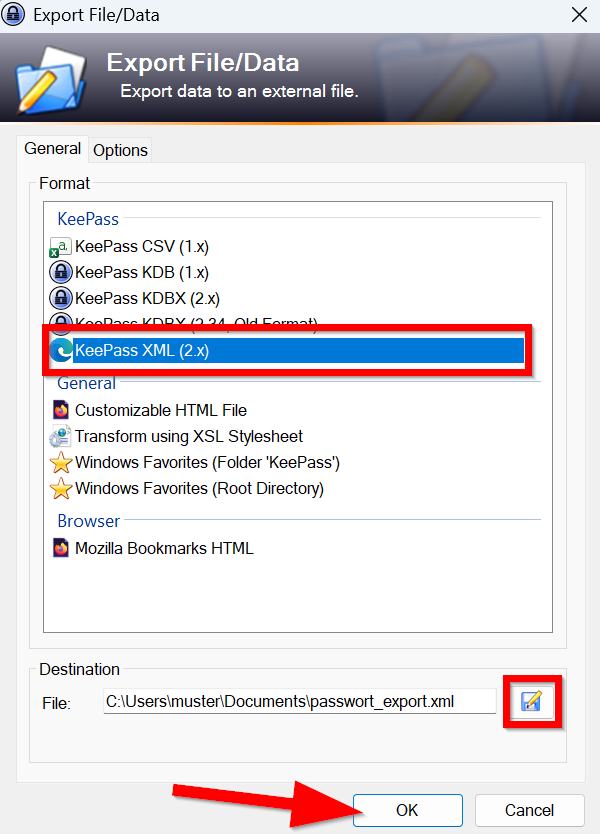
83 KB | {{Information | description = Screenshot KeePass - Passwortdatenbank als .xml exportieren | source = Screenshot | date = 06.03.2026 | author = Benutzer:jnk | permission = {{PD-user|jnk}} }}Kategorie:Screenshots | 1 |
| 11:05, 6. Mär. 2026 | Bitwarden-import-01.png (Datei) |  |
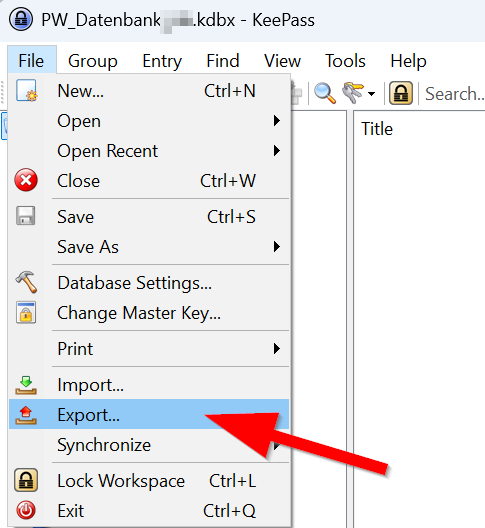
33 KB | {{Information | description = Screenshot KeePass - Passwortdatenbank exportieren | source = Screenshot | date = 06.03.2026 | author = Benutzer:jnk | permission = {{PD-user|jnk}} }}Kategorie:Screenshots | 1 |
| 09:37, 6. Mär. 2026 | Logo Passwortmanager.png (Datei) |  |
11 KB | {{Information | description = Service Icon Passwortmanager | source = self | date = 06.03.2026 | author = Benutzer:jnk | permission = {{PD-user|jnk}} }}Kategorie:Logos | 1 |
| 15:47, 4. Mär. 2026 | Bitwarden-34.png (Datei) |  |
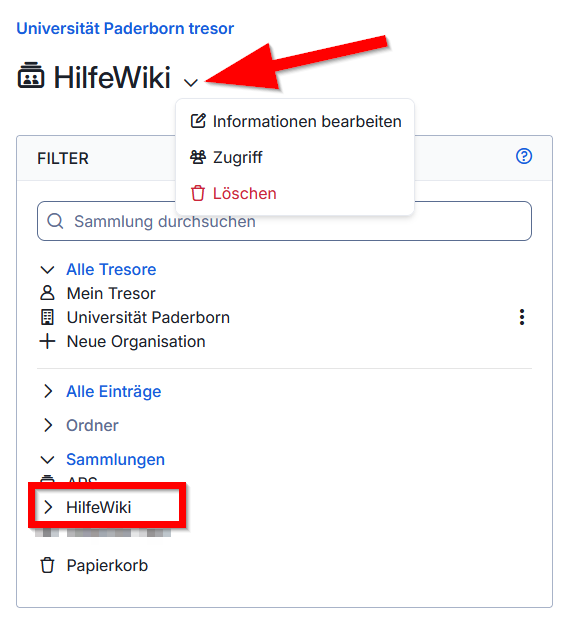
38 KB | {{Information | description = Screenshot Bitwarden - Sammlung bearbeiten | source = Screenshot | date = 04.03.2026 | author = Benutzer:jnk | permission = {{PD-user|jnk}} }}Kategorie:Screenshots | 1 |
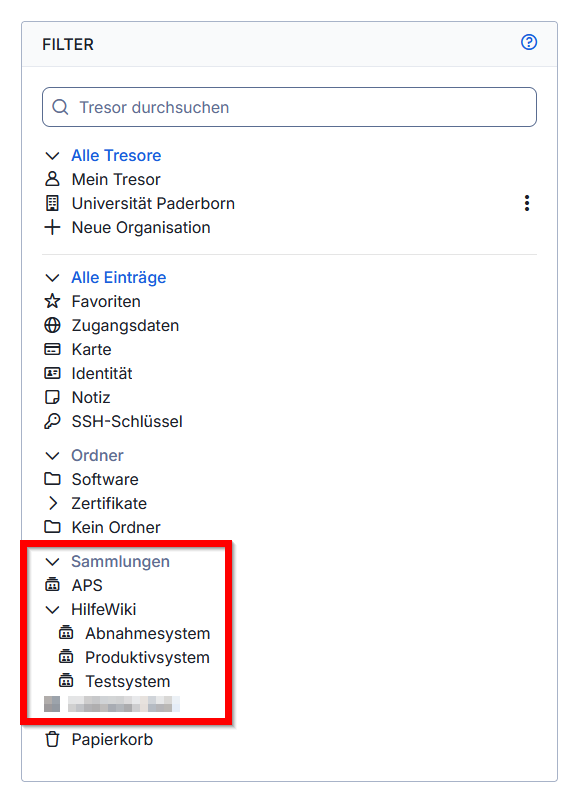
| 15:05, 4. Mär. 2026 | Bitwarden-33.png (Datei) |  |
43 KB | {{Information | description = Screenshot Bitwarden - Sammlungen in der Tresorübersicht | source = Screenshot | date = 04.03.2026 | author = Benutzer:jnk | permission = {{PD-user|jnk}} }}Kategorie:Screenshots | 1 |
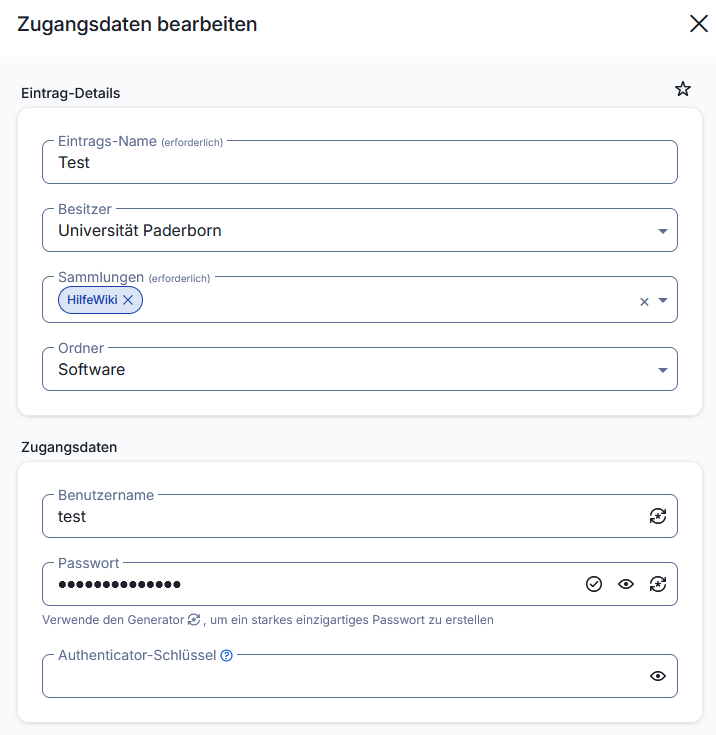
| 14:39, 4. Mär. 2026 | Bitwarden-32.png (Datei) |  |
35 KB | {{Information | description = Screenshot Bitwarden - Passwort zu Sammlung hinzufügen | source = Screenshot | date = 04.03.2026 | author = Benutzer:jnk | permission = {{PD-user|jnk}} }}Kategorie:Screenshots | 1 |
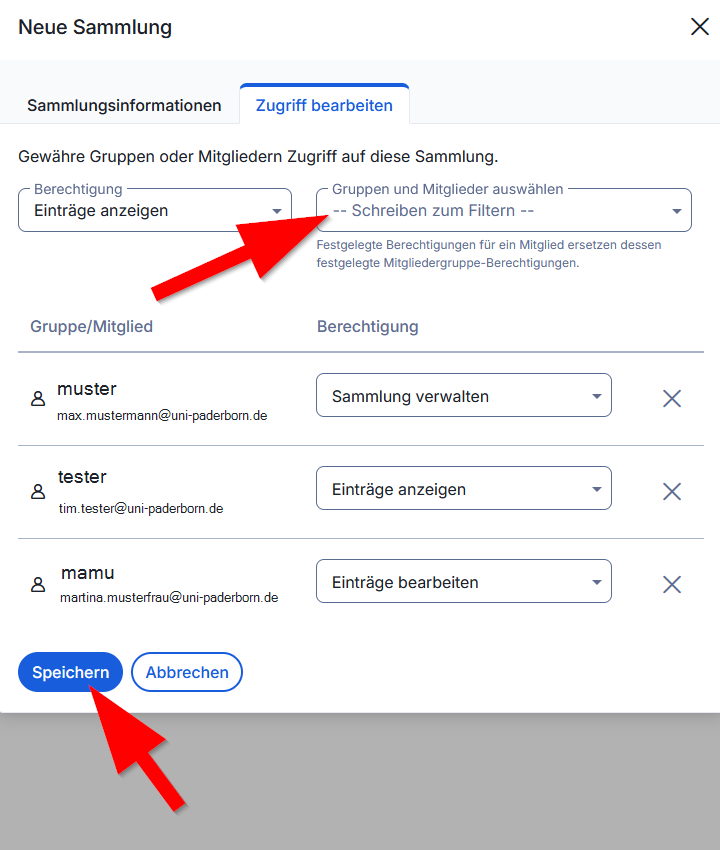
| 14:38, 4. Mär. 2026 | Bitwarden-31.png (Datei) |  |
58 KB | {{Information | description = Screenshot Bitwarden - Sammlung verwalten | source = Screenshot | date = 04.03.2026 | author = Benutzer:jnk | permission = {{PD-user|jnk}} }}Kategorie:Screenshots | 1 |
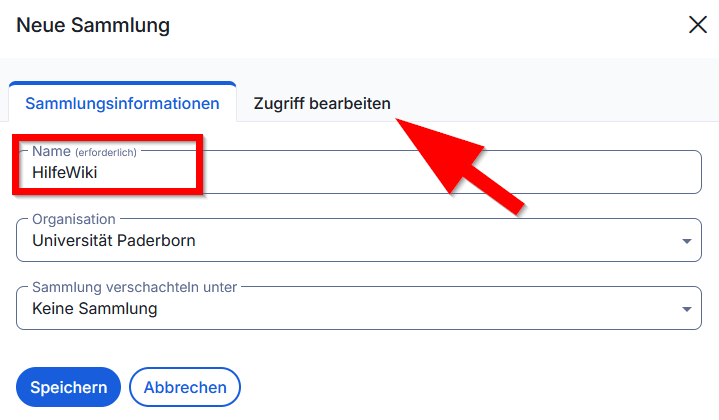
| 14:38, 4. Mär. 2026 | Bitwarden-30.png (Datei) |  |
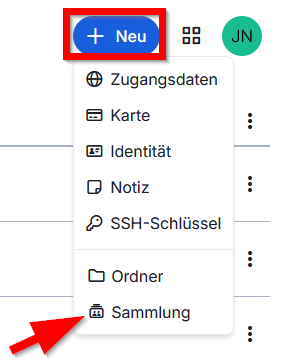
28 KB | {{Information | description = Screenshot Bitwarden - Sammlung erstellen | source = Screenshot | date = 04.03.2026 | author = Benutzer:jnk | permission = {{PD-user|jnk}} }}Kategorie:Screenshots | 1 |
| 12:29, 4. Mär. 2026 | Bitwarden-29.png (Datei) |  |
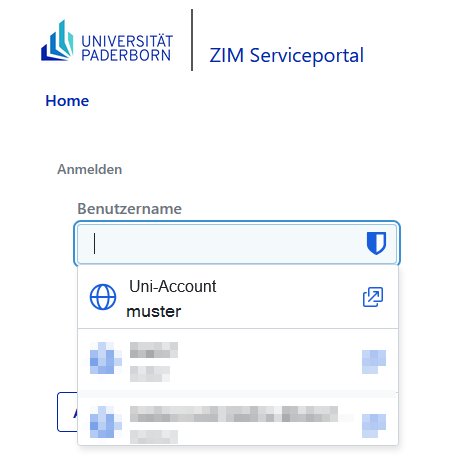
23 KB | {{Information | description = Screenshot Bitwarden - Beispiel Auto-Ausfüllen | source = Screenshot | date = 04.03.2026 | author = Benutzer:jnk | permission = {{PD-user|jnk}} }}Kategorie:Screenshots | 1 |
| 12:28, 4. Mär. 2026 | Bitwarden-28.png (Datei) |  |
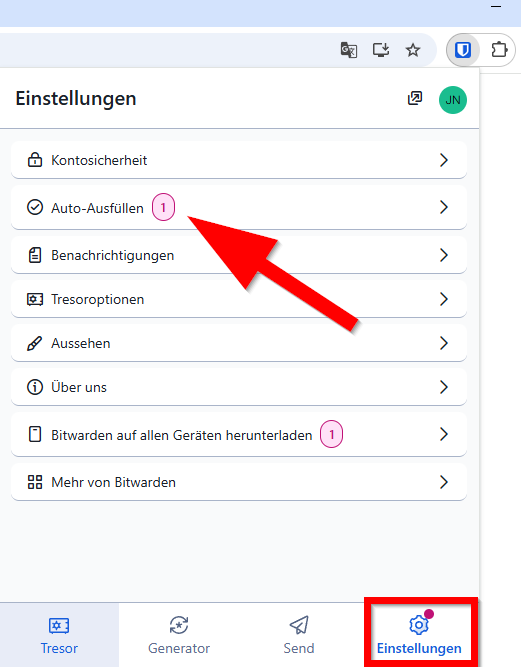
27 KB | {{Information | description = Screenshot Bitwarden - Browsererweiterung Auto-Ausfüllen | source = Screenshot | date = 04.03.2026 | author = Benutzer:jnk | permission = {{PD-user|jnk}} }}Kategorie:Screenshots | 1 |
| 12:27, 4. Mär. 2026 | Bitwarden-27.png (Datei) |  |
21 KB | {{Information | description = Screenshot Bitwarden - Browsererweiterung anmelden | source = Screenshot | date = 04.03.2026 | author = Benutzer:jnk | permission = {{PD-user|jnk}} }}Kategorie:Screenshots | 1 |
| 12:27, 4. Mär. 2026 | Bitwarden-26.png (Datei) |  |
24 KB | {{Information | description = Screenshot Bitwarden - Browsererweiterung anmelden | source = Screenshot | date = 04.03.2026 | author = Benutzer:jnk | permission = {{PD-user|jnk}} }}Kategorie:Screenshots | 1 |
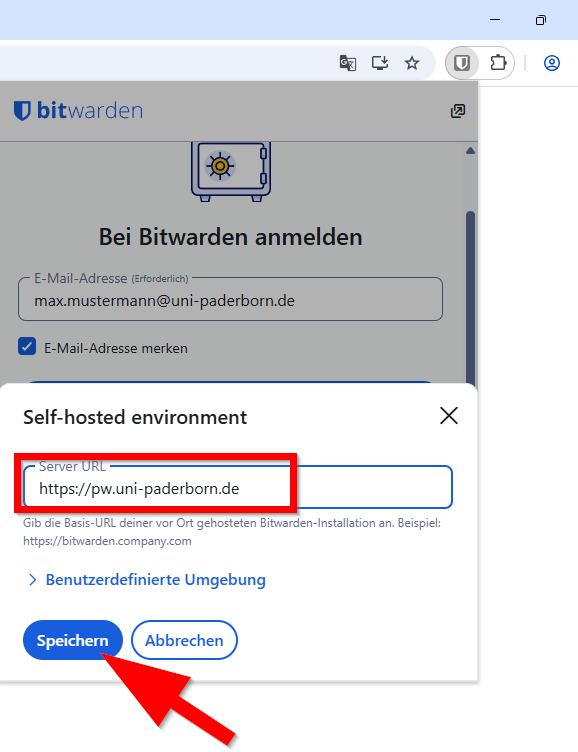
| 12:26, 4. Mär. 2026 | Bitwarden-25.png (Datei) |  |
36 KB | {{Information | description = Screenshot Bitwarden - Browsererweiterung Self hosted enviroment | source = Screenshot | date = 04.03.2026 | author = Benutzer:jnk | permission = {{PD-user|jnk}} }}Kategorie:Screenshots | 1 |
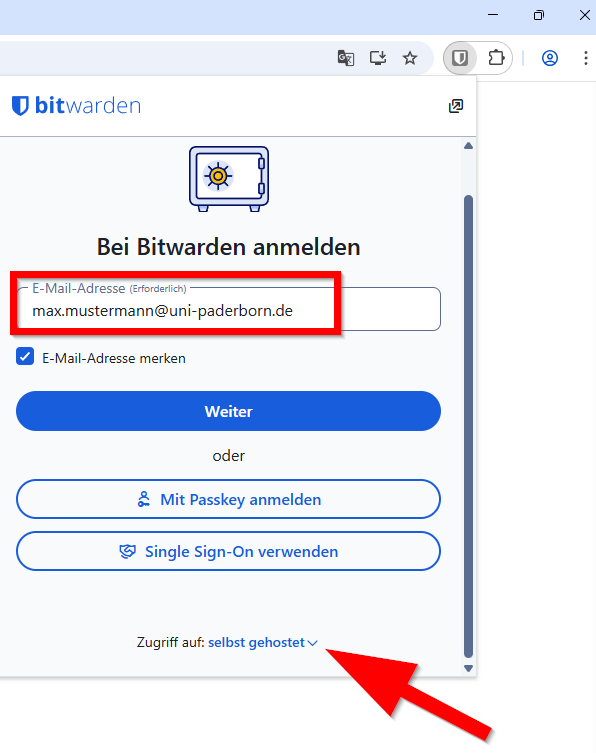
| 12:26, 4. Mär. 2026 | Bitwarden-24.png (Datei) |  |
32 KB | {{Information | description = Screenshot Bitwarden - Browsererweiterung Selbst gehosted | source = Screenshot | date = 04.03.2026 | author = Benutzer:jnk | permission = {{PD-user|jnk}} }}Kategorie:Screenshots | 1 |
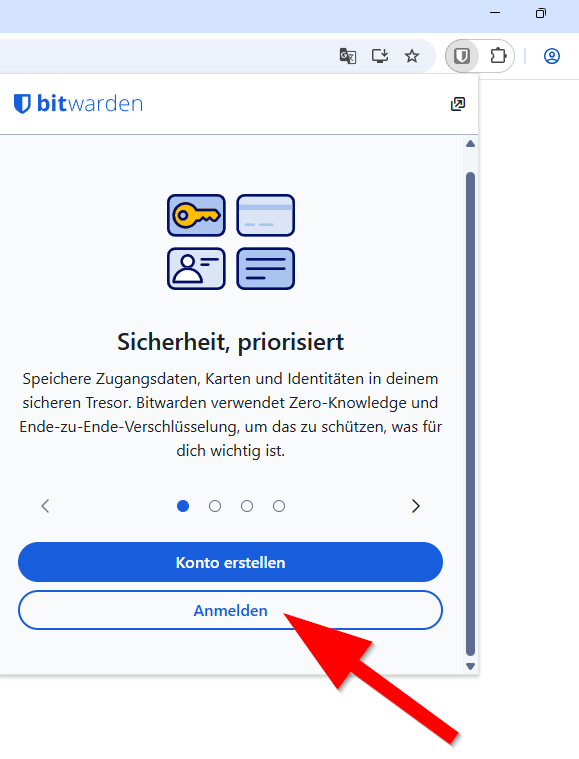
| 12:26, 4. Mär. 2026 | Bitwarden-23.png (Datei) |  |
31 KB | {{Information | description = Screenshot Bitwarden - Browsererweiterung anmelden | source = Screenshot | date = 04.03.2026 | author = Benutzer:jnk | permission = {{PD-user|jnk}} }}Kategorie:Screenshots | 1 |
| 12:25, 4. Mär. 2026 | Bitwarden-22.png (Datei) |  |
5 KB | {{Information | description = Screenshot Bitwarden - Browsererweiterung anmelden | source = Screenshot | date = 04.03.2026 | author = Benutzer:jnk | permission = {{PD-user|jnk}} }}Kategorie:Screenshots | 1 |
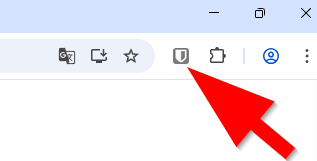
| 12:24, 4. Mär. 2026 | Bitwarden-21.png (Datei) |  |
15 KB | {{Information | description = Screenshot Bitwarden - Browsererweiterung einrichten | source = Screenshot | date = 04.03.2026 | author = Benutzer:jnk | permission = {{PD-user|jnk}} }}Kategorie:Screenshots | 1 |
| 12:24, 4. Mär. 2026 | Bitwarden-20.png (Datei) |  |
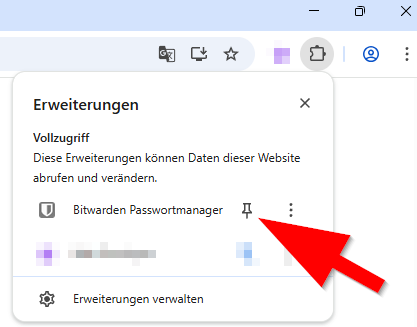
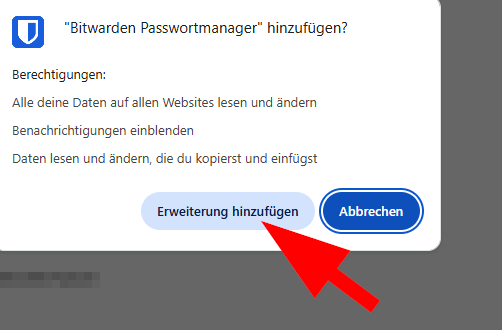
14 KB | {{Information | description = Screenshot Bitwarden - Browsererweiterung Installieren | source = Screenshot | date = 04.03.2026 | author = Benutzer:jnk | permission = {{PD-user|jnk}} }}Kategorie:Screenshots | 1 |
| 12:24, 4. Mär. 2026 | Bitwarden-19.png (Datei) |  |
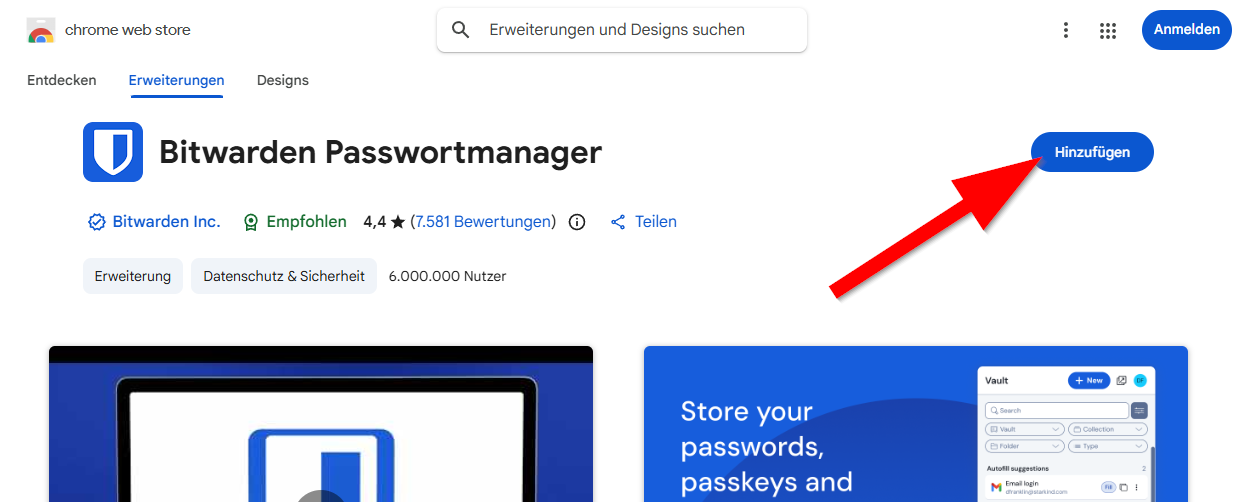
103 KB | {{Information | description = Screenshot Bitwarden - Browsererweiterung Installieren | source = Screenshot | date = 04.03.2026 | author = Benutzer:jnk | permission = {{PD-user|jnk}} }}Kategorie:Screenshots | 1 |
| 12:23, 4. Mär. 2026 | Bitwarden-18.png (Datei) |  |
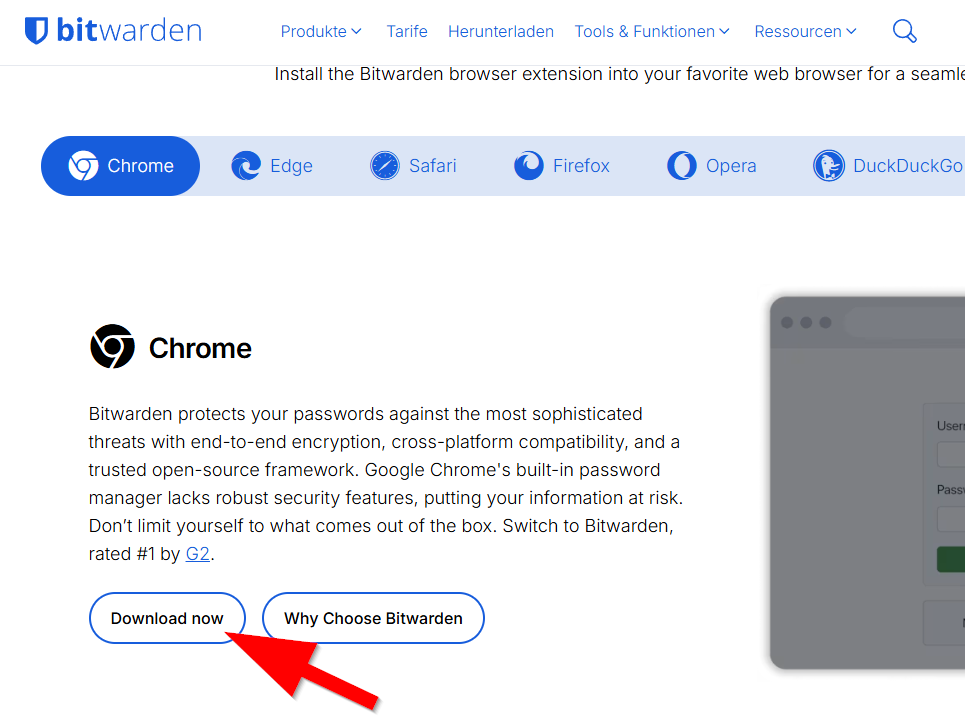
75 KB | {{Information | description = Screenshot Bitwarden - Browsererweiterung runterladen | source = Screenshot | date = 04.03.2026 | author = Benutzer:jnk | permission = {{PD-user|jnk}} }}Kategorie:Screenshots | 1 |
| 11:53, 4. Mär. 2026 | Bitwarden-17.png (Datei) |  |
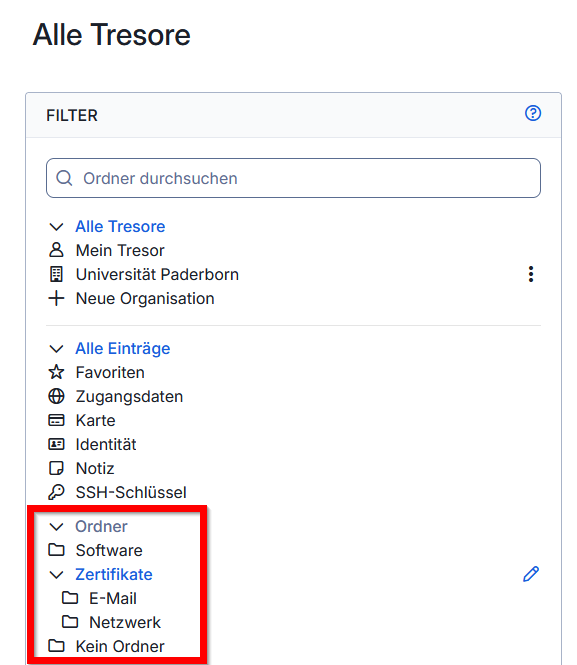
36 KB | {{Information | description = Screenshot Bitwarden - Ordnerstruktur | source = Screenshot | date = 04.03.2026 | author = Benutzer:jnk | permission = {{PD-user|jnk}} }}Kategorie:Screenshots | 1 |
| 11:53, 4. Mär. 2026 | Bitwarden-09.png (Datei) |  |
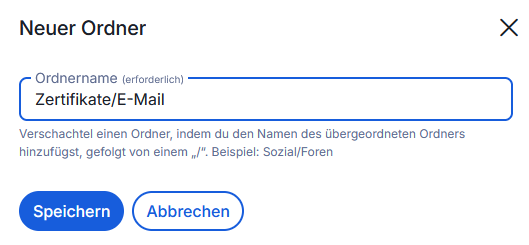
17 KB | {{Information | description = Screenshot Bitwarden - Unterordner erstellen | source = Screenshot | date = 04.03.2026 | author = Benutzer:jnk | permission = {{PD-user|jnk}} }}Kategorie:Screenshots | 1 |
| 11:41, 4. Mär. 2026 | Bitwarden-08.png (Datei) |  |
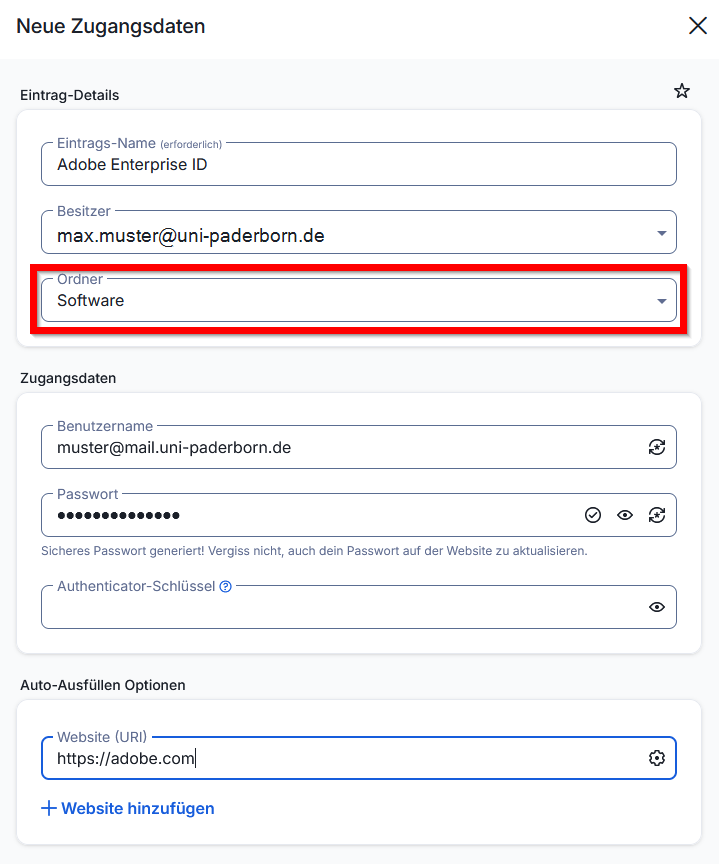
42 KB | {{Information | description = Screenshot Bitwarden - Ordner verwenden | source = Screenshot | date = 04.03.2026 | author = Benutzer:jnk | permission = {{PD-user|jnk}} }}Kategorie:Screenshots | 1 |
| 11:41, 4. Mär. 2026 | Bitwarden-07.png (Datei) |  |
20 KB | {{Information | description = Screenshot Bitwarden - Ordner erstellen | source = Screenshot | date = 04.03.2026 | author = Benutzer:jnk | permission = {{PD-user|jnk}} }}Kategorie:Screenshots | 1 |
| 11:40, 4. Mär. 2026 | Bitwarden-06.png (Datei) |  |
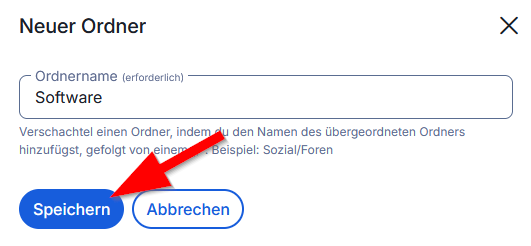
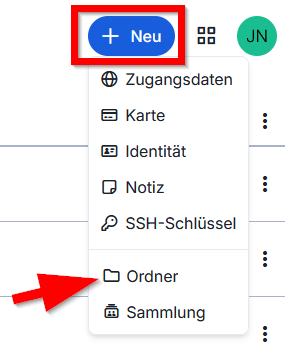
16 KB | {{Information | description = Screenshot Bitwarden - Neuer Ordner | source = Screenshot | date = 04.03.2026 | author = Benutzer:jnk | permission = {{PD-user|jnk}} }}Kategorie:Screenshots | 1 |
| 10:58, 4. Mär. 2026 | Bitwarden-05.png (Datei) |  |
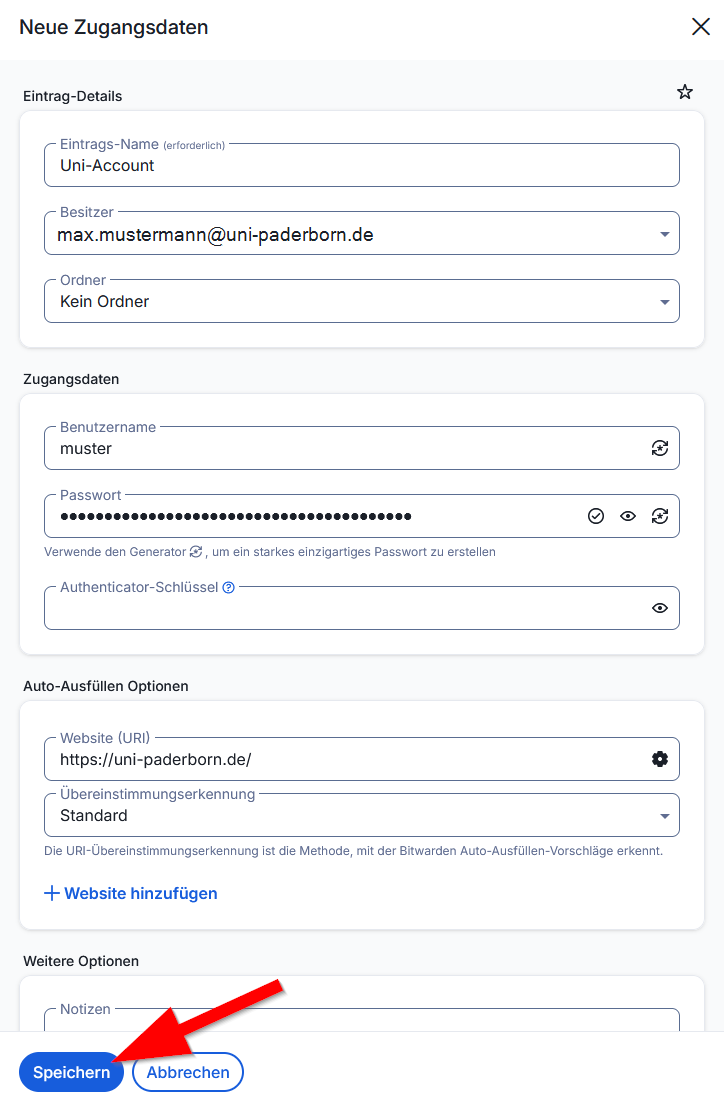
57 KB | {{Information | description = Screenshot Bitwarden - Zugangsdaten eingeben | source = Screenshot | date = 04.03.2026 | author = Benutzer:jnk | permission = {{PD-user|jnk}} }}Kategorie:Screenshots | 1 |
| 10:57, 4. Mär. 2026 | Bitwarden-04.png (Datei) |  |
16 KB | {{Information | description = Screenshot Bitwarden - Sammlung erstellen | source = Screenshot | date = 04.03.2026 | author = Benutzer:jnk | permission = {{PD-user|jnk}} }}Kategorie:Screenshots | 1 |
| 10:57, 4. Mär. 2026 | Bitwarden-03.png (Datei) |  |
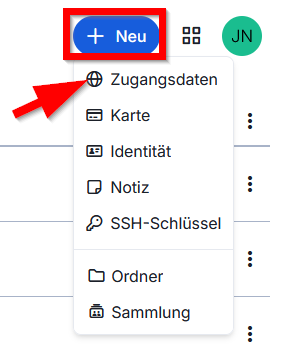
16 KB | {{Information | description = Screenshot Bitwarden - Zugangsdaten erstellen | source = Screenshot | date = 04.03.2026 | author = Benutzer:jnk | permission = {{PD-user|jnk}} }}Kategorie:Screenshots | 1 |
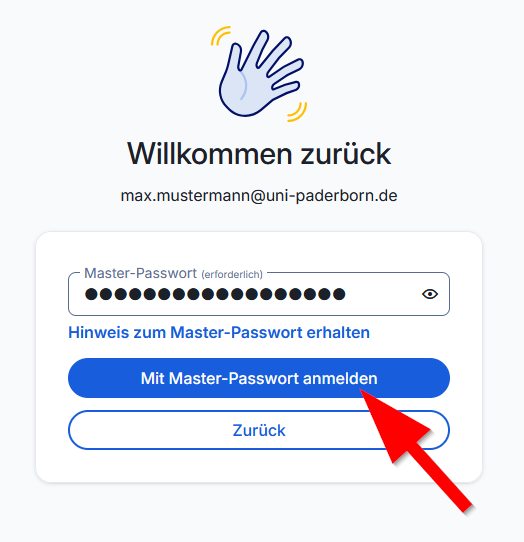
| 10:56, 4. Mär. 2026 | Bitwarden-02.png (Datei) |  |
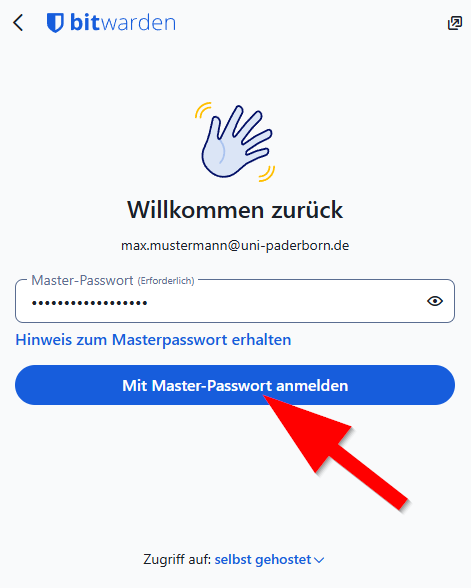
33 KB | {{Information | description = Screenshot Bitwarden - Anmeldung Master-Passwort | source = Screenshot | date = 04.03.2026 | author = Benutzer:jnk | permission = {{PD-user|jnk}} }}Kategorie:Screenshots | 1 |
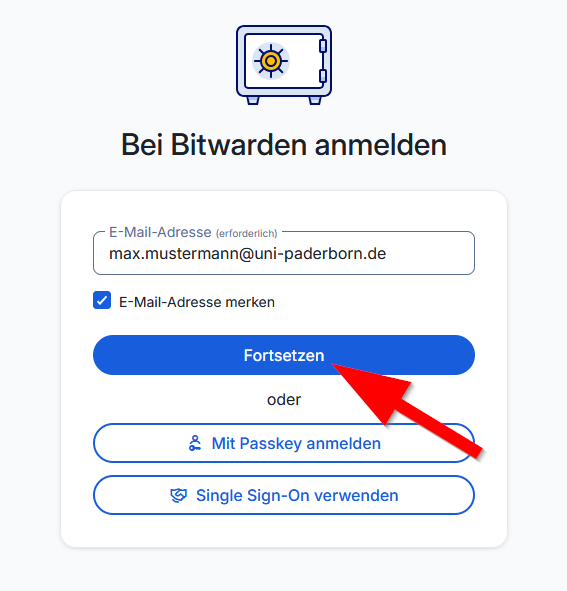
| 10:56, 4. Mär. 2026 | Bitwarden-01.png (Datei) |  |
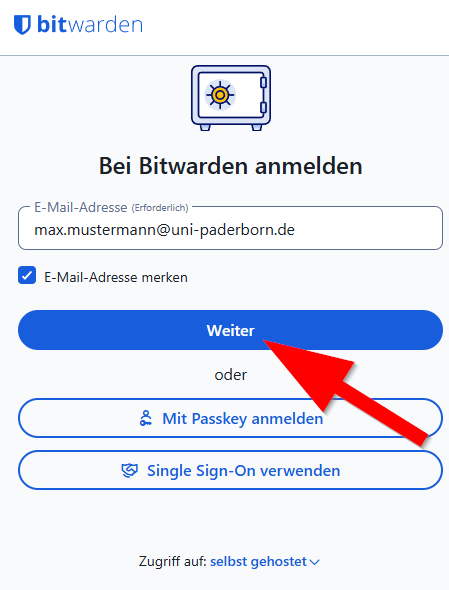
33 KB | {{Information | description = Screenshot Bitwarden - Anmeldung E-Mail-Adresse | source = Screenshot | date = 04.03.2026 | author = Benutzer:jnk | permission = {{PD-user|jnk}} }}Kategorie:Screenshots | 1 |