Bitwarden - Anmeldung Weboberflaeche/en /
Version vom 12. April 2026, 15:27 Uhr von Mariels (Diskussion | Beiträge)
Die deutsche Version finden Sie auf der Seite Bitwarden - Anmeldung Weboberfläche
 | This article is only a draft. Information provided here is most possibly incomplete and/or imprecise. Feel free to help us by expanding it. |
With the Bitwarden web interface, you can manage and edit your login credentials. Here you have access to the full range of functions for managing your vault and collections.
Requirements[Bearbeiten | Quelltext bearbeiten]
- You must already be registered for the Bitwarden service at the University of Paderborn. More information can be found at Bitwarden - Account registrieren
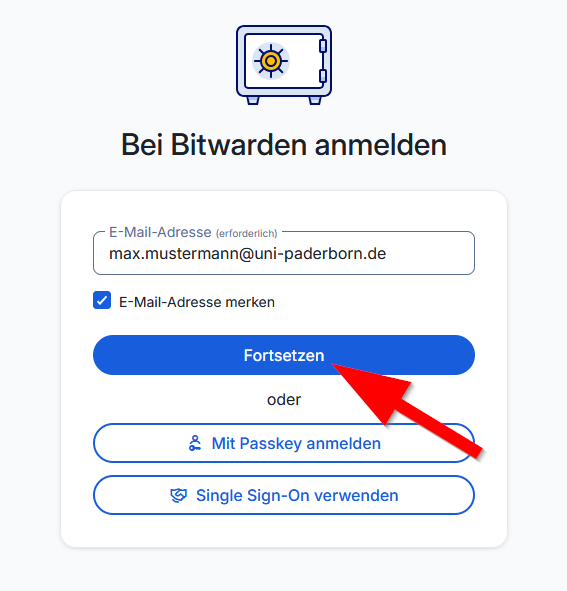
- Use your preferred email address from the service portal to log in. More information can be found at E-Mail-Adresse - Eigene ansehen
- Bitwarden can only be used on the university network. If you are not on campus, you will need a VPN connection.
Step-by-Step Instructions[Bearbeiten | Quelltext bearbeiten]
Access the Bitwarden web interface via the following link:
- Use your preferred email address from the service portal to log in.
- More information can be found under View your email address
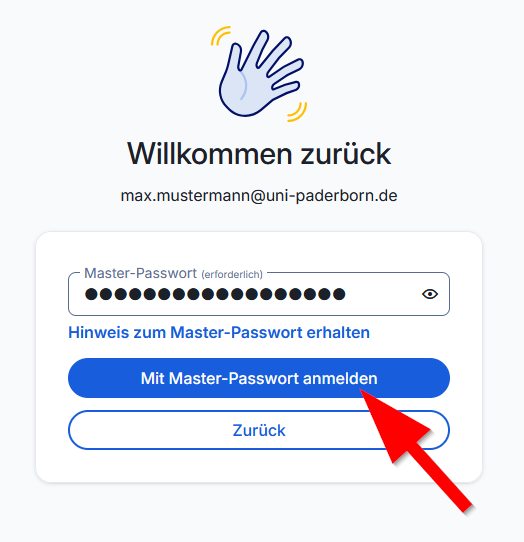
- Enter the master password for your Bitwarden account.