Studierendenausweis/en
Jnk (Diskussion | Beiträge) |
|||
| (12 dazwischenliegende Versionen von 2 Benutzern werden nicht angezeigt) | |||
| Zeile 5: | Zeile 5: | ||
}} | }} | ||
| − | <bootstrap_alert color= | + | Starting in the winter semester 2024/25, Paderborn University will provide student ID cards in digital form via the UPB-App. You will no longer receive your ID card by post. Your library card and the AStA Kulturticket will also be available via the app. |
| − | + | ||
| + | <bootstrap_alert color=info> | ||
| + | Download the UPB-App in the correspondig store: | ||
| + | {| class="wikitable" style="vertical-align:middle;" | ||
| + | | [[Datei:Logo Android.png|50px|link=https://play.google.com/store/apps/details?id=com.uninow.upb&hl=de]] || [https://play.google.com/store/apps/details?id=com.uninow.upb&hl=de Android] | ||
| + | |- style="vertical-align:middle;" | ||
| + | |[[Datei:Logo iPadOS.png|50px|link=https://apps.apple.com/de/app/uni-paderborn/id6462860571]] ||[https://apps.apple.com/de/app/uni-paderborn/id6462860571 iOS] | ||
| + | |} | ||
</bootstrap_alert> | </bootstrap_alert> | ||
| − | + | [[Datei:Digitaler-Studierendenausweis-01.jpeg|50px]] Open the UPB-App | |
| + | |||
| + | [[Datei:Digitaler-Studierendenausweis-14.jpeg|links|mini|ohne|250px]] | ||
| + | <br> | ||
| + | * Click on '''"Let's go"'''. | ||
| + | <br clear=all> | ||
| + | |||
| + | [[Datei:Digitaler-Studierendenausweis-15.jpeg|links|mini|ohne|250px]] | ||
| + | <br> | ||
| + | * Click on '''"Sign in with University account"'''. | ||
| + | <br clear=all> | ||
| + | |||
| + | [[Datei:Digitaler-Studierendenausweis-04.png|links|mini|ohne|250px|Sign in with Uni-Account]] | ||
| + | <br> | ||
| + | * Enter Username and Password for the Uni-Account | ||
| + | * Click on '''"Login"'''. | ||
| + | <br> | ||
| + | * If you have the password automatically filled in by a password manager, problems may occur. | ||
| + | * '''Recommendation:''' Insert password manually | ||
| + | <br clear=all> | ||
| + | |||
| + | [[Datei:Digitaler-Studierendenausweis-06.png|links|mini|ohne|250px|Transmit data to UniNow]] | ||
| + | <br> | ||
| + | * You will now see a list of the information that will be transmitted to UniNow. | ||
| + | * Click on '''"Transfer information"'''. | ||
| + | <br clear=all> | ||
| + | |||
| + | [[Datei:Digitaler-Studierendenausweis-16.jpeg|links|mini|ohne|250px]] | ||
| + | <br> | ||
| + | * Now you can choose your field of study | ||
| + | * This step is optional | ||
| + | * You can click on '''"Cancel"''' | ||
| + | <br clear=all> | ||
| + | |||
| + | [[Datei:Digitaler-Studierendenausweis-17.jpeg|links|mini|ohne|250px]] | ||
| + | <br> | ||
| + | * Click in the top left hand corner on '''"Student ID Card"''' | ||
| + | <br clear=all> | ||
| + | |||
| + | [[Datei:Digitaler-Studierendenausweis-18.jpeg|links|mini|ohne|250px|Accept instructions]] | ||
| + | <br> | ||
| + | * Read through the instructions carefully and tick the appropriate boxes. | ||
| + | * Then click on '''"Continue"'''. | ||
| + | <br clear=all> | ||
| + | |||
| + | You can now use your digital student ID card. | ||
| + | |||
| + | [[Datei:Digitaler-Studierendenausweis-19.png|links|mini|ohne|350px|student ID card in the UPB-App]] | ||
| + | <br clear=all> | ||
| + | |||
| + | == Serviceportal== | ||
| + | If you do not have a smartphone or your device is temporarily out of order, you can alternatively print out your ID card yourself via the Serviceportal. | ||
| + | |||
| + | Open the Serviceportal: | ||
| + | * https://serviceportal.uni-paderborn.de | ||
| + | * Login with your Uni-Account | ||
| + | |||
| + | [[Datei:Serviceportal-akademischer-titel-aendern-01.png|links|mini|ohne|250px|Personal data]] | ||
| + | <br> | ||
| + | * Visit '''"Benutzerverwaltung"''' an click on '''"Persönliche Daten"'''. | ||
| + | <br clear=all> | ||
| − | < | + | [[Datei:Digitaler-Studierendenausweis-08.png|links|mini|ohne|250px|Download Student ID card]] |
| − | + | <br> | |
| − | + | * Click on '''"Studierendenausweis PDF"''' to download your student ID card. | |
| − | + | <br clear=all> | |
| − | |||
| + | [[Datei:Digitaler-Studierendenausweis-10.png|links|mini|ohne|250px|Student ID card]] | ||
<br> | <br> | ||
| − | + | * Save the PDF file on your device. | |
| + | <br clear=all> | ||
| + | |||
| + | ==See also== | ||
| + | Questions regarding the UPB-App? | ||
| + | * [[UPB-App_im_Ueberblick]] | ||
| + | <!-- | ||
| + | ==FAQ== | ||
| + | Is the UPB app available in alternative app stores? Where can I find the APK file for sideloading? | ||
| + | * The UPB app is currently only available in the App Store for iOS and the Playstore for Android. | ||
| + | * If you cannot use the stores mentioned above, you can download the digital student ID via the Serviceportal. | ||
| + | * https://serviceportal.uni-paderborn.de/ | ||
| + | |||
| + | How can I submit the Digital Student ID to health insurance companies, banks and similar providers? | ||
| + | * If you need to submit proof of your studies, the certificate of enrolment is intended for this purpose. You can download this in [https://paul.uni-paderborn.de PAUL] under Menu / My data / My documents. | ||
| + | * https://paul.uni-paderborn.de | ||
| + | * The digital student ID is only intended for presentation on site.--> | ||
Version vom 11. April 2025, 16:32 Uhr
Die deutsche Version finden Sie auf der Seite Studierendenausweis
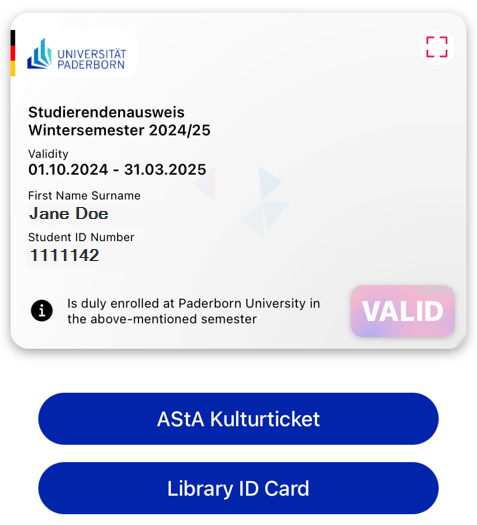
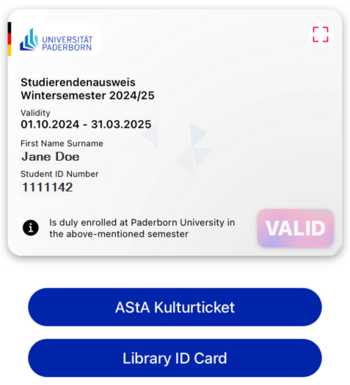
Starting in the winter semester 2024/25, Paderborn University will provide student ID cards in digital form via the UPB-App. You will no longer receive your ID card by post. Your library card and the AStA Kulturticket will also be available via the app.


 Open the UPB-App
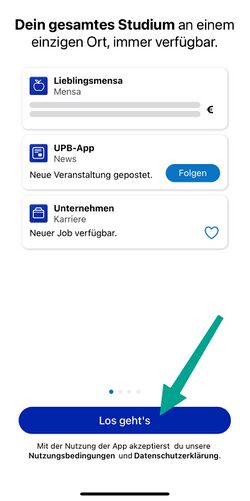
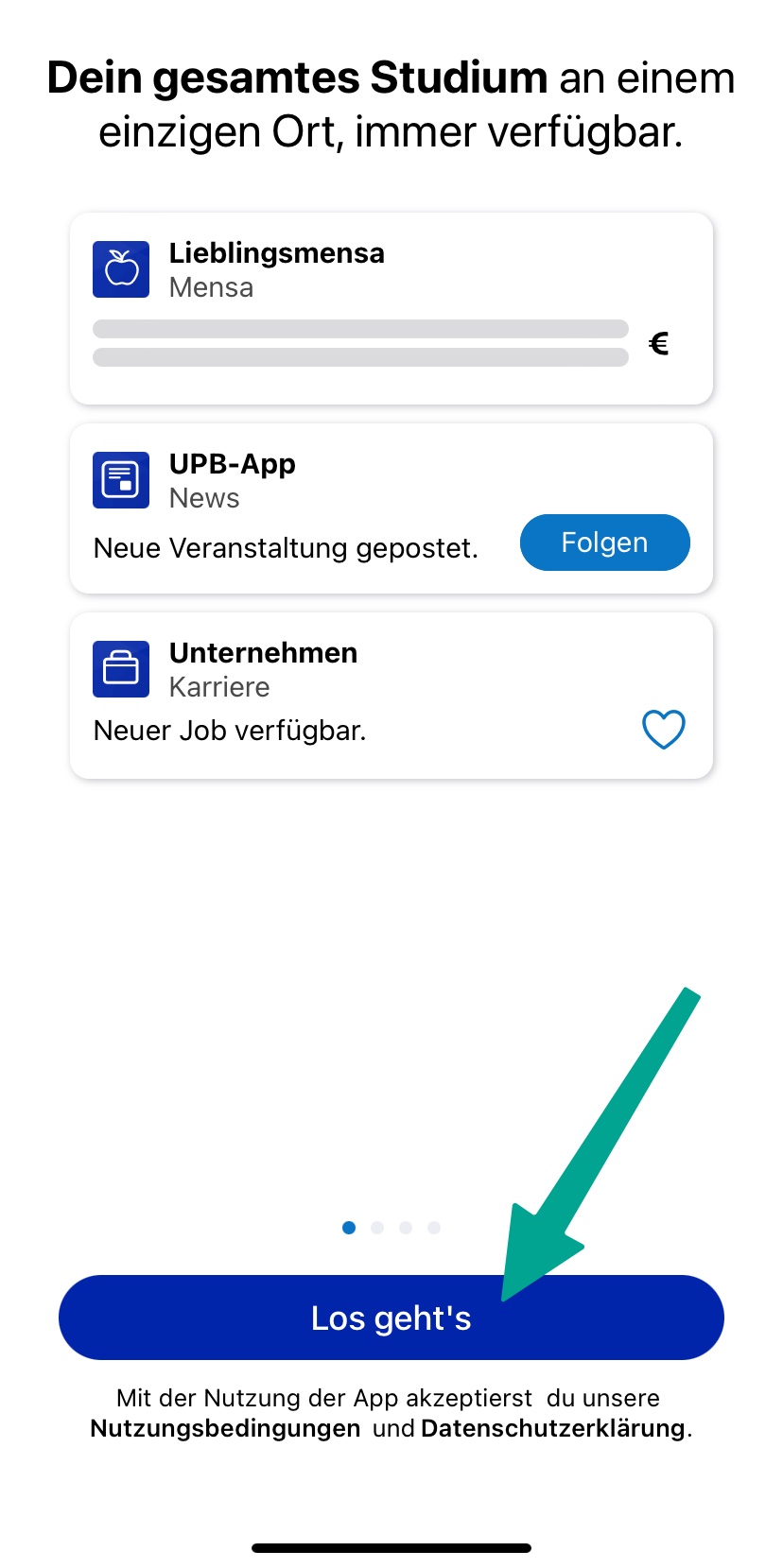
- Click on "Let's go".
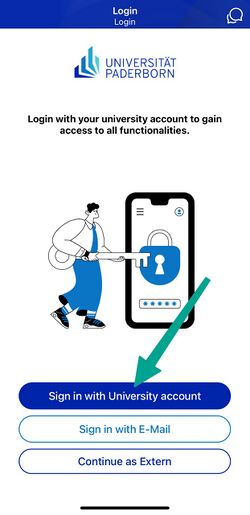
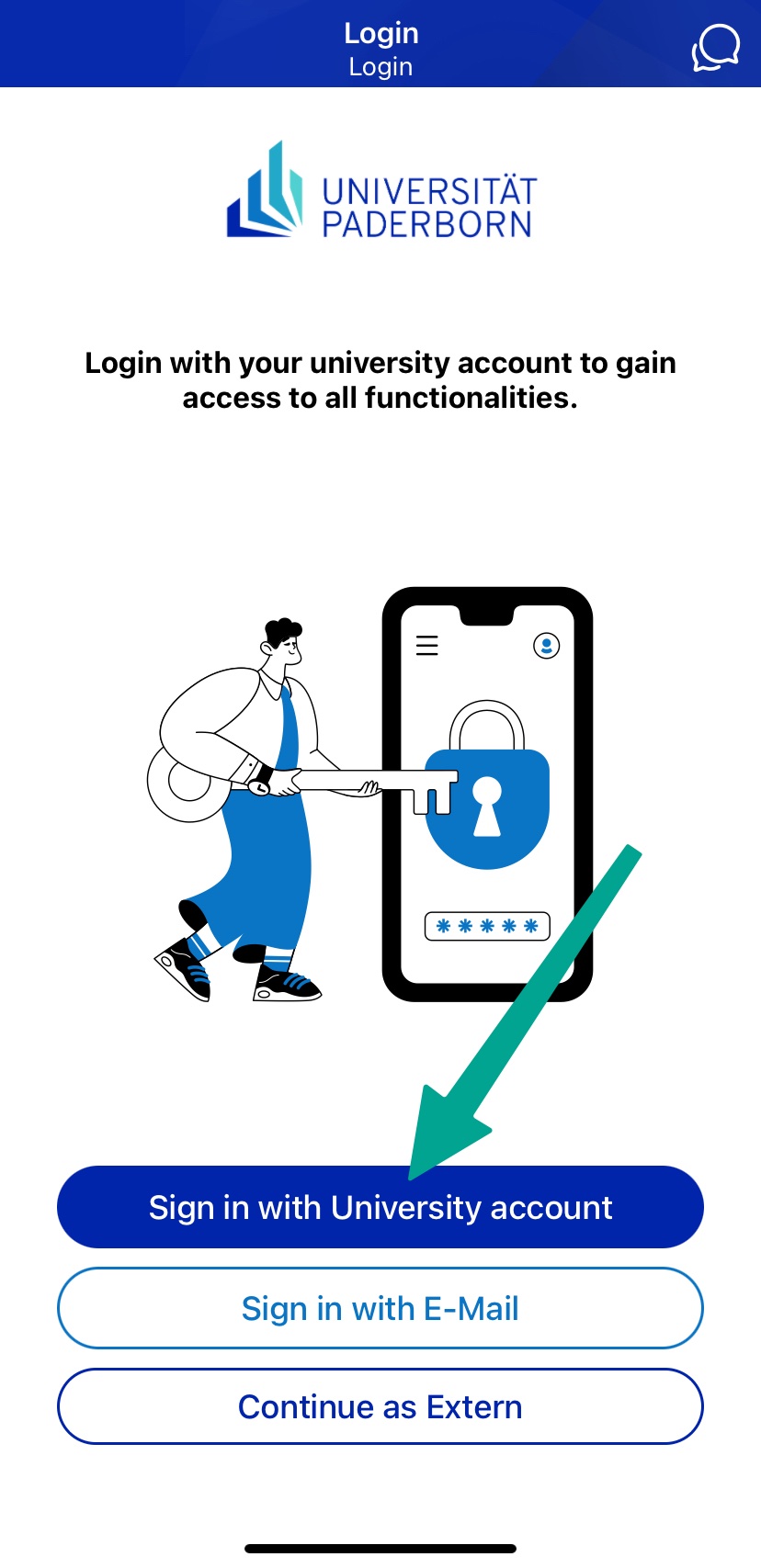
- Click on "Sign in with University account".
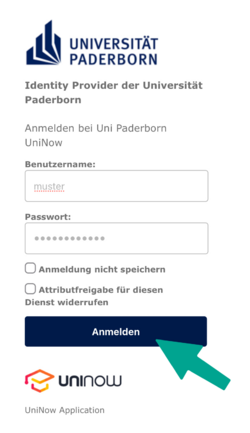
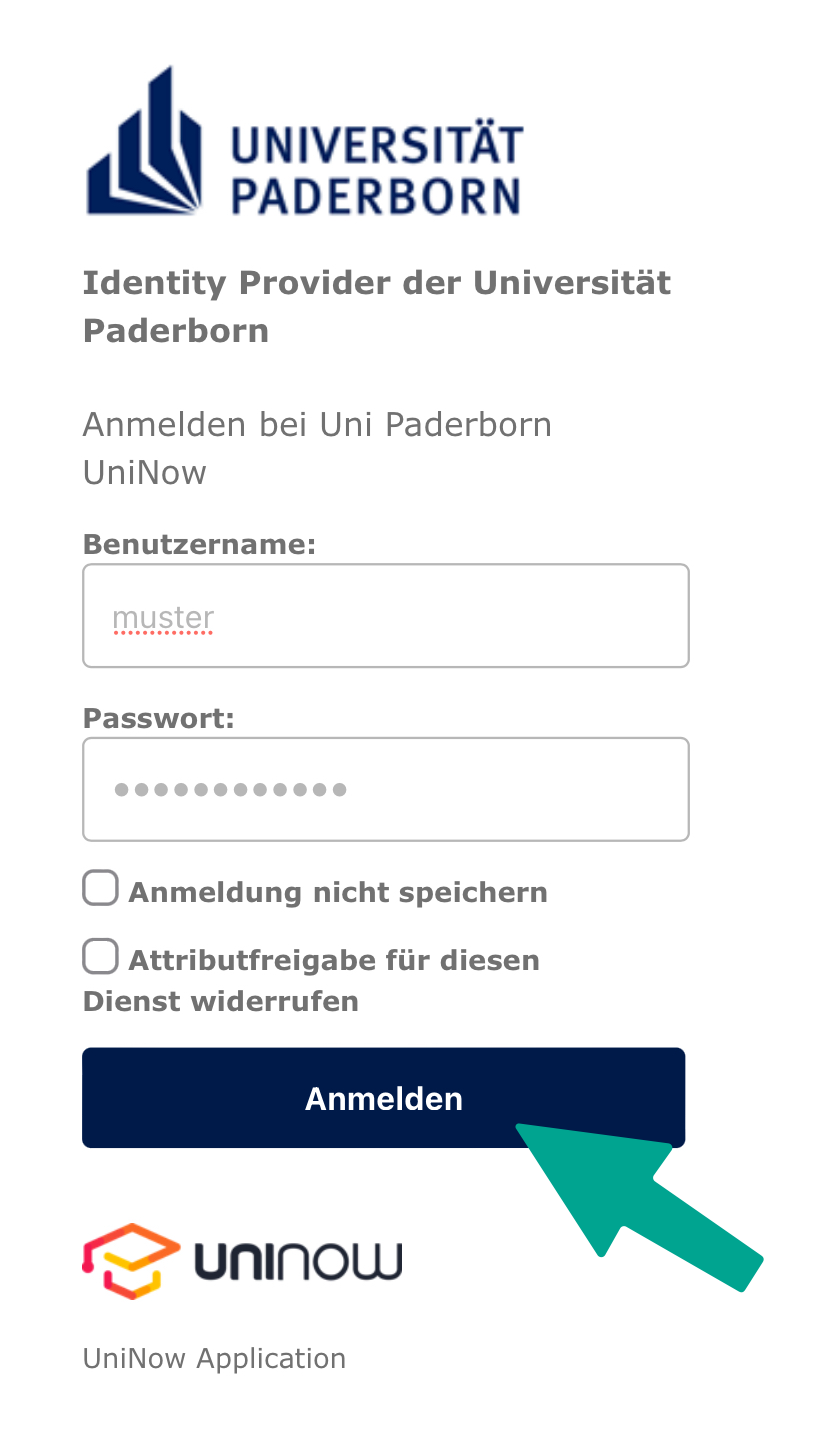
- Enter Username and Password for the Uni-Account
- Click on "Login".
- If you have the password automatically filled in by a password manager, problems may occur.
- Recommendation: Insert password manually
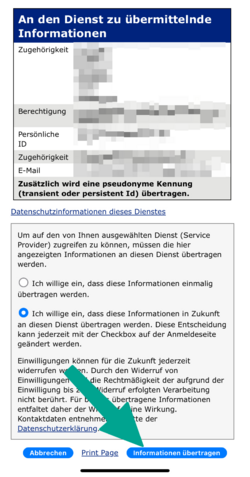
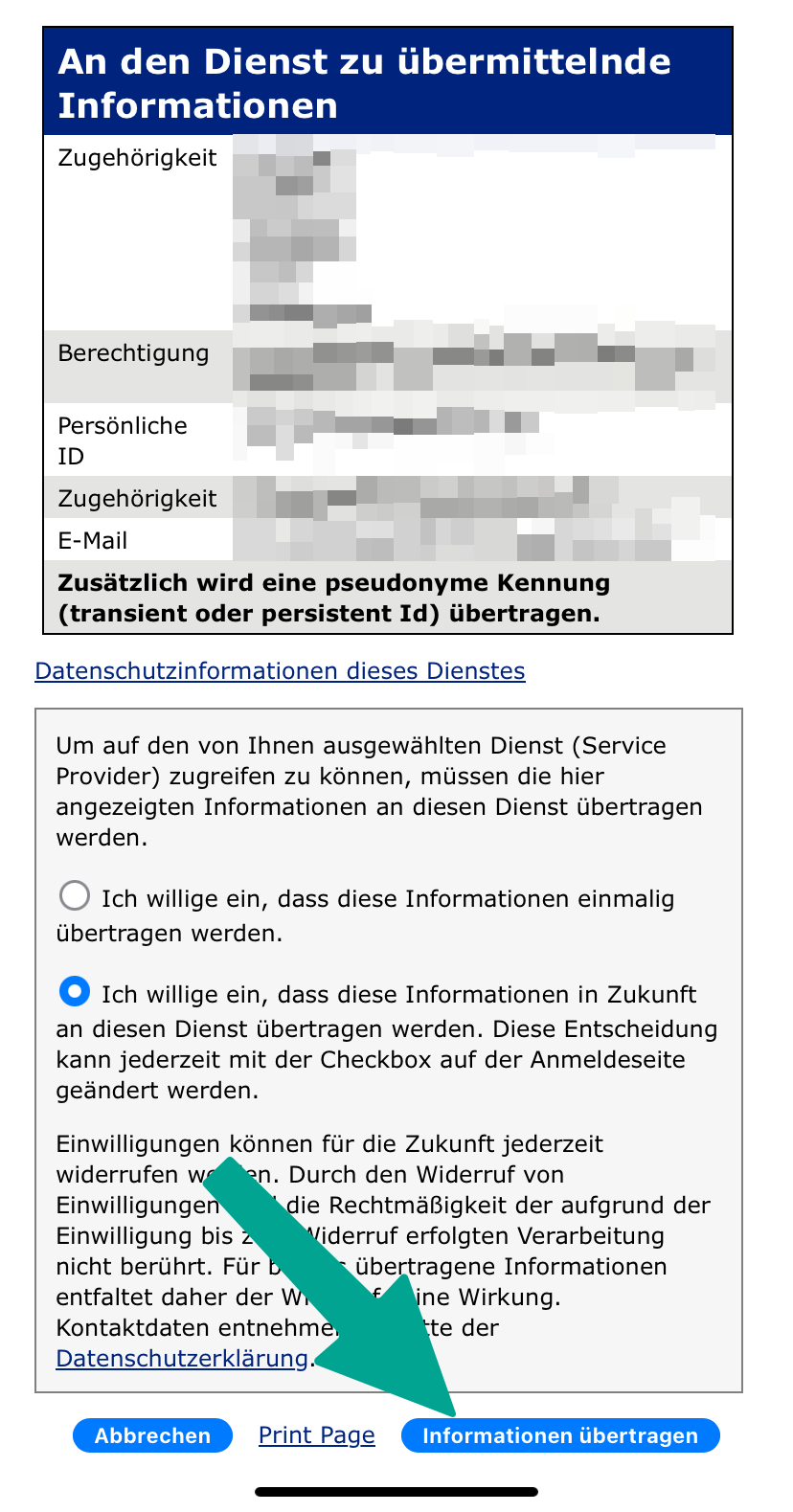
- You will now see a list of the information that will be transmitted to UniNow.
- Click on "Transfer information".
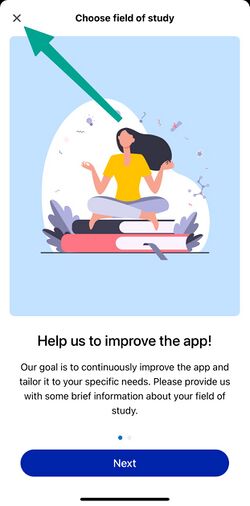
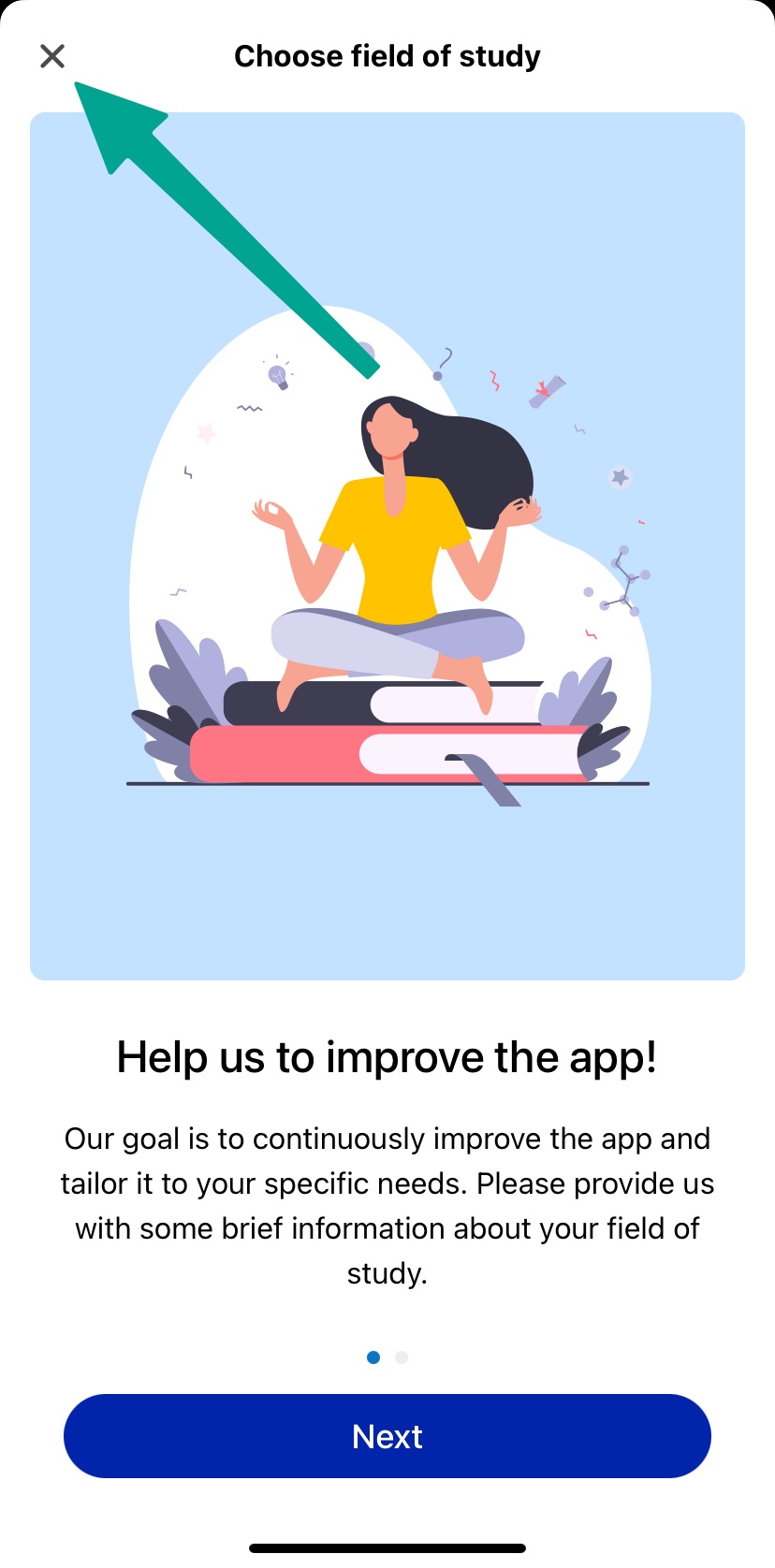
- Now you can choose your field of study
- This step is optional
- You can click on "Cancel"
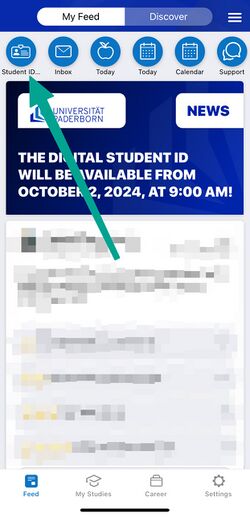
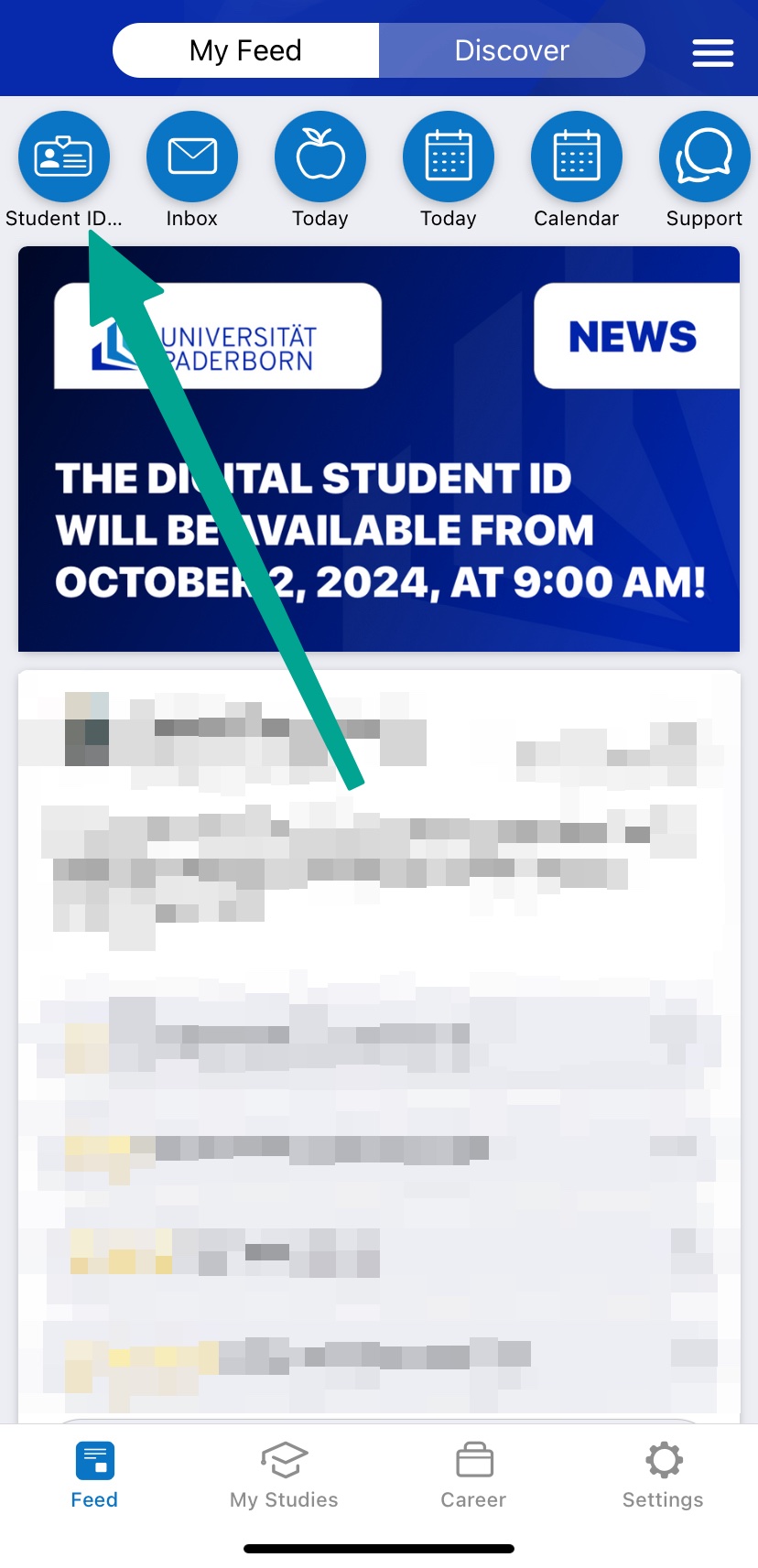
- Click in the top left hand corner on "Student ID Card"
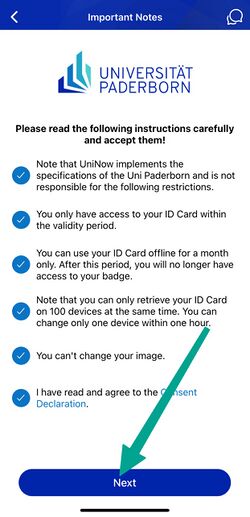
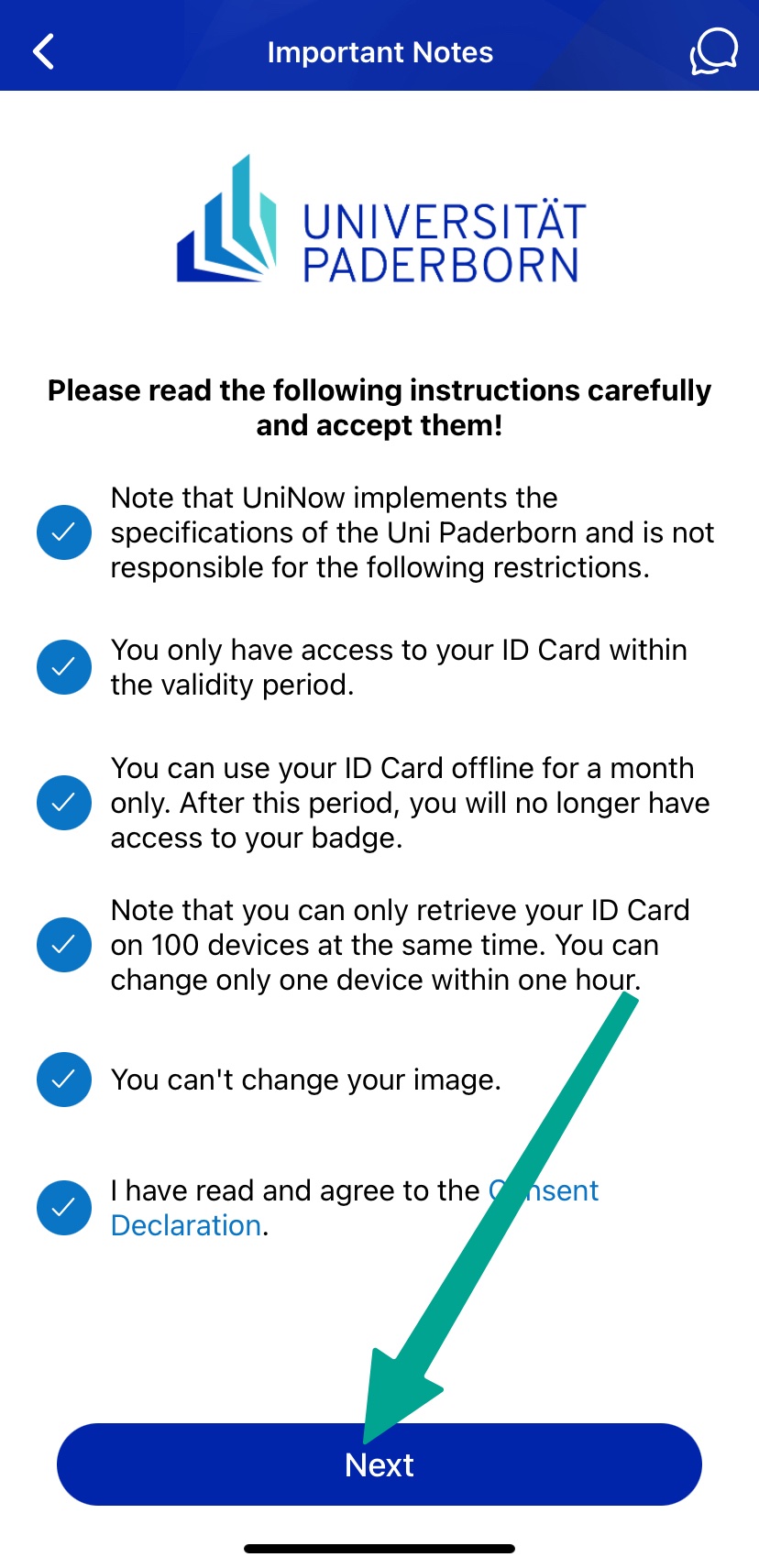
- Read through the instructions carefully and tick the appropriate boxes.
- Then click on "Continue".
You can now use your digital student ID card.
Serviceportal[Bearbeiten | Quelltext bearbeiten]
If you do not have a smartphone or your device is temporarily out of order, you can alternatively print out your ID card yourself via the Serviceportal.
Open the Serviceportal:
- https://serviceportal.uni-paderborn.de
- Login with your Uni-Account
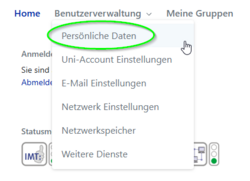
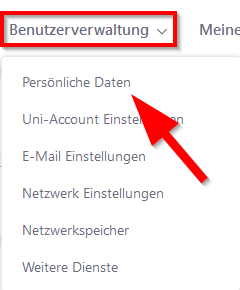
- Visit "Benutzerverwaltung" an click on "Persönliche Daten".
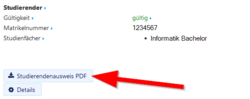
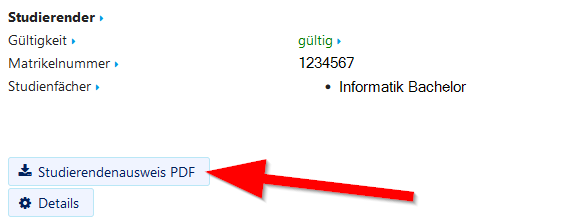
- Click on "Studierendenausweis PDF" to download your student ID card.
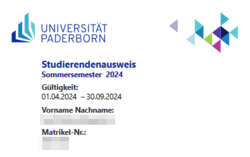
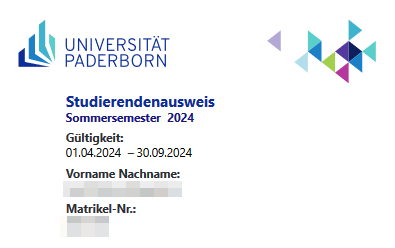
- Save the PDF file on your device.
See also[Bearbeiten | Quelltext bearbeiten]
Questions regarding the UPB-App?