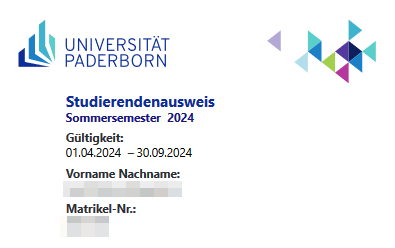
Studierendenausweis/en
Jnk (Diskussion | Beiträge) |
Jnk (Diskussion | Beiträge) (Added: Guest Students) |
||
| Zeile 64: | Zeile 64: | ||
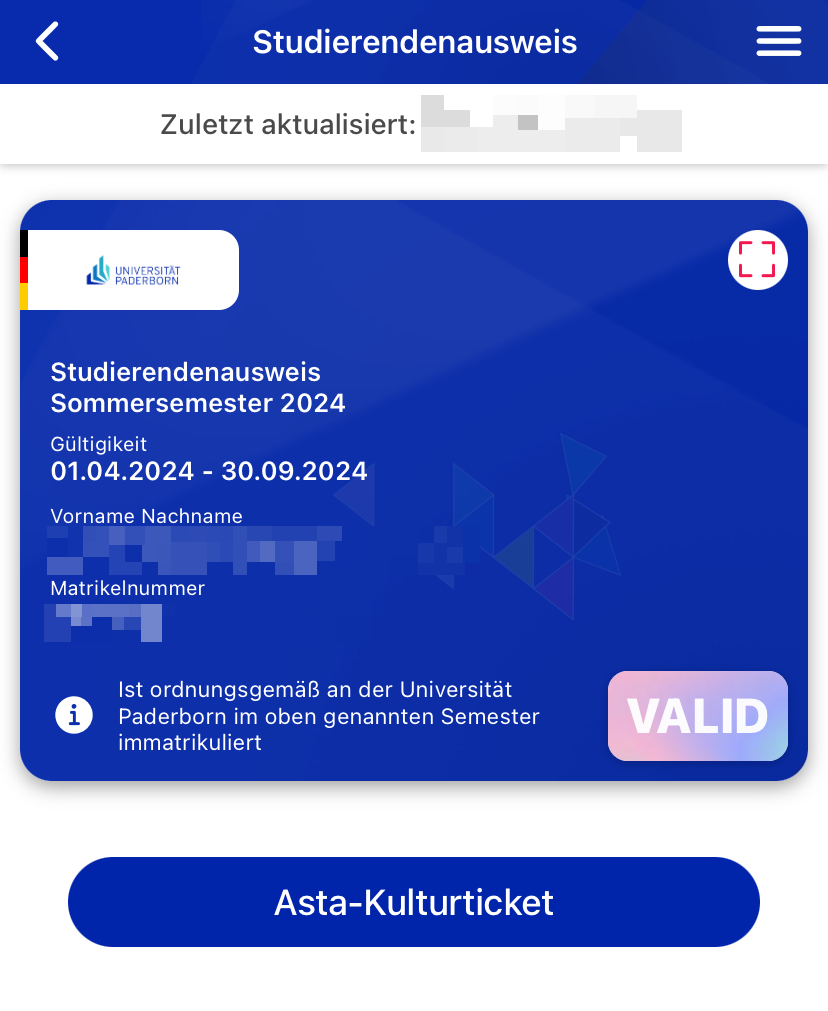
[[Datei:Digitaler-Studierendenausweis-09.png|links|mini|ohne|350px|Studierendenausweis in der UPB-App]] | [[Datei:Digitaler-Studierendenausweis-09.png|links|mini|ohne|350px|Studierendenausweis in der UPB-App]] | ||
| + | <br clear=all> | ||
| + | |||
| + | ==Guest student== | ||
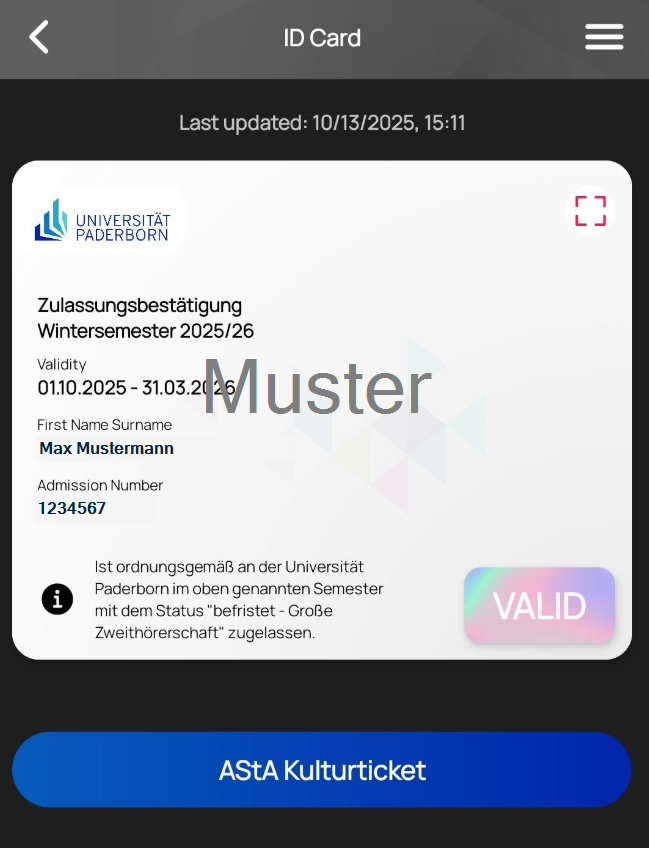
| + | Guest students receive a confirmation of admission. The status can be found in the information text. Here: ''"befristet - Große Zweithörerschaft"''. | ||
| + | [[Datei:Gasthoerer-01.png|links|mini|ohne|450px|ID Card for guest students in the UPB-App]] | ||
<br clear=all> | <br clear=all> | ||
Version vom 15. Oktober 2025, 09:17 Uhr
Die deutsche Version finden Sie auf der Seite Studierendenausweis
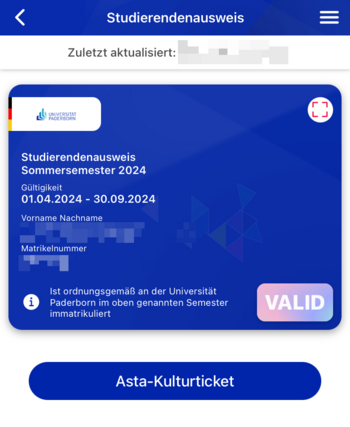
Starting in the winter semester 2024/25, Paderborn University will provide student ID cards in digital form via the UPB-App. You will no longer receive your ID card by post. Your library card and the AStA Kulturticket will also be available via the app.


 Open the UPB-App
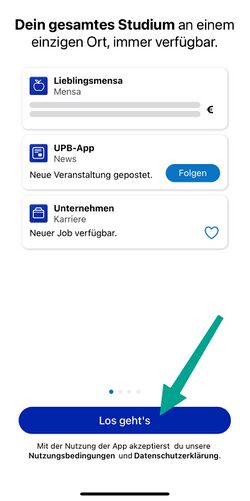
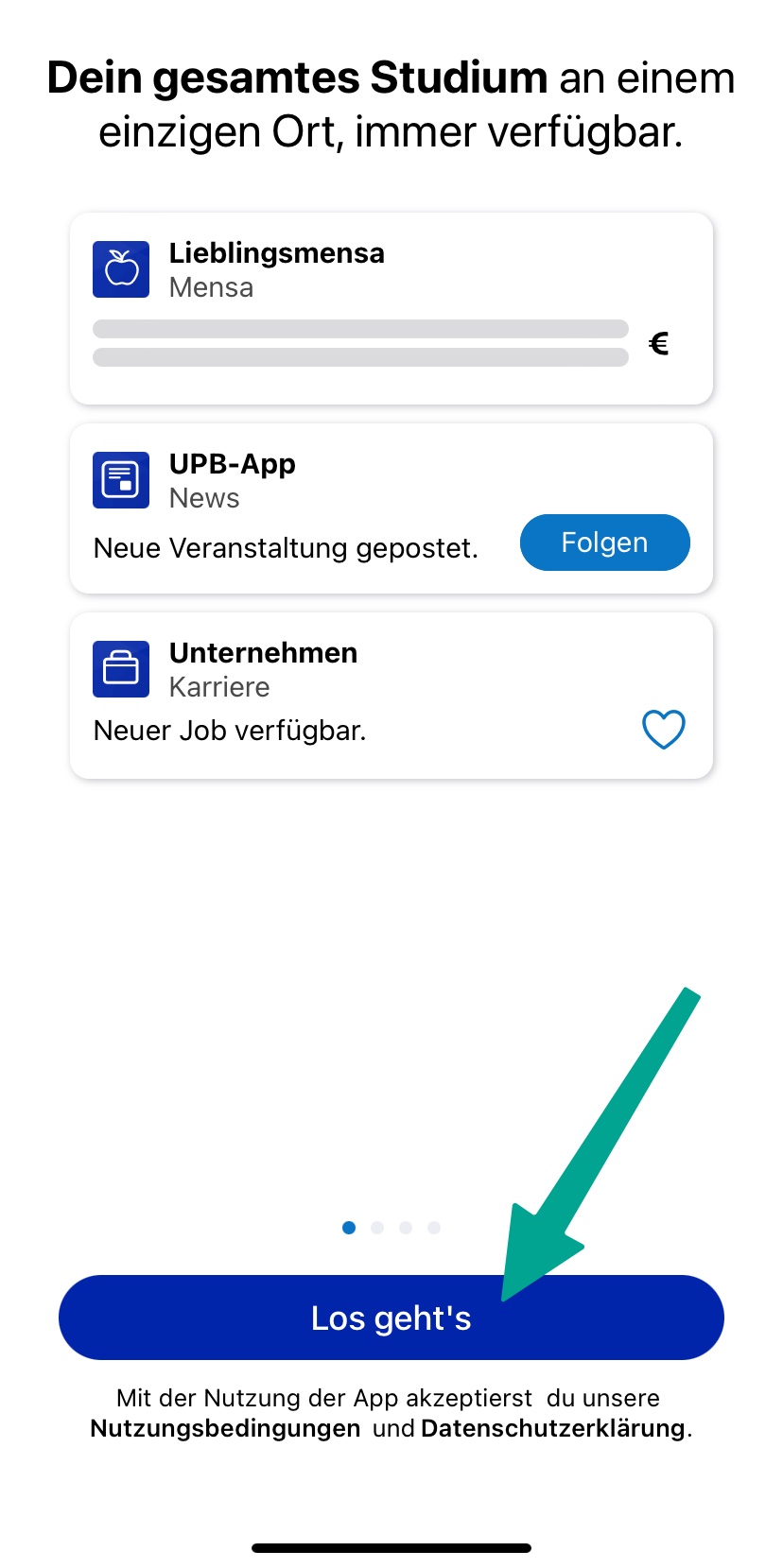
- Click on "Let's go".
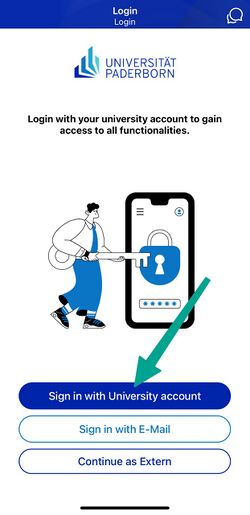
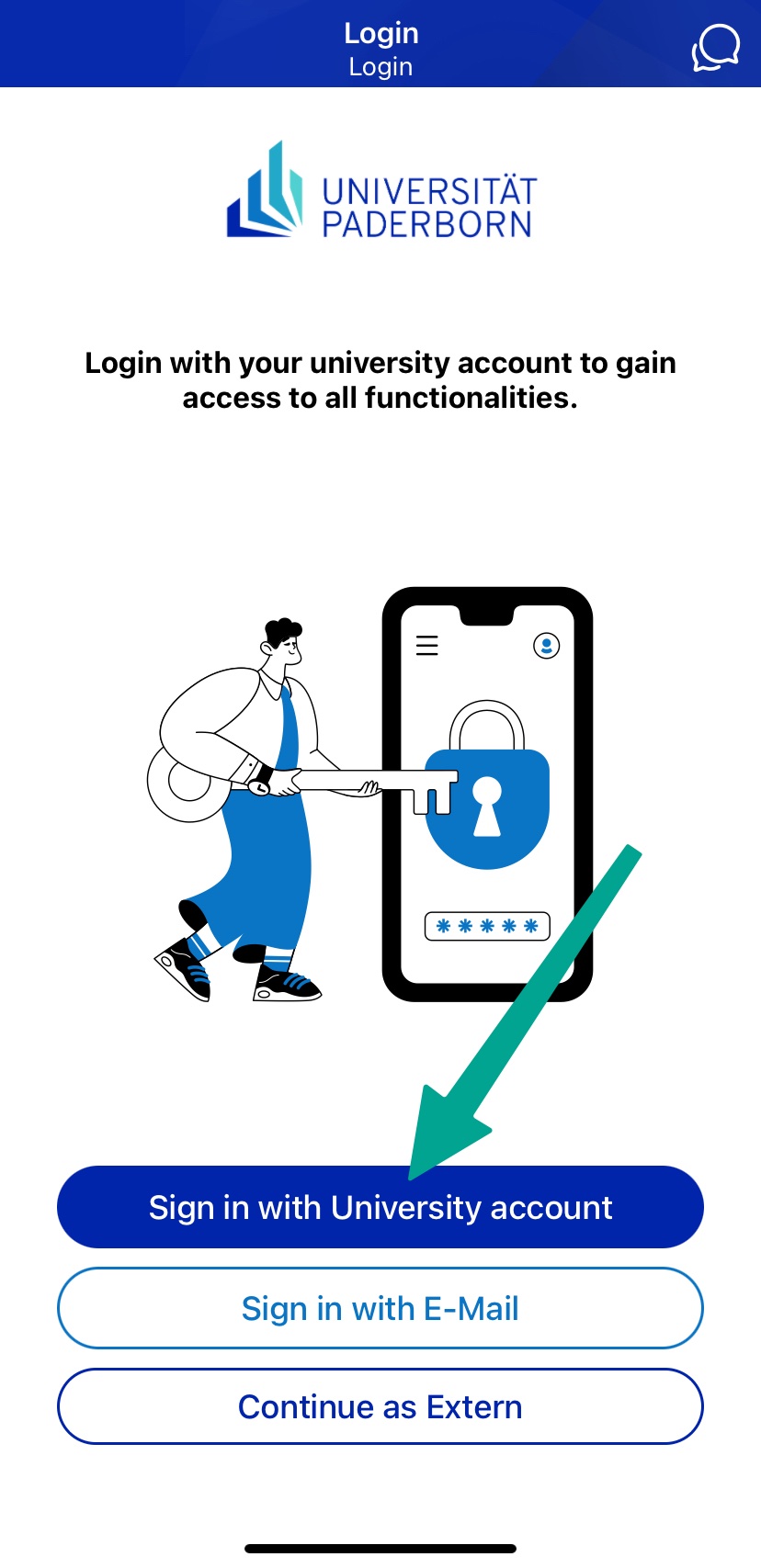
- Click on "Sign in with University account".
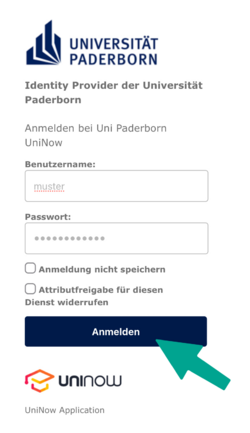
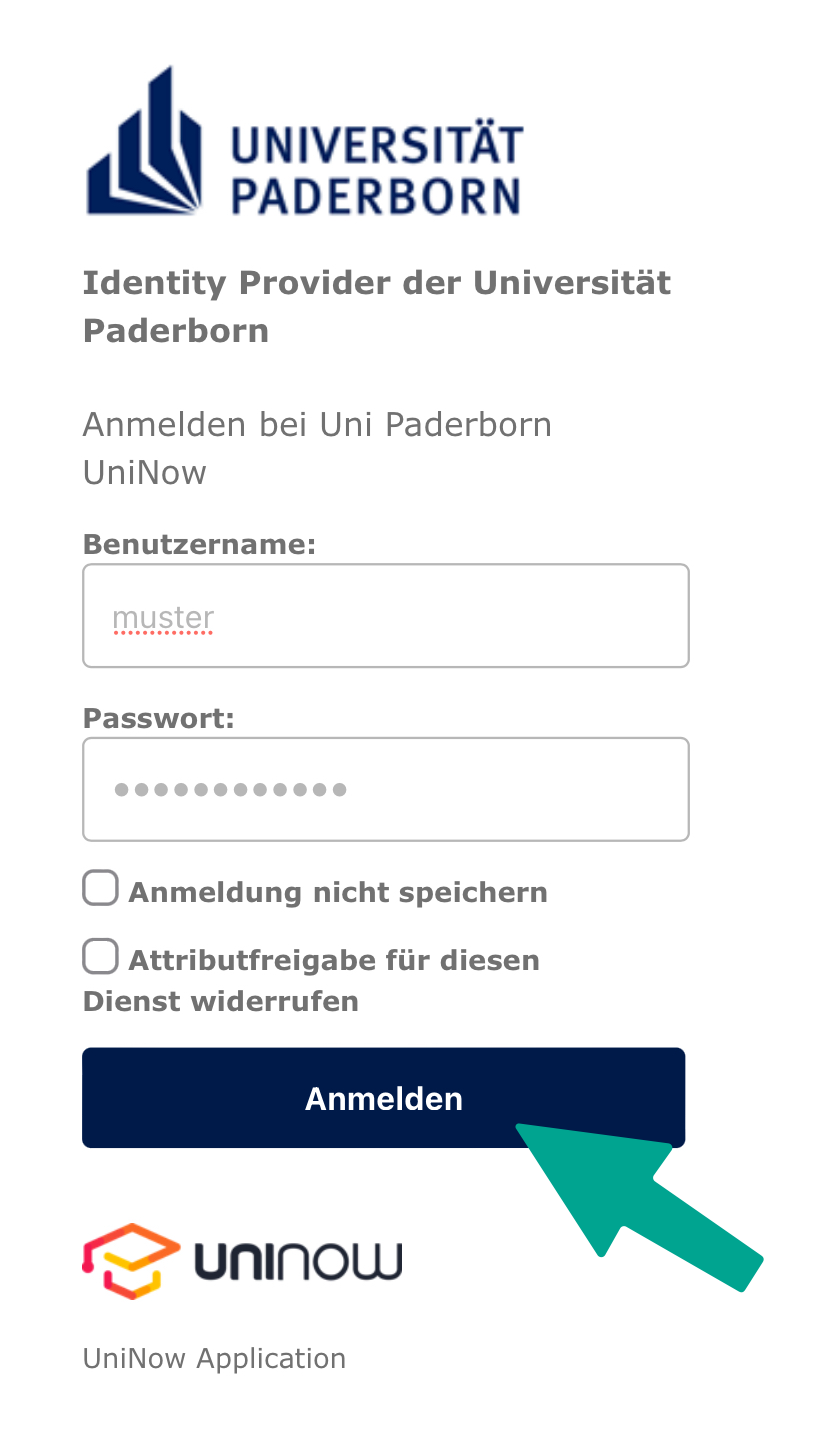
- Enter Username and Password for the Uni-Account
- Click on "Login".
- If you have the password automatically filled in by a password manager, problems may occur.
- Recommendation: Insert password manually
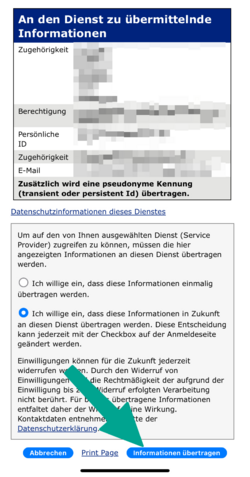
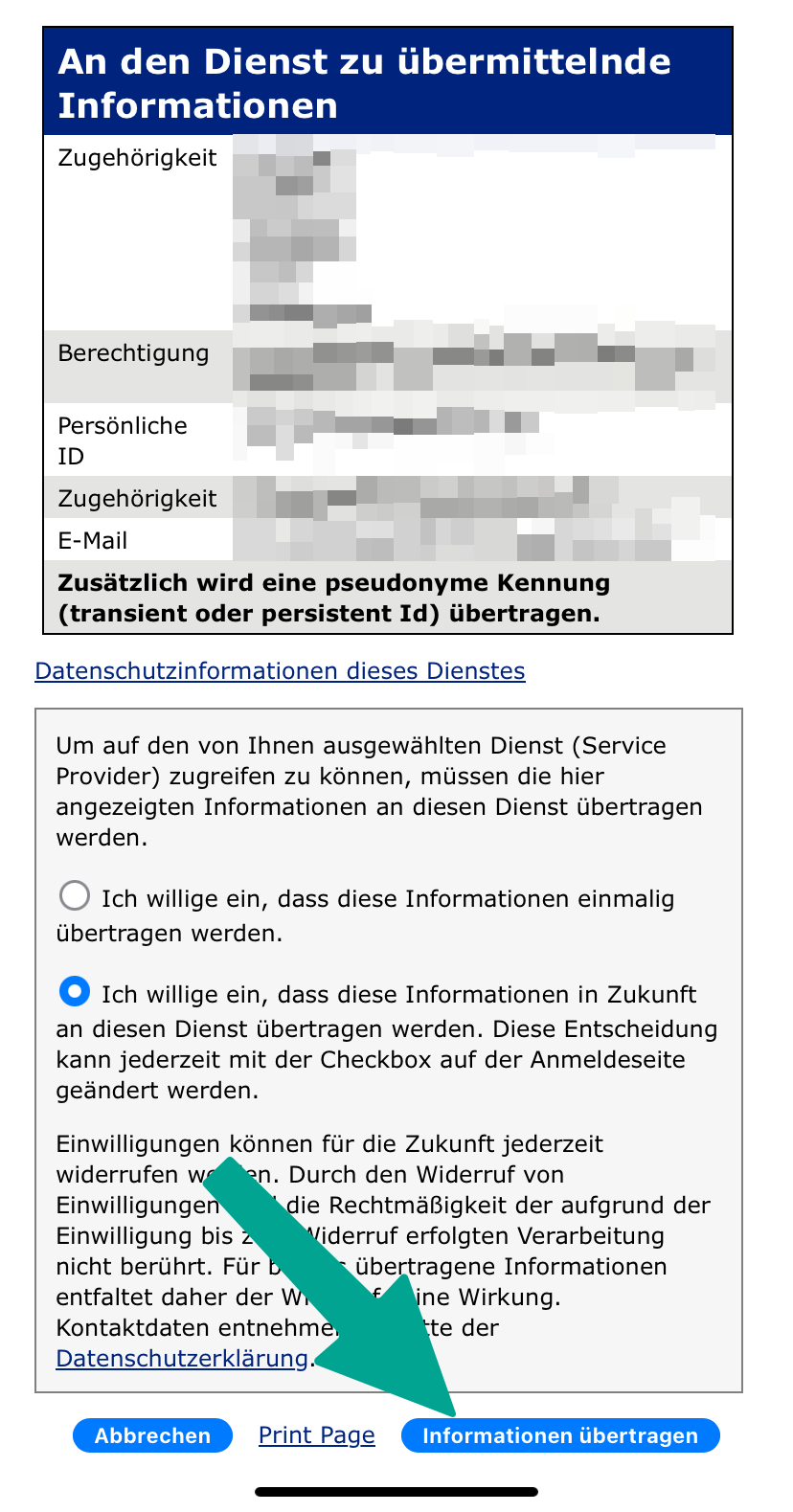
- You will now see a list of the information that will be transmitted to UniNow.
- Click on "Transfer information".
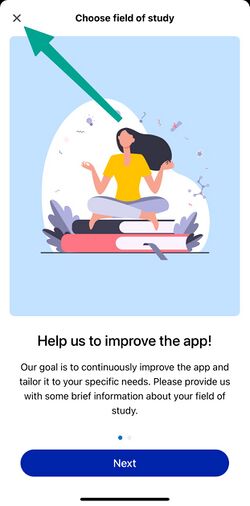
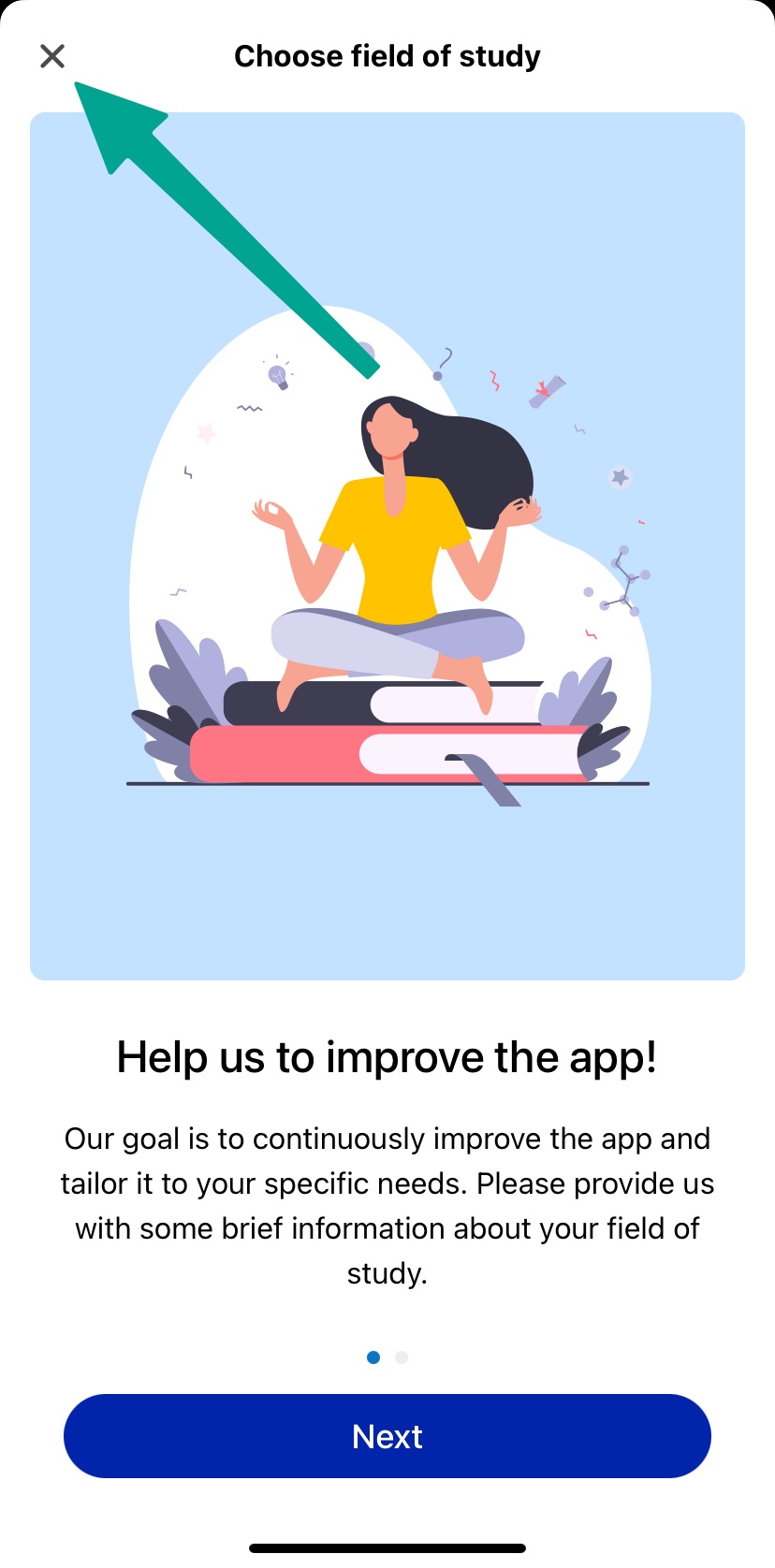
- Now you can choose your field of study
- This step is optional
- You can click on "Cancel"
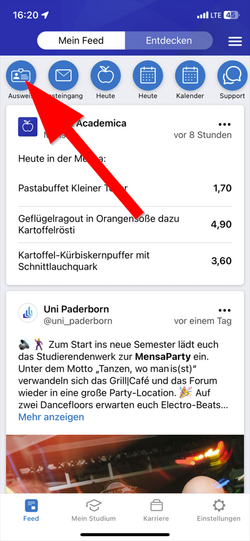
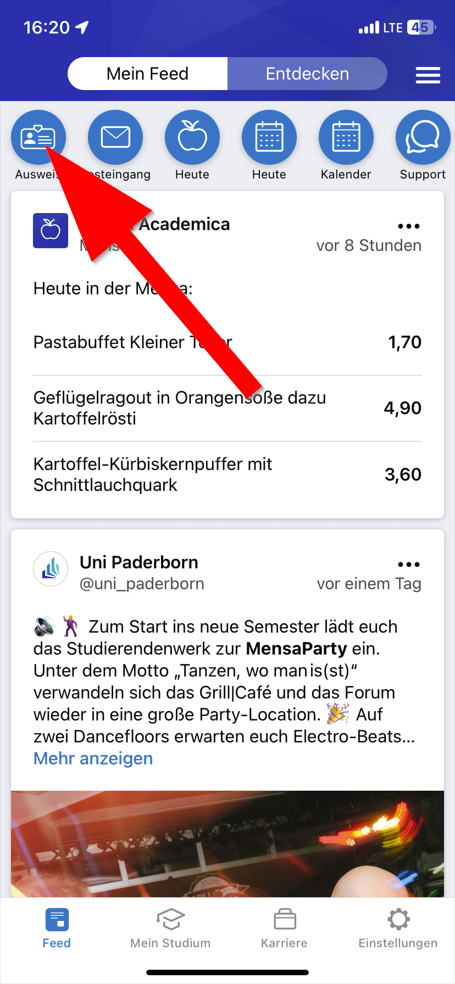
- Click in the top left hand corner on "ID Card"
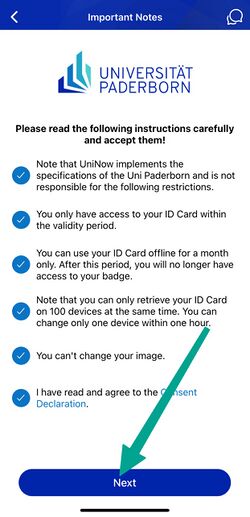
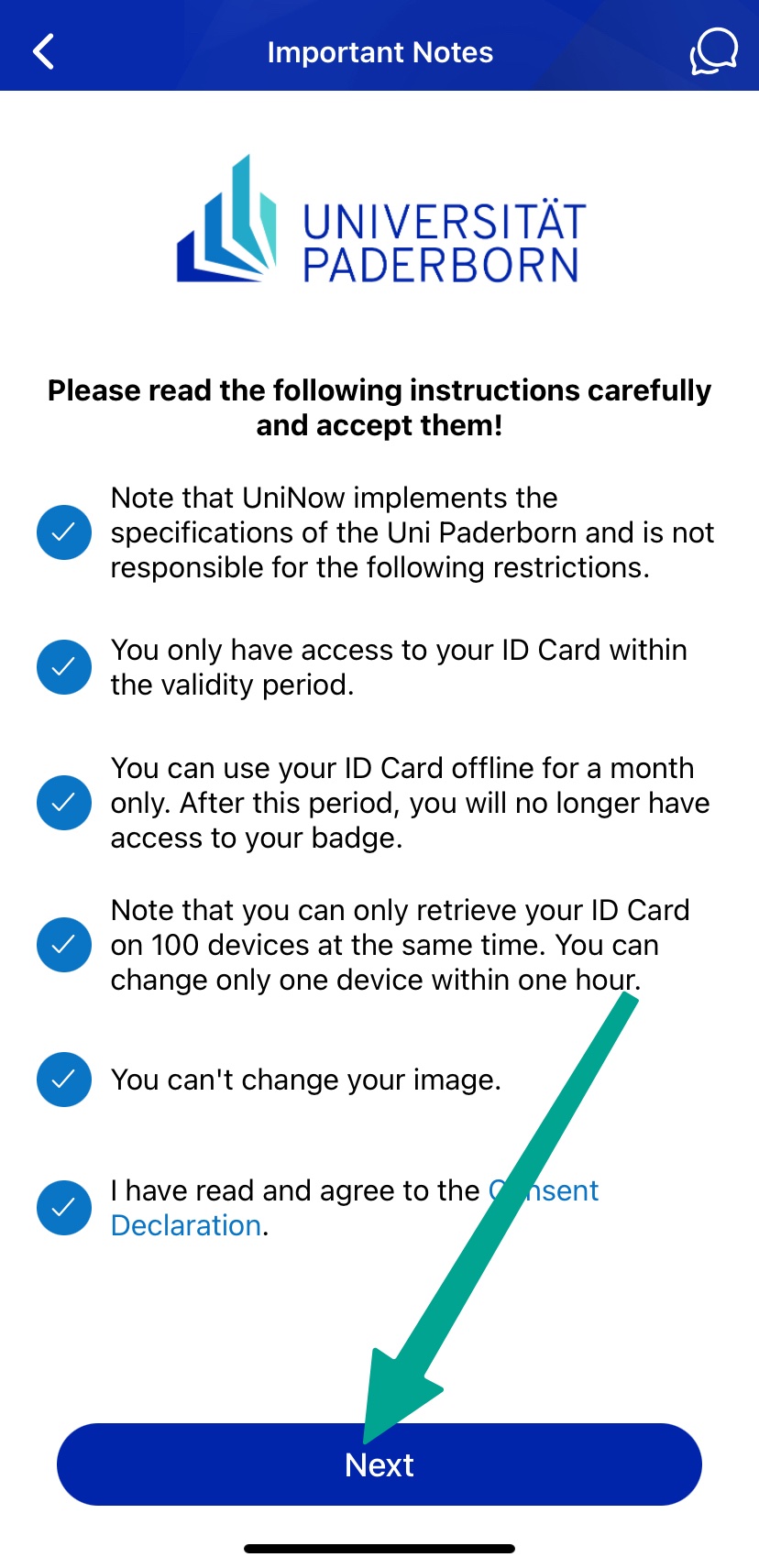
- Read through the instructions carefully and tick the appropriate boxes.
- Then click on "Continue".
You can now use your digital student ID card.
Guest student[Bearbeiten | Quelltext bearbeiten]
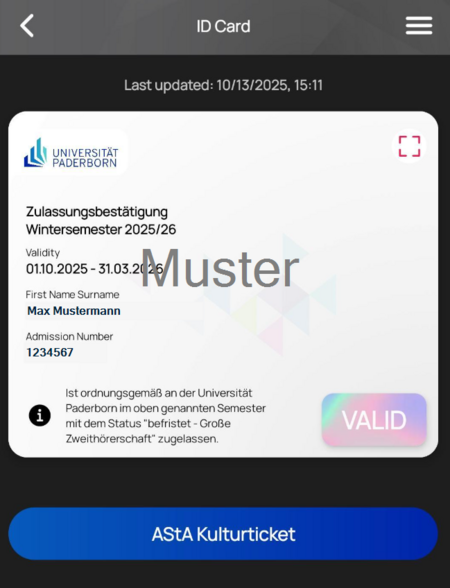
Guest students receive a confirmation of admission. The status can be found in the information text. Here: "befristet - Große Zweithörerschaft".
Serviceportal[Bearbeiten | Quelltext bearbeiten]
If you do not have a smartphone or your device is temporarily out of order, you can alternatively print out your ID card yourself via the Serviceportal.
Open the Serviceportal:
- https://serviceportal.uni-paderborn.de
- Login with your Uni-Account
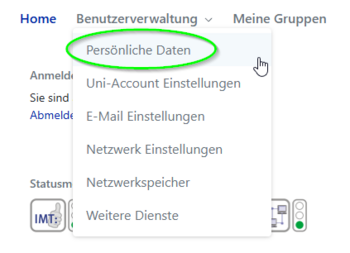
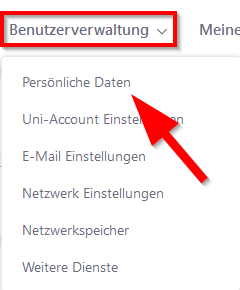
- Visit "Benutzerverwaltung" an click on "Persönliche Daten".
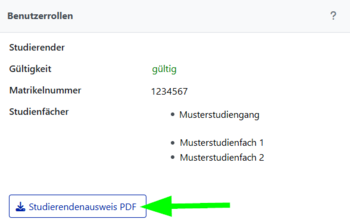
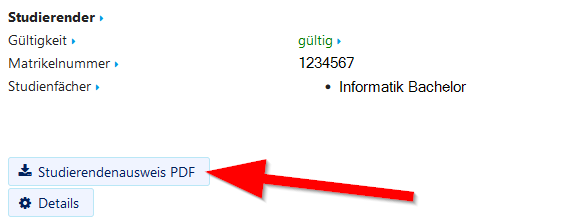
- Click on "Studierendenausweis PDF" to download your student ID card.
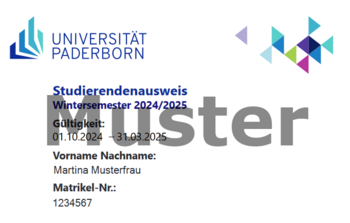
- Save the PDF file on your device.
See also[Bearbeiten | Quelltext bearbeiten]
Questions regarding the UPB-App?