Antivirus protection for Windows

ZIM HilfeWiki - das Wiki
Die deutsche Version finden Sie auf der Seite Virenschutz unter Windows

To protect your Windows computer from viruses and other malware, you should consider the following.

Security updates[Bearbeiten | Quelltext bearbeiten]

Microsoft releases security updates for Windows once a month. With it known security gaps are closed. These should be installed absolutely.

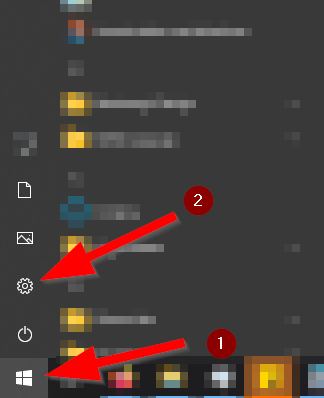
Press the "Windows Key" and open the settings via the "Gear Wheel"
.
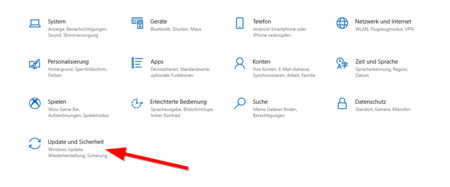
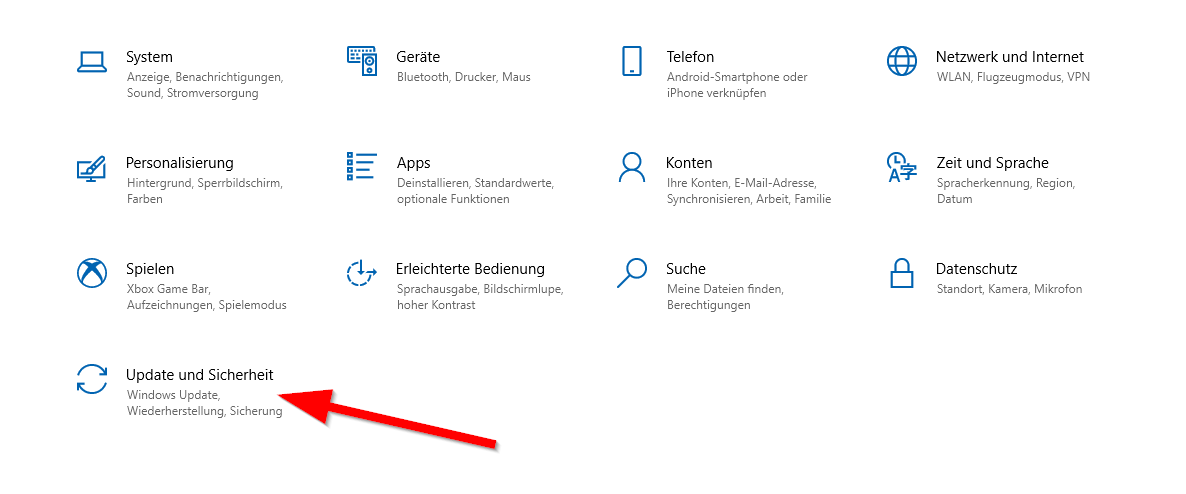
Click on "Update and Security"
.
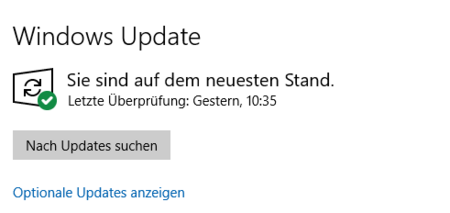
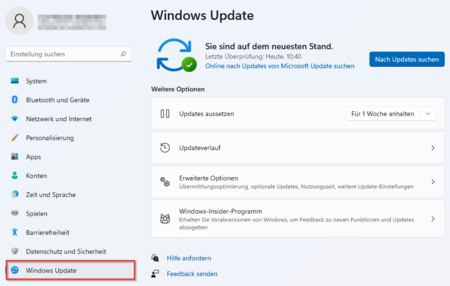
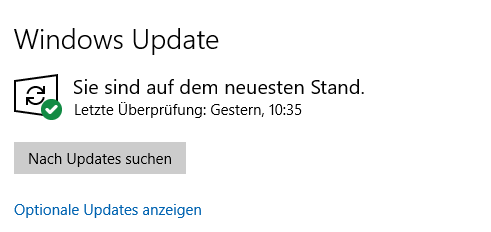
This is what it should look like - Windows is up to date


Start menu


  • Press the "Windows Key"'
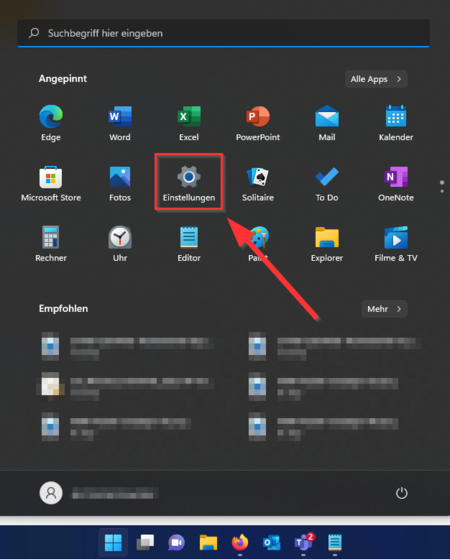
  • Open the settings via the "Gear Wheel"'.


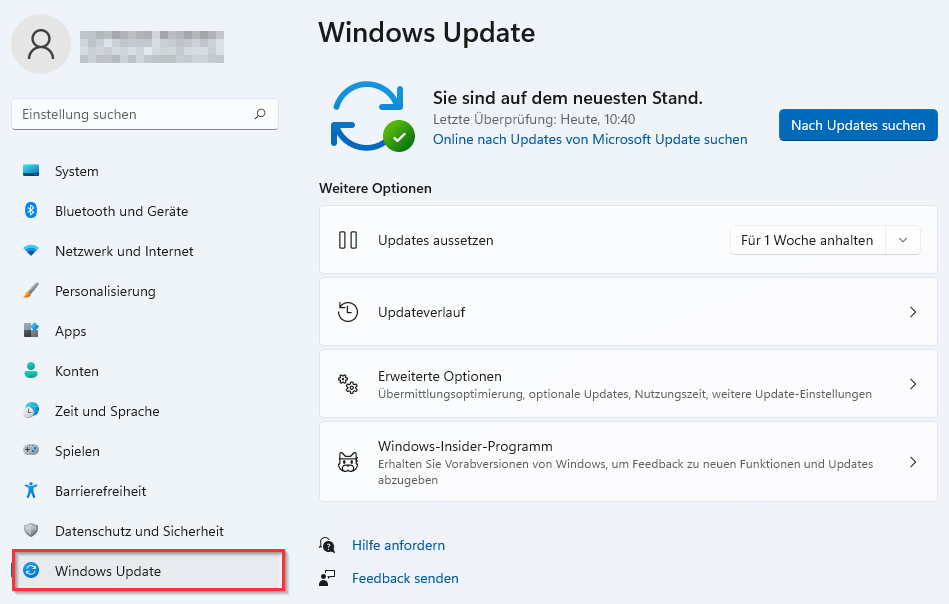
Windows Update


  • Click on "Windows Update" in the lower left margin.
  • This is how it should look - Windows is up to date.


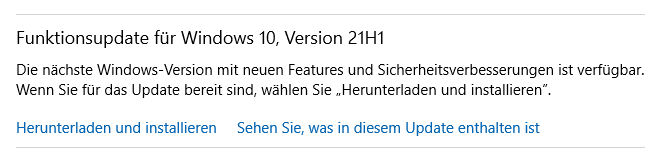
Functionality updates are to be distinguished from this. These are optional and not security relevant. Therefore, they do not need to be installed immediately. Waiting half a year is not a problem.

Example of an optional functionality update.


Bei Fragen oder Problemen können Sie uns zu unseren Servicezeiten telefonisch oder per E-Mail erreichen:

☎ Helpdesk: +49 (5251) 60-5544 ☎ Medien: +49 (5251) 60-2821 E-Mail: zim@uni-paderborn.de

Oder Sie besuchen uns vor Ort: Sie finden das Notebook-Café gemeinsam mit dem Servicecenter Medien in H1.201.

Servicezeiten

Mo - Do Fr
Vor-Ort-Support 08:30 - 16:00 08:30 - 14:00
Telefonsupport 08:30 - 16:00 08:30 - 14:00
Servicecenter Medien 08:30 - 16:00 08:30 - 14:00
Cookies helfen uns bei der Bereitstellung des ZIM HilfeWikis. Bei der Nutzung vom ZIM HilfeWiki werden die in der Datenschutzerklärung beschriebenen Cookies gespeichert.