Bitte beachte, dass andere Webseiten eine Datei mit einer direkten URL verlinken können. Sie könnte daher hier aufgelistet sein, obwohl sie in aktiver Verwendung ist.
Unten werden bis zu 50 Ergebnisse im Bereich 1.251 bis 1.300 angezeigt.
Zeige (vorherige 50 | nächste 50) (20 | 50 | 100 | 250 | 500)
 Videoportal Editor fertig.png 504 × 295; 34 KB
 Videoportal Editor publizieren.png 503 × 440; 43 KB
 Eduroam Windows Zertifikate.png 486 × 63; 9 KB
 Eduroam Windows7 012.jpg 382 × 518; 48 KB
 Vimp Channel Medien hinzufügen.png 508 × 304; 37 KB
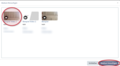 Vimp Channel Medien hinzufügen 2.png 593 × 327; 51 KB
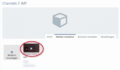 Vimp Channel Medien löschen.png 505 × 294; 46 KB
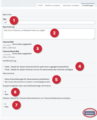 Vimp Channel Einstellungen.png 495 × 611; 77 KB
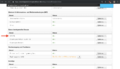 Serviceportal Screenshot.png 2.302 × 1.324; 306 KB
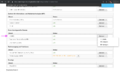 Screenshot Weitere Dienste.png 2.450 × 1.460; 331 KB
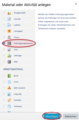 Panda Prüfungsorganisation anlegen.png 399 × 608; 63 KB
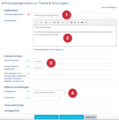 Panda Prüfungsorganisation Einstellungen.png 592 × 598; 72 KB
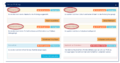 Panda Prüfungsorganisation vor Prüfung.png 756 × 399; 70 KB
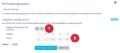 Prüfungsaufgaben konfigurieren.png 623 × 277; 39 KB
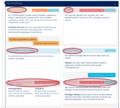 Panda für Prüfung Übersicht.png 647 × 581; 128 KB
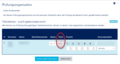 Panda manuelle Sitzplatzzuweisung.png 583 × 312; 44 KB
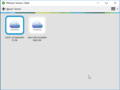 HorizonClient.png 628 × 473; 20 KB
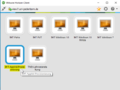 VM Auswahl.png 625 × 470; 35 KB
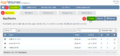 AppStack.png 932 × 434; 28 KB
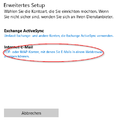
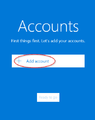 Screenshot Win10Mail 01.png 414 × 525; 15 KB
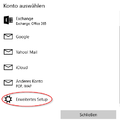 Screenshot Win10Mail 02.png 436 × 437; 14 KB
 Screenshot Win10Mail 03.png 430 × 443; 20 KB
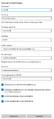 Screenshot Win10Mail 04.png 497 × 1.091; 28 KB
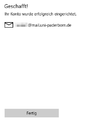 Screenshot Win10Mail 05.png 317 × 447; 5 KB
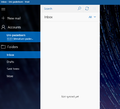 Screenshot Win10Mail 06.png 647 × 588; 200 KB
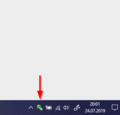 Screenshot scibo Tray.png 323 × 309; 17 KB
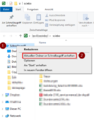 Screenshot scibo schnellzugriff anheften.png 430 × 549; 27 KB
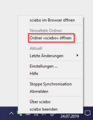 Screenshot scibo einstellungen.png 276 × 357; 15 KB
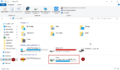 Screenshot Cryptomator Tresor oeffnen.png 1.044 × 611; 61 KB
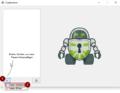 Screenshot Cryptomator Tresor erstellen.png 651 × 503; 52 KB
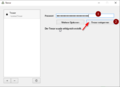 Screenshot Cryptomator Tresor entsperren.png 653 × 472; 13 KB
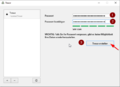 Screenshot Cryptomator passwort vergeben.png 653 × 473; 16 KB
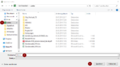 Screenshot Cryptomator Ordner auswaehlen.png 944 × 530; 32 KB
 Mail Accounts.png 676 × 537; 90 KB
 Screenshot SP network.png 287 × 271; 13 KB
 Screenshot SP new-cert.png 812 × 640; 57 KB
 Screenshot Outlook19 Kalender-aus-Adressbuch.png 250 × 269; 9 KB
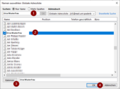 Screenshot Outlook19 Globale-Adressliste-Kalender.png 615 × 454; 20 KB
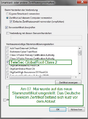 Testdatei zum löschen.png 382 × 518; 144 KB
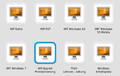 Create appvolume screenshot 01 Horizon View.png 544 × 345; 22 KB
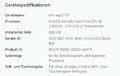 Create appvolume screenshot 02 prov masch details.png 506 × 319; 20 KB
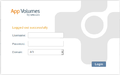 Create appvolume screenshot 03 login view appvol.png 647 × 407; 20 KB
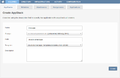 Create appvolume screenshot 04 create appvolume.png 926 × 599; 37 KB
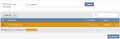 Create appvolume screenshot 05 provision to machine.png 893 × 288; 22 KB
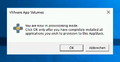 Create appvolume screenshot 06 do not close.png 407 × 210; 10 KB
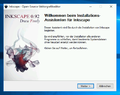 Create appvolume screenshot 07 software installation.png 529 × 420; 55 KB
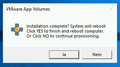 Create appvolume screenshot 09 reboot machine.png 318 × 177; 7 KB
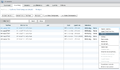 Create appvolumes Screenshot 10 delete machine.png 1.044 × 610; 61 KB
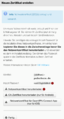 Screenshot SP dwonload cert.png 776 × 1.442; 146 KB
 MiniOSX10.14.png 50 × 18; 918 Bytes


Zeige (vorherige 50 | nächste 50) (20 | 50 | 100 | 250 | 500)