Diese Spezialseite listet alle hochgeladenen Dateien auf.


| Datum | Name | Vorschaubild | Größe | Beschreibung | Versionen |
|---|---|---|---|---|---|
| 15:15, 23. Mär. 2023 | Vpn-unter-macos-06.png (Datei) |  |
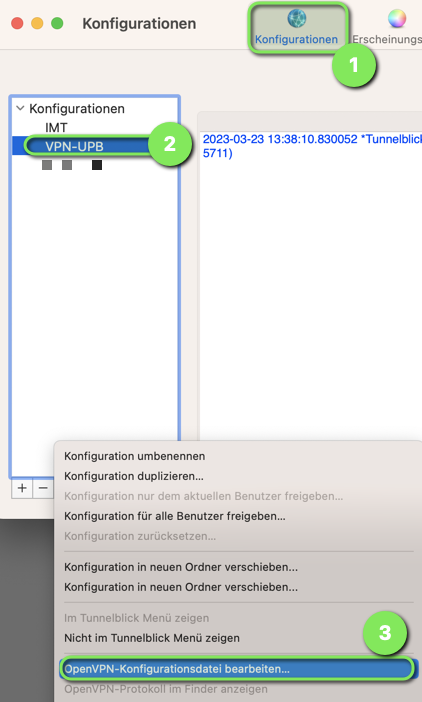
108 KB | {{Information | description = Screenshot macOS - Tunnelblick Konfigurationsdatei bearbeiten | source = Screenshot | date = 23.03.2023 | author = Benutzer:jnk | permission = {{PD-user|jnk}} }}Kategorie:Screenshots | 1 |
| 15:14, 23. Mär. 2023 | Vpn-unter-macos-05.png (Datei) |  |
41 KB | {{Information | description = Screenshot macOS - VPN-Details in Tunnelblick öffnen | source = Screenshot | date = 23.03.2023 | author = Benutzer:jnk | permission = {{PD-user|jnk}} }}Kategorie:Screenshots | 1 |
| 15:13, 23. Mär. 2023 | Vpn-unter-macos-03.png (Datei) |  |
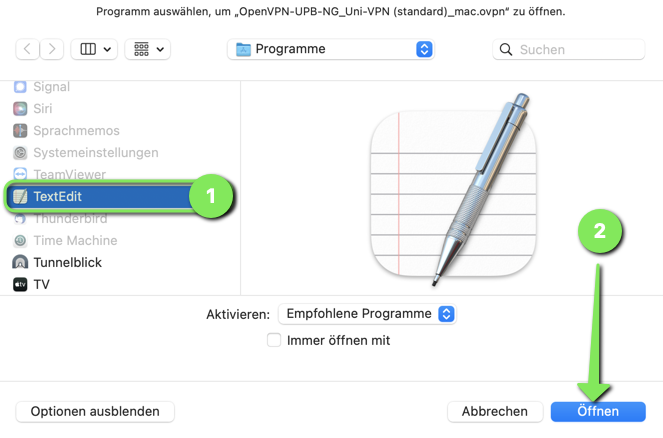
104 KB | {{Information | description = Screenshot macOS - Konfigurationsdatei mit TextEdit öffnen | source = Screenshot | date = 23.03.2023 | author = Benutzer:jnk | permission = {{PD-user|jnk}} }}Kategorie:Screenshots | 1 |
| 15:12, 23. Mär. 2023 | Vpn-unter-macos-02.png (Datei) |  |
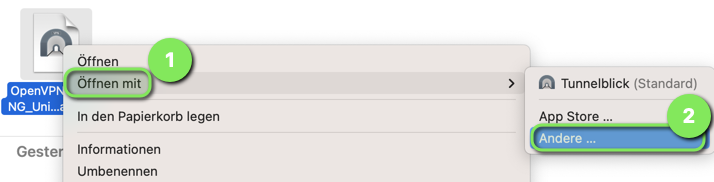
55 KB | {{Information | description = Screenshot macOS - Konfigurationsdatei öffnen mit... | source = Screenshot | date = 23.03.2023 | author = Benutzer:jnk | permission = {{PD-user|jnk}} }}Kategorie:Screenshots | 1 |
| 15:12, 23. Mär. 2023 | Vpn-unter-macos-01.png (Datei) |  |
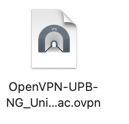
10 KB | {{Information | description = Screenshot macOS - Konfigurationsdatei für OpenVPN | source = Screenshot | date = 23.03.2023 | author = Benutzer:jnk | permission = {{PD-user|jnk}} }}Kategorie:Screenshots | 1 |
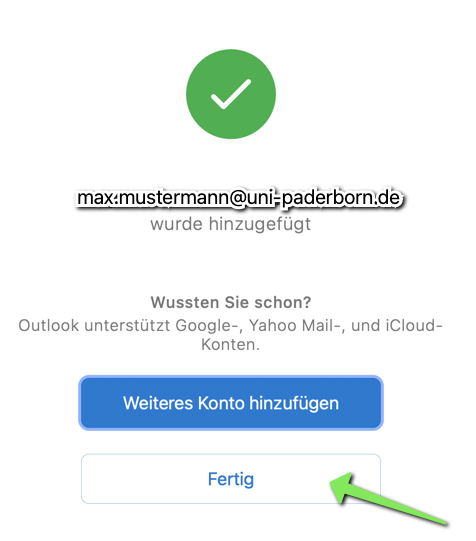
| 12:51, 7. Mär. 2023 | Mail-einrichten-outlook-macos-07.png (Datei) |  |
55 KB | {{Information | description = Screenshot macOS - Mail einrichten in Outlook - Konto hinzugefügt | source = Screenshot | date = 07.03.2023 | author = Benutzer:jnk | permission = {{PD-user|jnk}} }}Kategorie:Screenshots | 1 |
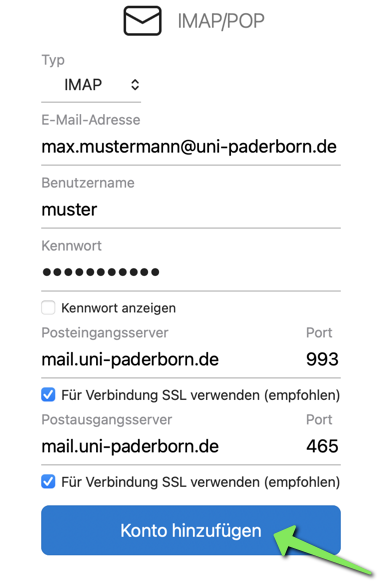
| 12:50, 7. Mär. 2023 | Mail-einrichten-outlook-macos-06.png (Datei) |  |
71 KB | {{Information | description = Screenshot macOS - Mail einrichten in Outlook - IMAP Einstellungen | source = Screenshot | date = 07.03.2023 | author = Benutzer:jnk | permission = {{PD-user|jnk}} }}Kategorie:Screenshots | 1 |
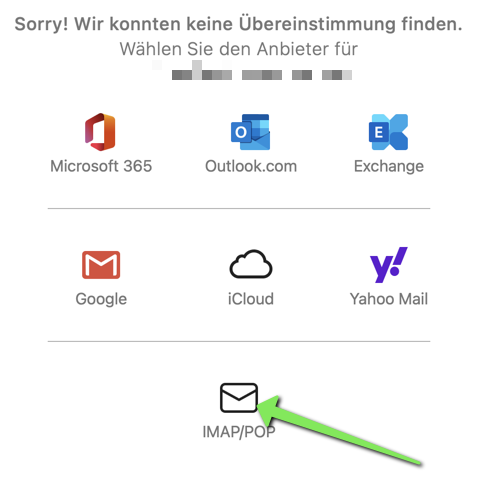
| 12:50, 7. Mär. 2023 | Mail-einrichten-outlook-macos-05.png (Datei) |  |
46 KB | {{Information | description = Screenshot macOS - Mail einrichten in Outlook - IMAP auswählen | source = Screenshot | date = 07.03.2023 | author = Benutzer:jnk | permission = {{PD-user|jnk}} }}Kategorie:Screenshots | 1 |
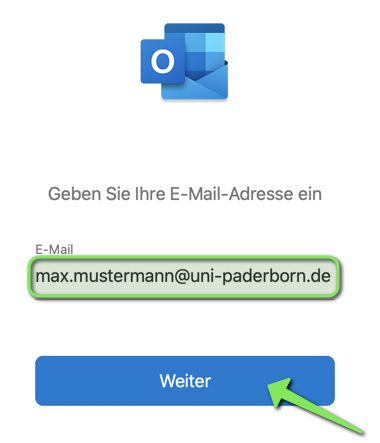
| 12:49, 7. Mär. 2023 | Mail-einrichten-outlook-macos-04.png (Datei) |  |
43 KB | {{Information | description = Screenshot macOS - Mail einrichten in Outlook - Mailadresse eingeben | source = Screenshot | date = 07.03.2023 | author = Benutzer:jnk | permission = {{PD-user|jnk}} }}Kategorie:Screenshots | 1 |
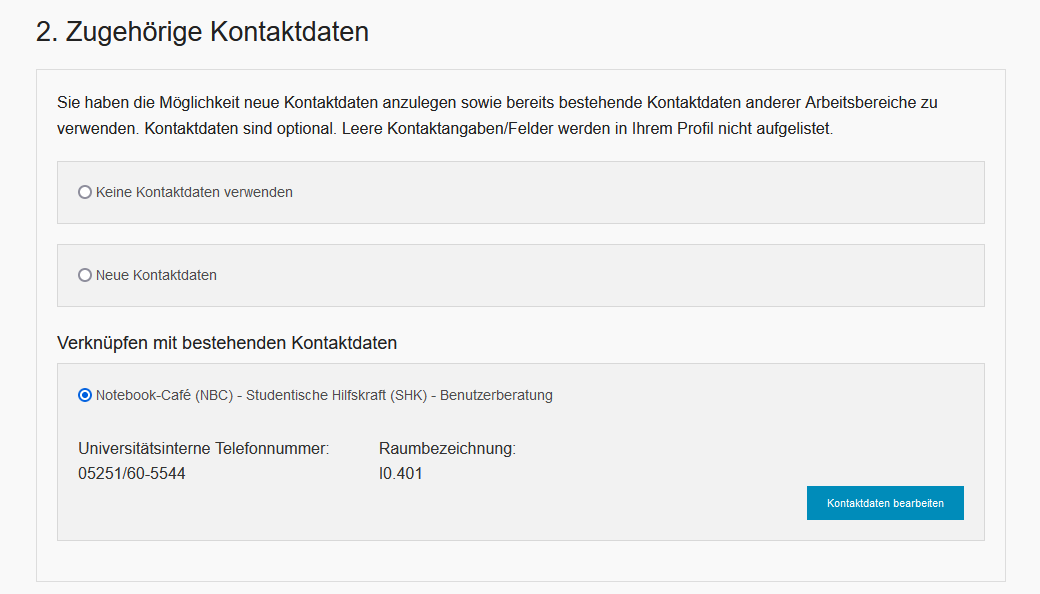
| 13:36, 3. Feb. 2023 | Personenmanager-person-bereich-hinzufuegen-08.png (Datei) |  |
30 KB | {{Information | description = Screenshot Personenmanager - Kontaktdaten | source = Screenshot | date = 03.02.2023 | author = Benutzer:jnk | permission = {{PD-user|jnk}} }}Kategorie:Screenshots | 1 |
| 12:37, 24. Nov. 2022 | Gastzugang fuer Kurse 06.png (Datei) |  |
9 KB | {{Information | description = Screenshot KOMO - Einschreibeoption entfernen (Papierkorb) | source = Screenshot | date = 24.11.2022 | author = Benutzer:jnk | permission = {{PD-user|jnk}} }}Kategorie:Screenshots | 1 |
| 12:26, 24. Nov. 2022 | Gastzugang fuer Kurse 05.png (Datei) |  |
7 KB | {{Information | description = Screenshot KOMO - Einschreibeoption bearbeiten (Zahnrad) | source = Screenshot | date = 24.11.2022 | author = Benutzer:jnk | permission = {{PD-user|jnk}} }}Kategorie:Screenshots | 1 |
| 12:25, 24. Nov. 2022 | Gastzugang fuer Kurse 04.png (Datei) |  |
7 KB | {{Information | description = Screenshot KOMO - Einschreibeoption aktivieren/deaktivieren (blaues Auge) | source = Screenshot | date = 24.11.2022 | author = Benutzer:jnk | permission = {{PD-user|jnk}} }}Kategorie:Screenshots | 1 |
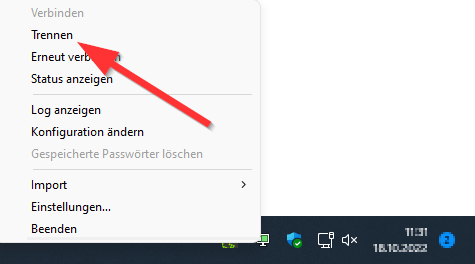
| 15:22, 22. Nov. 2022 | VPN-unter-Windows-02.png (Datei) |  |
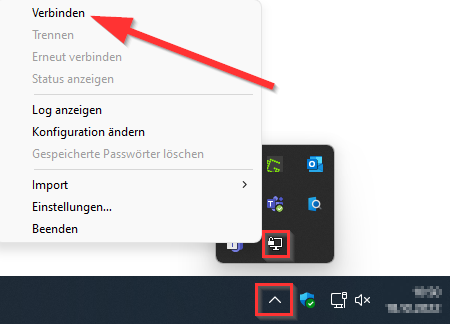
20 KB | {{Information | description = Screenshot OpenVPN unter Windows 11 - Verbindung trennen | source = Screenshot | date = 22.11.2022 | author = Benutzer:jnk | permission = {{PD-user|jnk}} }}Kategorie:Screenshots | 1 |
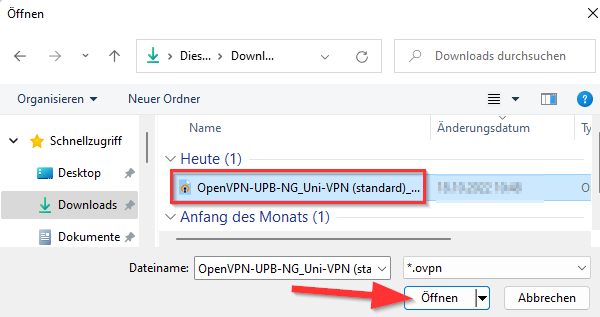
| 15:22, 22. Nov. 2022 | VPN-unter-Windows-01.png (Datei) |  |
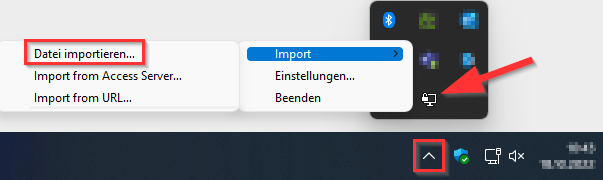
21 KB | {{Information | description = Screenshot OpenVPN unter Windows 11 - Konfiguration auswählen | source = Screenshot | date = 22.11.2022 | author = Benutzer:jnk | permission = {{PD-user|jnk}} }}Kategorie:Screenshots | 1 |
| 15:16, 22. Nov. 2022 | OpenVPN Windows10 verbunden.png (Datei) |  |
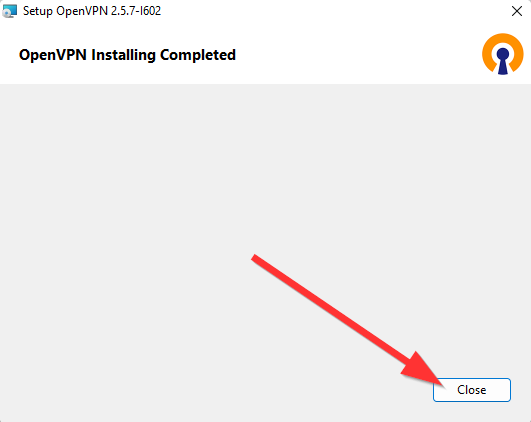
9 KB | {{Information | description = Screenshot OpenVPN unter Windows 11 installieren | source = Screenshot | date = 22.11.2022 | author = Benutzer:jnk | permission = {{PD-user|jnk}} }}Kategorie:Screenshots | 2 |
| 15:16, 22. Nov. 2022 | OpenVPN Windows10 12.png (Datei) |  |
38 KB | {{Information | description = Screenshot OpenVPN unter Windows 11 | source = Screenshot | date = 22.11.2022 | author = Benutzer:jnk | permission = {{PD-user|jnk}} }}Kategorie:Screenshots | 2 |
| 15:15, 22. Nov. 2022 | OpenVPN-Win10-1.png (Datei) |  |
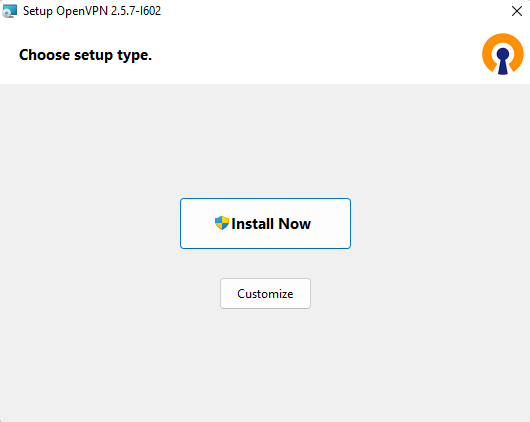
40 KB | {{Information | description = Screenshot OpenVPN unter Windows 11 installieren | source = Screenshot | date = 22.11.2022 | author = Benutzer:jnk | permission = {{PD-user|jnk}} }}Kategorie:Screenshots | 2 |
| 15:14, 22. Nov. 2022 | OpenVPN-25 Win10 Install-3.png (Datei) |  |
11 KB | {{Information | description = Screenshot OpenVPN unter Windows 11 installieren | source = Screenshot | date = 22.11.2022 | author = Benutzer:jnk | permission = {{PD-user|jnk}} }}Kategorie:Screenshots | 2 |
| 15:13, 22. Nov. 2022 | OpenVPN-25 Win10 Install-1.png (Datei) |  |
9 KB | {{Information | description = Screenshot OpenVPN unter Windows 11 installieren | source = Screenshot | date = 22.11.2022 | author = Benutzer:jnk | permission = {{PD-user|jnk}} }}Kategorie:Screenshots | 2 |
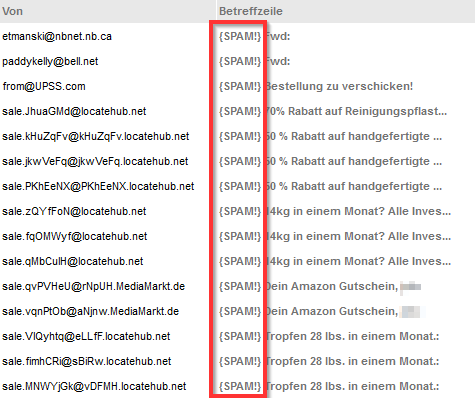
| 12:25, 21. Nov. 2022 | Webmail-serverseitiges-filtern-05.png (Datei) |  |
30 KB | {{Information | description = Screenshot PureMessage - SPAM | source = Screenshot | date = 21.11.2022 | author = Benutzer:jnk | permission = {{PD-user|jnk}} }}Kategorie:Screenshots | 1 |
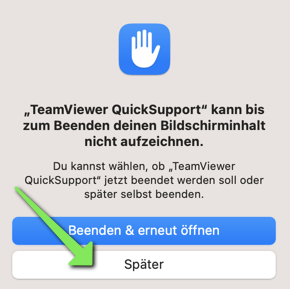
| 15:59, 17. Nov. 2022 | TV-macOS-16.png (Datei) |  |
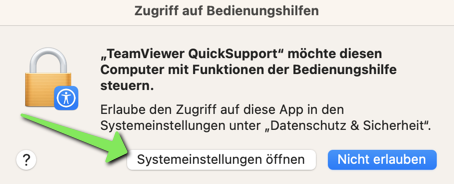
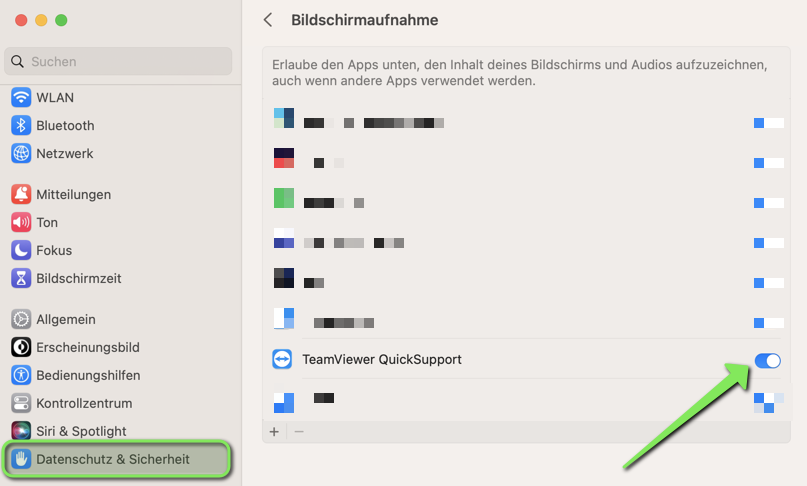
45 KB | {{Information | description = Screenshot macOS 13 Ventura - Teamviewer einrichten | source = Screenshot | date = 17.11.2022 | author = Benutzer:jnk | permission = {{PD-user|jnk}} }}Kategorie:Screenshots | 2 |
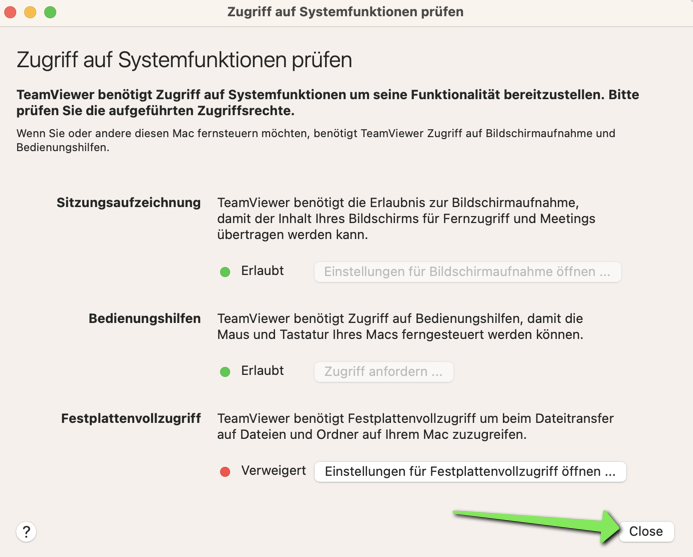
| 15:57, 17. Nov. 2022 | TV-macOS-20.png (Datei) |  |
155 KB | {{Information | description = Screenshot macOS 13 Ventura - Teamviewer einrichten | source = Screenshot | date = 17.11.2022 | author = Benutzer:jnk | permission = {{PD-user|jnk}} }}Kategorie:Screenshots | 1 |
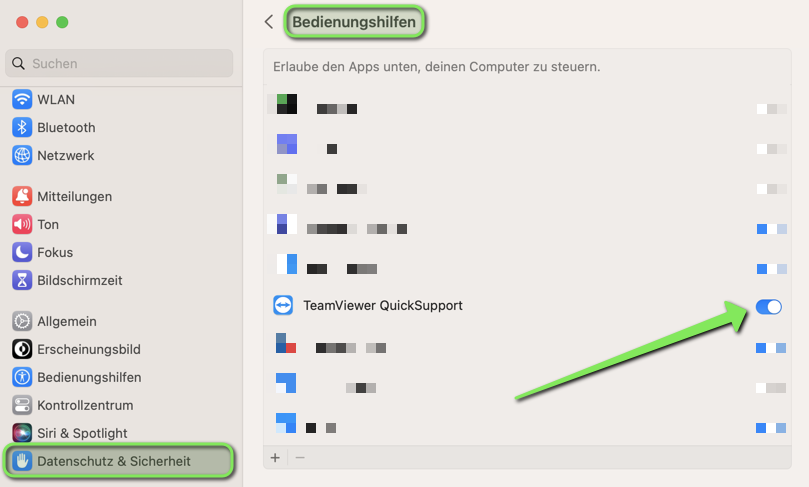
| 15:57, 17. Nov. 2022 | TV-macOS-19.png (Datei) |  |
95 KB | {{Information | description = Screenshot macOS 13 Ventura - Teamviewer einrichten | source = Screenshot | date = 17.11.2022 | author = Benutzer:jnk | permission = {{PD-user|jnk}} }}Kategorie:Screenshots | 1 |
| 15:57, 17. Nov. 2022 | TV-macOS-18.png (Datei) |  |
57 KB | {{Information | description = Screenshot macOS 13 Ventura - Teamviewer einrichten | source = Screenshot | date = 17.11.2022 | author = Benutzer:jnk | permission = {{PD-user|jnk}} }}Kategorie:Screenshots | 1 |
| 15:56, 17. Nov. 2022 | TV-macOS-15.png (Datei) |  |
100 KB | {{Information | description = Screenshot macOS 13 Ventura - Teamviewer einrichten | source = Screenshot | date = 17.11.2022 | author = Benutzer:jnk | permission = {{PD-user|jnk}} }}Kategorie:Screenshots | 1 |
| 13:00, 14. Nov. 2022 | LDAP-Verzeichnis-Thunderbird-09.png (Datei) |  |
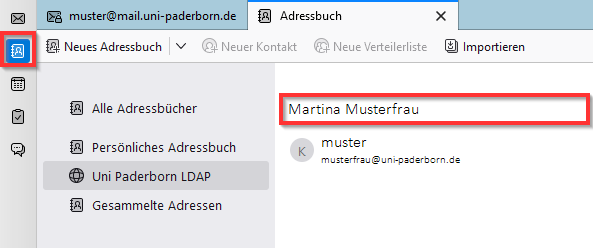
14 KB | {{Information | description = Screenshot Thunderbird 102.4.2 - Adressbuch LDAP | source = Screenshot | date = 14.11.2022 | author = Benutzer:jnk | permission = {{PD-user|jnk}} }}Kategorie:Screenshots | 1 |
| 12:38, 14. Nov. 2022 | LDAP-Verzeichnis-Thunderbird-08.png (Datei) |  |
5 KB | {{Information | description = Screenshot Thunderbird 102.4.2 - LDAP-Verzeichnisserver: Passwort eingeben | source = Screenshot | date = 14.11.2022 | author = Benutzer:jnk | permission = {{PD-user|jnk}} }}Kategorie:Screenshots | 1 |
| 12:37, 14. Nov. 2022 | LDAP-Verzeichnis-Thunderbird-07.png (Datei) |  |
21 KB | {{Information | description = Screenshot Thunderbird 102.4.2 - Adresse suchen | source = Screenshot | date = 14.11.2022 | author = Benutzer:jnk | permission = {{PD-user|jnk}} }}Kategorie:Screenshots | 1 |
| 12:36, 14. Nov. 2022 | LDAP-Verzeichnis-Thunderbird-06.png (Datei) |  |
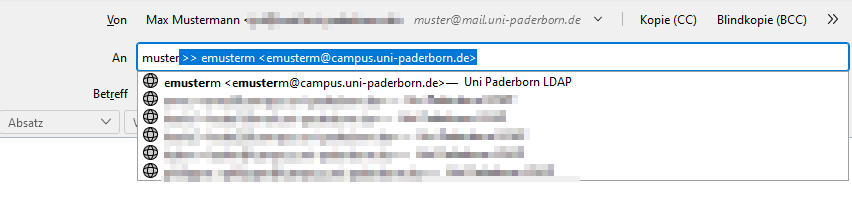
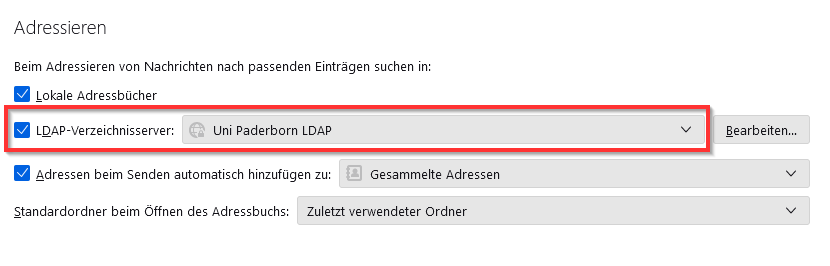
12 KB | {{Information | description = Screenshot Thunderbird 102.4.2 - Adressieren: Uni Paderborn LDAP auswählen | source = Screenshot | date = 14.11.2022 | author = Benutzer:jnk | permission = {{PD-user|jnk}} }}Kategorie:Screenshots | 1 |
| 12:35, 14. Nov. 2022 | LDAP-Verzeichnis-Thunderbird-05.png (Datei) |  |
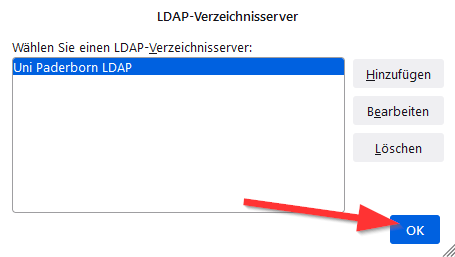
8 KB | {{Information | description = Screenshot Thunderbird 102.4.2 - LDAP Verzeichnisserver Hinzufügen | source = Screenshot | date = 14.11.2022 | author = Benutzer:jnk | permission = {{PD-user|jnk}} }}Kategorie:Screenshots | 1 |
| 12:31, 14. Nov. 2022 | LDAP-Verzeichnis-Thunderbird-04.png (Datei) |  |
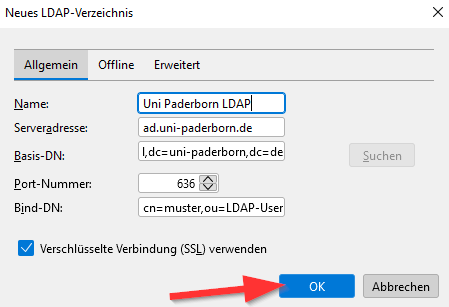
12 KB | {{Information | description = Screenshot Thunderbird 12.4.2 - LDAP Einstellungen | source = Screenshot | date = 14.11.2022 | author = Benutzer:jnk | permission = {{PD-user|jnk}} }}Kategorie:Screenshots | 1 |
| 12:30, 14. Nov. 2022 | LDAP-Verzeichnis-Thunderbird-03.png (Datei) |  |
8 KB | {{Information | description = Screenshot Thunderbird 12.4.2 - LDAP-Verzeichnisserver hinzufügen | source = Screenshot | date = 14.11.2022 | author = Benutzer:jnk | permission = {{PD-user|jnk}} }}Kategorie:Screenshots | 1 |
| 12:30, 14. Nov. 2022 | LDAP-Verzeichnis-Thunderbird-02.png (Datei) |  |
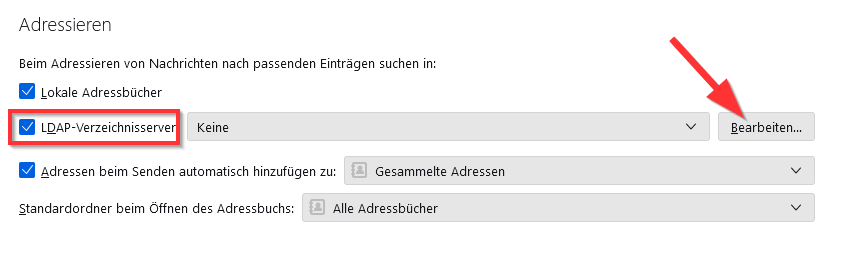
14 KB | {{Information | description = Screenshot Thunderbird 12.4.2 - Einstellungen Adressieren | source = Screenshot | date = 14.11.2022 | author = Benutzer:jnk | permission = {{PD-user|jnk}} }}Kategorie:Screenshots | 1 |
| 12:29, 14. Nov. 2022 | LDAP-Verzeichnis-Thunderbird-01.png (Datei) |  |
4 KB | {{Information | description = Screenshot Thunderbird 12.4.2 - Einstellungen Verfassen | source = Screenshot | date = 14.11.2022 | author = Benutzer:jnk | permission = {{PD-user|jnk}} }}Kategorie:Screenshots | 1 |
| 10:59, 14. Nov. 2022 | Mail-unter-Thunderbird-07.png (Datei) |  |
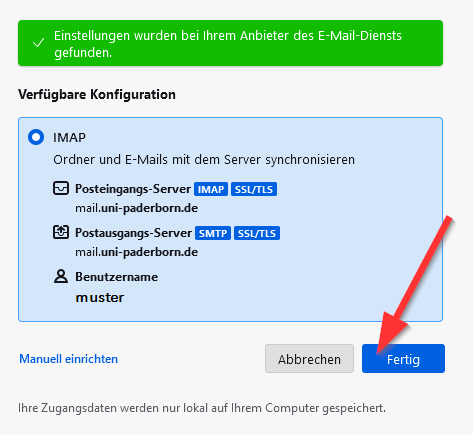
17 KB | {{Information | description = Screenshot Screenshot Thunderbird 102.4.2 - E-Mail-Konto fertigstellen | source = Screenshot | date = 14.11.2022 | author = Benutzer:jnk | permission = {{PD-user|jnk}} }}Kategorie:Screenshots | 1 |
| 10:57, 14. Nov. 2022 | Mail-unter-Thunderbird-04.png (Datei) |  |
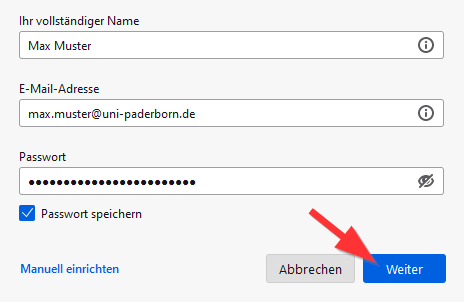
9 KB | {{Information | description = Screenshot Screenshot Thunderbird 102.4.2 - E-Mail einrichten | source = Screenshot | date = 14.11.2022 | author = Benutzer:jnk | permission = {{PD-user|jnk}} }}Kategorie:Screenshots | 2 |
| 10:56, 14. Nov. 2022 | Mail-unter-Thunderbird-03.png (Datei) |  |
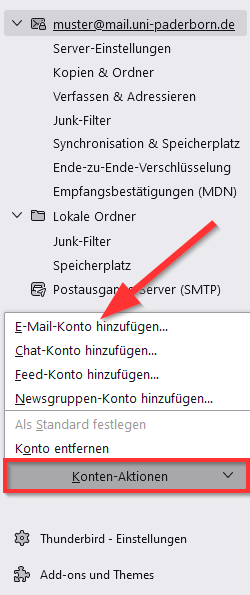
19 KB | {{Information | description = Screenshot Screenshot Thunderbird 102.4.2 - E-Mail-Konto hinzufügen | source = Screenshot | date = 14.11.2022 | author = Benutzer:jnk | permission = {{PD-user|jnk}} }}Kategorie:Screenshots | 2 |
| 10:55, 14. Nov. 2022 | Mail-unter-Thunderbird-02.png (Datei) |  |
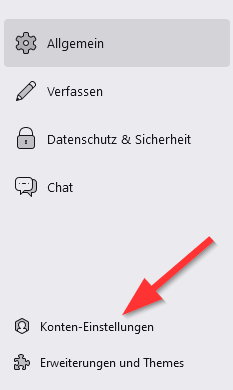
8 KB | {{Information | description = Screenshot Screenshot Thunderbird 102.4.2 - Konten Einstellungen | source = Screenshot | date = 14.11.2022 | author = Benutzer:jnk | permission = {{PD-user|jnk}} }}Kategorie:Screenshots | 2 |
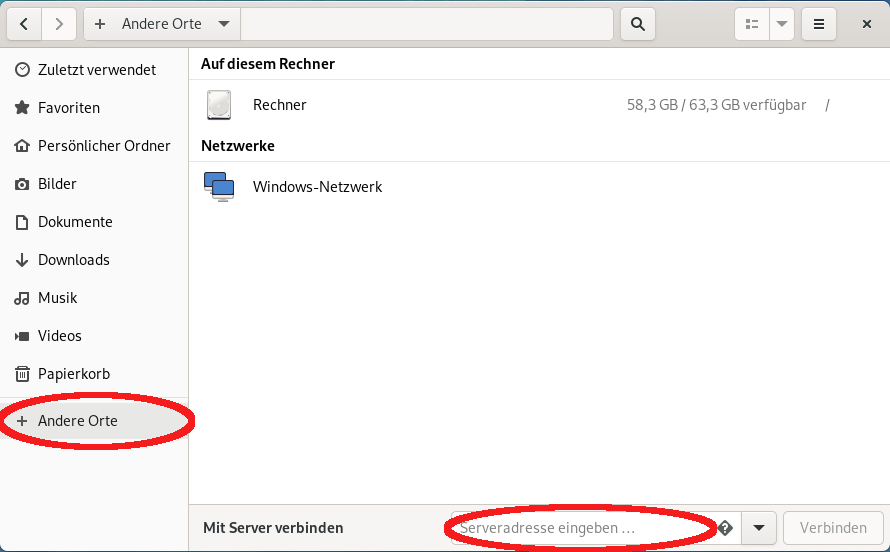
| 13:05, 11. Nov. 2022 | Netzlaufwerk einbinden Linux Nautilus 1.png (Datei) |  |
52 KB | Zurückgesetzt auf die Version vom 6. August 2021, 12:25 Uhr (CEST) | 3 |
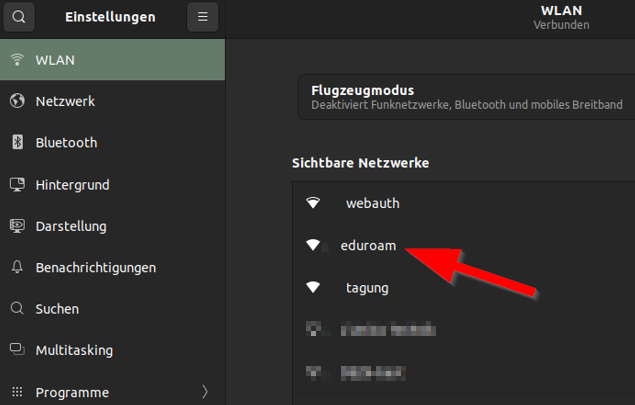
| 12:37, 11. Nov. 2022 | Eduroam unter Linux 02.png (Datei) |  |
62 KB | {{Information | description = Screenshot Ubuntu 22.04 LTS - WLAN Einstellungen | source = Screenshot | date = 11.11.2022 | author = Benutzer:jnk | permission = {{PD-user|jnk}} }}Kategorie:Screenshots | 2 |
| 12:36, 11. Nov. 2022 | Eduroam unter Linux 01.png (Datei) |  |
50 KB | {{Information | description = Screenshot Ubuntu 22.04 LTS - Statusmenü | source = Screenshot | date = 11.11.2022 | author = Benutzer:jnk | permission = {{PD-user|jnk}} }}Kategorie:Screenshots | 2 |
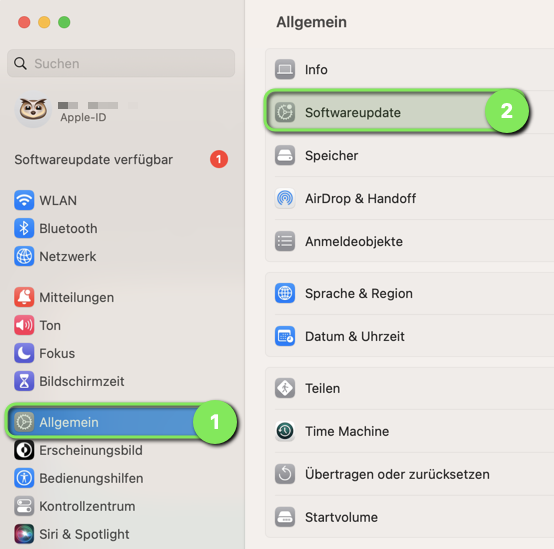
| 15:48, 10. Nov. 2022 | Virenschutz-macOS-08.png (Datei) |  |
123 KB | {{Information | description = Screenshot macOS 13 Ventura - Einstellungen Softwareupdate | source = Screenshot | date = 10.11.2022 | author = Benutzer:jnk | permission = {{PD-user|jnk}} }}Kategorie:Screenshots | 1 |
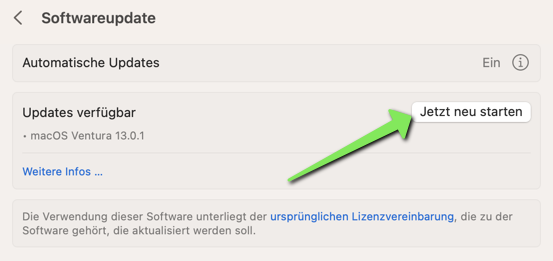
| 15:47, 10. Nov. 2022 | Virenschutz-macOS-09.png (Datei) |  |
46 KB | {{Information | description = Screenshot macOS 13 Ventura - Update installieren | source = Screenshot | date = 10.11.2022 | author = Benutzer:jnk | permission = {{PD-user|jnk}} }}Kategorie:Screenshots | 1 |
| 15:46, 10. Nov. 2022 | Virenschutz-macOS-07.png (Datei) |  |
48 KB | {{Information | description = Screenshot macOS 13 Ventura - Firewall einschalten | source = Screenshot | date = 10.11.2022 | author = Benutzer:jnk | permission = {{PD-user|jnk}} }}Kategorie:Screenshots | 1 |
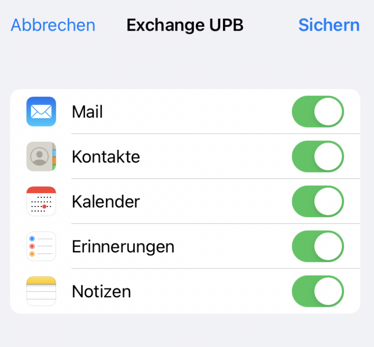
| 15:08, 10. Nov. 2022 | Exchange einrichten in iOS 06.png (Datei) |  |
102 KB | {{Information | description = Screenshot iOS 15 - Exchange Funktionen synchronisieren | source = Screenshot | date = 10.11.2022 | author = Benutzer:jnk | permission = {{PD-user|jnk}} }}Kategorie:Screenshots | 1 |
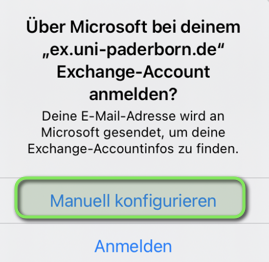
| 15:07, 10. Nov. 2022 | Exchange einrichten in iOS 05.png (Datei) |  |
89 KB | {{Information | description = Screenshot iOS 15 - Exchange manuell einrichten | source = Screenshot | date = 10.11.2022 | author = Benutzer:jnk | permission = {{PD-user|jnk}} }}Kategorie:Screenshots | 1 |
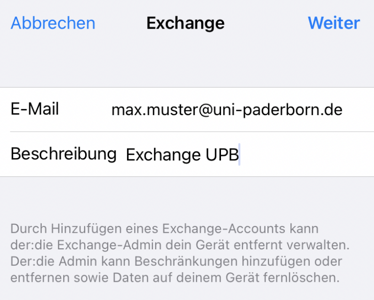
| 15:05, 10. Nov. 2022 | Exchange einrichten in iOS 03.png (Datei) |  |
93 KB | {{Information | description = Screenshot iOS 15 - Exchange-Account hinzufügen | source = Screenshot | date = 10.11.2022 | author = Benutzer:jnk | permission = {{PD-user|jnk}} }}Kategorie:Screenshots | 2 |
| 15:04, 10. Nov. 2022 | Exchange einrichten in iOS 02.png (Datei) |  |
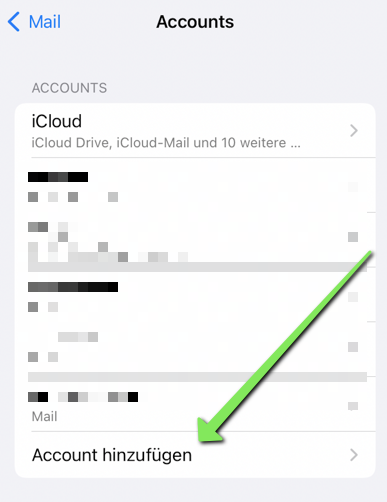
165 KB | {{Information | description = Screenshot iOS 16 - Exchange-Account hinzufügen | source = Screenshot | date = 10.11.2022 | author = Benutzer:jnk | permission = {{PD-user|jnk}} }}Kategorie:Screenshots | 2 |
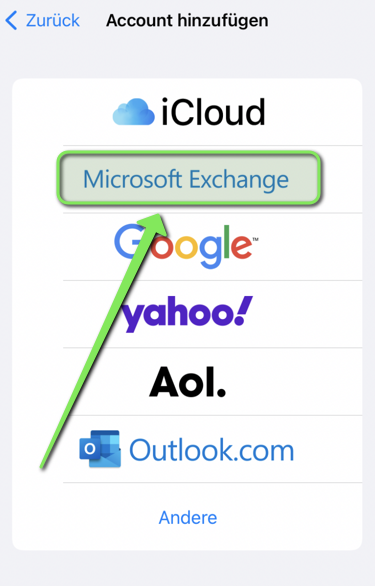
| 15:03, 10. Nov. 2022 | Exchange einrichten in iOS 01.png (Datei) |  |
125 KB | {{Information | description = Screenshot iOS 16 - Account hinzufügen | source = Screenshot | date = 10.11.2022 | author = Benutzer:jnk | permission = {{PD-user|jnk}} }}Kategorie:Screenshots | 2 |