Unten werden bis zu 50 Ergebnisse im Bereich 601 bis 650 angezeigt.
Zeige (vorherige 50 | nächste 50) (20 | 50 | 100 | 250 | 500)
 OutOfDate.png 40 × 40; 4 KB
 Outlook- Startleiste.jpg 1.020 × 10²; 23 KB
 Outlook.svg 512 × 512; 2 KB
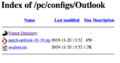 Outlook19-unter-Win-10-01.png 445 × 233; 28 KB
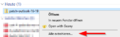 Outlook19-unter-Win-10-02.png 453 × 140; 8 KB
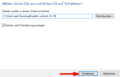 Outlook19-unter-Win-10-03.png 578 × 371; 8 KB
 Outlook19-unter-Win-10-04.png 257 × 87; 1 KB
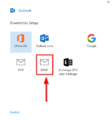 Outlook19-unter-Win-10-09.png 461 × 495; 11 KB
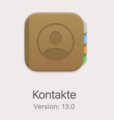 PKI-Adressbuch-Apple-Mail-01.png 198 × 209; 29 KB
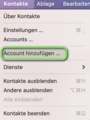 PKI-Adressbuch-Apple-Mail-02.png 214 × 285; 49 KB
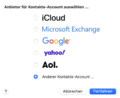 PKI-Adressbuch-Apple-Mail-03.png 407 × 331; 38 KB
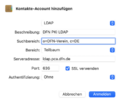 PKI-Adressbuch-Apple-Mail-04.png 410 × 349; 41 KB
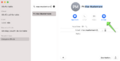 PKI-Adressbuch-Apple-Mail-05.png 843 × 426; 68 KB
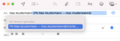 PKI-Adressbuch-Apple-Mail-07.png 547 × 187; 42 KB
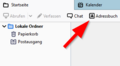 PKI-Adressbuch-Thunderbird-01.png 340 × 188; 8 KB
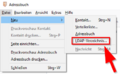 PKI-Adressbuch-Thunderbird-02.png 384 × 236; 12 KB
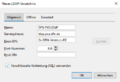 PKI-Adressbuch-Thunderbird-03.png 455 × 312; 9 KB
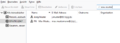 PKI-Adressbuch-Thunderbird-04.png 675 × 240; 13 KB
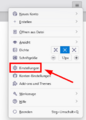 PKI-Adressbuch-Thunderbird-05.png 310 × 433; 23 KB
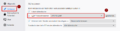 PKI-Adressbuch-Thunderbird-06.png 1.088 × 281; 22 KB
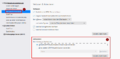 PKI-Adressbuch-Thunderbird-07.png 1.268 × 625; 44 KB
 PKI-Adressbuch-Thunderbird-08.png 236 × 818; 13 KB
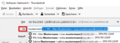 PKI-Adressbuch-Thunderbird-09.png 585 × 210; 16 KB
 Padlock-skyblue-hotpink.png 128 × 128; 17 KB
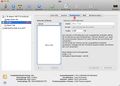 Partitionieren 1.jpg 864 × 620; 91 KB
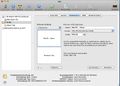 Partitionieren 2.jpg 865 × 621; 77 KB
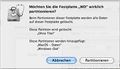 Partitionieren 3.jpg 437 × 250; 47 KB
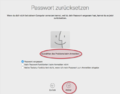 Passwort zurücksetzen Mac.png 696 × 546; 114 KB
 People.svg 512 × 512; 1 KB
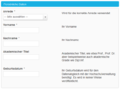 Pers data.png 1.214 × 569; 24 KB
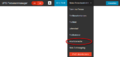 Personenmanager Arbeitsbereiche bearbeiten.png 846 × 402; 9 KB
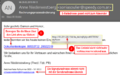 Phishinghinweis-01.png 643 × 402; 46 KB
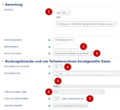 Planer Bewertung.png 752 × 692; 104 KB
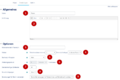 Planer Einstellungen festlegen.png 1.057 × 706; 84 KB
 Planer auswählen.png 393 × 474; 67 KB
 Planner.svg 512 × 512; 370 Bytes
 Plannerv2.png 532 × 520; 135 KB
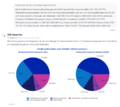 Plotting.png 1.026 × 915; 190 KB
 Pool sct.jpg 1.024 × 622; 13 KB
 Power Pages.png 430 × 430; 38 KB
 Powerapps.svg 512 × 512; 3 KB
 Powerautomate.svg 512 × 512; 2 KB
 Powerpoint.svg 512 × 512; 1 KB
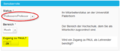 Prof.png 2.442 × 624; 82 KB
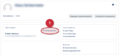 Profil bearbeiten.png 1.728 × 782; 44 KB
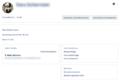 Profil fertig.png 548 × 377; 46 KB
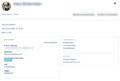 Profil gesamt.png 659 × 447; 57 KB
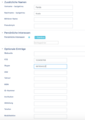 Profil weitere Einstellungsmöglichkeiten.png 556 × 786; 29 KB
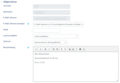 Profileinstellungen Allgemeines.png 618 × 429; 39 KB
 Project.svg 512 × 512; 1 KB


Zeige (vorherige 50 | nächste 50) (20 | 50 | 100 | 250 | 500)