Zoom - Registrierung/en
Die deutsche Version finden Sie auf der Seite Zoom - Registrierung (für Veranstalter*innen)
For hosting a meeting, you must register your Zoom account. This has to be done only once.
Self-registration[Bearbeiten | Quelltext bearbeiten]
- Only use this link for your registration:
https://uni-paderborn-de.zoom.us/
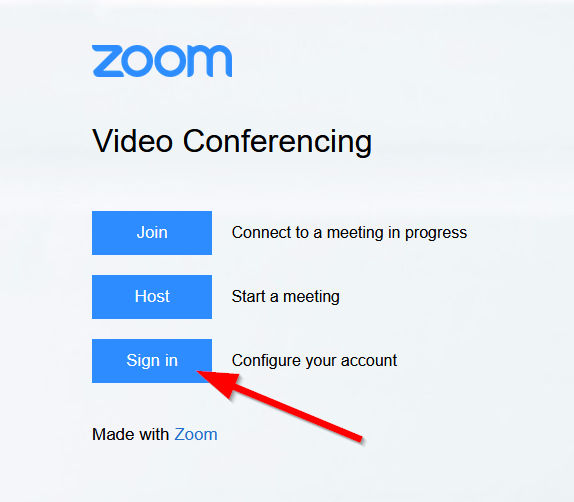
- Click on "Sign in" (Configure your Account).
- The link doesn't carry you to the described landing page? Maybe you are still logged in your old account. In this case, click on "Logout" first.
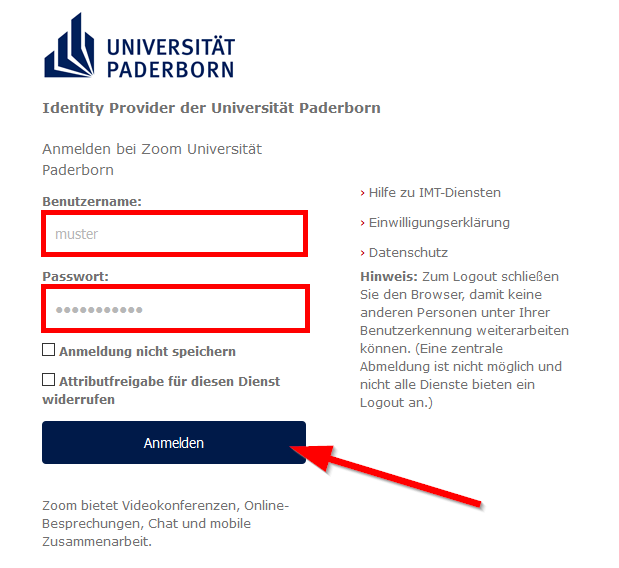
- On the "DFN-AAI-Login-Page" login with your Uni-Account.
- Read the privacy policy and accept the transfer of the given information (name and e-mail-address).
When you register for the first time, you will now receive an email from the system to your preferred university email address, which you must confirm. If you do not receive the email, please check your SPAM/Junk folder in your mailbox.
You have now registered a Zoom license via your university account and your preferred university email address.
See also[Bearbeiten | Quelltext bearbeiten]
- Zoom - Allgemeine Informationen
- Zoom - Overview of all Zoom articles